Blog
Best Focus Management Software in 2026
The average person now holds focus on a single screen for just 47 seconds before switching, according to UC Irvine attention researcher Gloria Mark. In…
 Mil Hoornaert · 15 min read
Some links are affiliate links. We may earn a commission if you buy through them, at no extra cost to you.
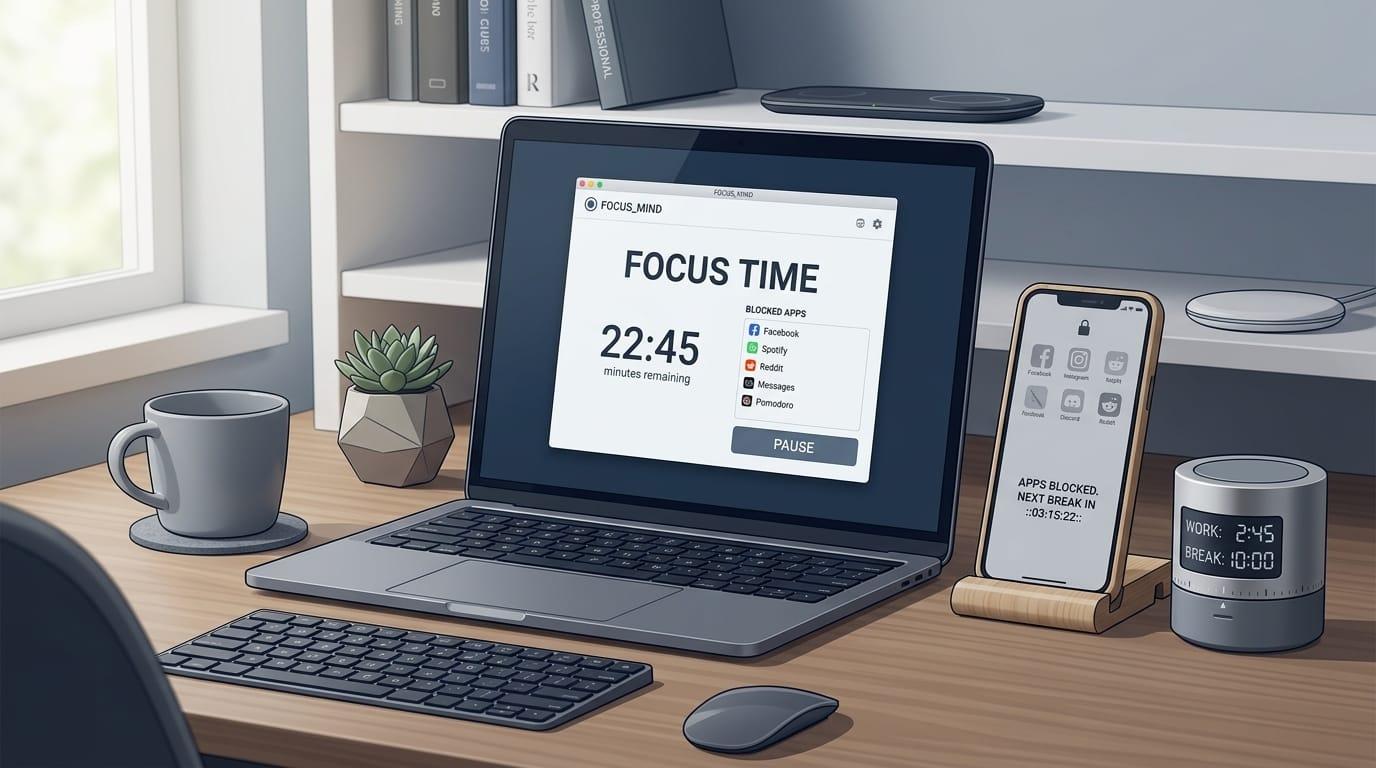
The average person now holds focus on a single screen for just 47 seconds before switching, according to UC Irvine attention researcher Gloria Mark. In 2004, that number was two and a half minutes. The math is brutal: 79% of US workers get distracted within one hour of starting a task, and workplace distractions cost nearly $9 trillion globally in lost productivity. Focus management software exists to tilt those odds back in your favor by blocking distractions, structuring work sessions, and defending deep-work time on your calendar.
Key takeaways:
- Focus management software falls into three categories: distraction blockers (Freedom, Cold Turkey, LockIn MCP), focus timers (Pomodoro apps), and AI calendar defenders (Reclaim).
- The best tool depends on how your focus breaks, phone distractions need a blocker, procrastination needs a timer, and meeting overload needs calendar protection.
- System-level blockers like LockIn MCP and Cold Turkey beat browser extensions because they're harder to bypass and work across all apps.
- Evidence-backed tools show measurable results: a 2025 study found blocking mobile internet improved attention by an amount comparable to reversing ten years of cognitive aging.
- Most people need a combination approach, one tool won't fix every focus problem.
What is focus management software?
Focus management software helps you concentrate by removing distractions, structuring your work, or protecting time for deep focus. The term covers three distinct categories, each solving a different problem.
Distraction blockers stop you from opening distracting websites and apps. Tools like Freedom, Cold Turkey, and LockIn MCP lock specific sites or apps on a schedule or during focus sessions. System-level blockers modify your hosts file or use OS-level APIs, making them far harder to bypass than browser extensions.
Focus timers structure work into intervals, usually Pomodoro-style 25-minute sprints with 5-minute breaks. Apps like Session, Pomofocus, and Focus To-Do add accountability through timed sessions, tracking, and progress reports. They help with starting tasks and building consistent work rhythm.
AI calendar and scheduling tools protect focus time automatically. Reclaim and similar platforms find open slots for deep work, defend them from meetings, and reschedule them when your calendar changes. They solve a different problem than phone blockers: when meetings, not distractions, eat your focus time.
The right category depends on where your focus breaks. If you reflexively open Instagram mid-task, you need a blocker. If you struggle to start or sustain work, you need a timer. If your calendar fills with meetings that overwrite focus blocks, you need AI scheduling.
Best focus management software compared
Here are the 10 best focus management tools in 2026, ranked by effectiveness, platform coverage, and value.
| Software | Category | Best For | Platforms | Price |
|---|---|---|---|---|
| LockIn MCP | AI-native blocker | System-level blocking + AI integration | macOS, Linux, Windows | From $2.99/month |
| Freedom | Cross-device blocker | Blocking on all devices at once | Mac, Windows, iOS, Android, Chrome | From $39.99/year |
| Cold Turkey | Desktop blocker | Unbreakable desktop blocking | Windows, macOS | $39 one-time |
| Reclaim | AI calendar | Protecting focus time in a busy calendar | Web (Google/Outlook) | Free tier, $10/month paid |
| Opal | iPhone blocker | iPhone screen-time control | iOS, macOS, Windows | From $99.99/year |
| Forest | Gamified focus | ADHD-friendly motivation | iOS, Android, Chrome | $3.99 one-time |
| Session | Timer + blocker | Pomodoro + distraction blocking | macOS, iOS | From $4.99/month |
| StayFree | Screen-time tracker | Free Android usage limits | Android, Windows, Chrome | Free tier, $19.99/year |
| one sec | Friction blocker | Gentle pause before doomscrolling | iOS, Android, browsers | From $19.99/year |
| Focus To-Do | Timer + tasks | Pomodoro paired with to-do lists | iOS, Android, Windows, Mac, web | Free tier, $1.99/month |
The 10 best focus management software tools
1. LockIn MCP, AI-native system-level blocker
Best for:Tech-savvy users who want AI assistants to enforce focus
Platforms: macOS, Linux, Windows
LockIn MCP turns AI assistants like ChatGPT, Claude, Perplexity, and Poke into productivity coaches that actively block distracting sites. It works at the system level by modifying your hosts file and running a background MCP server, so blocks apply across all browsers and apps, not just Chrome.
Why it stands out:LockIn MCP is the only focus tool that natively integrates with multiple AI agents. You can start a focus session by asking your AI assistant, request temporary unblocks with accountability, and let the AI manage blocking schedules. The one-line npx installer makes setup frictionless for developers and power users.
System-level blocking means you can't bypass it by switching browsers. And because it connects to AI assistants you already use, focus management becomes part of your existing workflow rather than another app to remember.
Key features:
- System-level domain blocking via hosts file + MCP server
- Native integration with Poke, Claude, ChatGPT, and other MCP clients
- One-command install:
npx -y lockin-mcp install - Chrome extension for quick blocking controls
- AI-driven focus session management
Pros:
- System-level blocking that works across all browsers and apps
- AI assistant integration removes the friction of opening another app
- Developer-friendly install and pricing (monthly trial, lifetime option)
- Lightweight, no heavy desktop app
Cons:
- Requires basic terminal comfort for initial setup
- Best suited for users who already use AI assistants regularly
- Mobile blocking requires separate tools
Pricing:Monthly trial available, Pro from $2.99/month, $59.99 lifetime license
Learn more: How LockIn MCP Works
2. Freedom, Cross-device distraction blocker
Best for:Blocking distractions simultaneously on laptop, phone, and tablet
Platforms:Mac, Windows, iOS, Android, Chrome
Freedom blocks websites and apps across all your devices at once. Start a session on your laptop and the same distractions lock on your phone, tablet, and any other connected device. Locked Mode prevents you from editing blocklists mid-session.
Why it stands out:Freedom is the only blocker backed by a 2025 randomized controlled trial where participants improved sustained attention after two weeks of blocking mobile internet. It's the gold standard for cross-device enforcement.
Key features:
- Synced blocking across Mac, Windows, iOS, Android, and Chrome
- Locked Mode stops blocklist edits during sessions
- Scheduled recurring blocks for daily deep-work protection
- Optional focus soundscapes
Pros:
- Closes the second-screen loophole, blocking laptop distractions while your phone sits nearby doesn't work
- Research-backed with peer-reviewed evidence
- Locked Mode adds real enforcement
Cons:
- No meaningful free tier, just a trial
- Mobile blocking can be inconsistent until Locked Mode is on
- Subscription pricing adds up over time
Pricing:From $39.99/year
3. Cold Turkey, Near-unbreakable desktop blocker
Best for:Deadline pressure or anyone who talks themselves out of their own blocks
Platforms:Windows, macOS
Cold Turkey Blocker is the most thorough desktop blocker available. It blocks websites and apps on a schedule, and "Frozen Turkey" mode can lock you out of your computer entirely. It prevents common workarounds like changing your system clock, accessing task manager, or uninstalling the app mid-session.
Why it stands out:Once a Cold Turkey block is running, it's nearly impossible to undo on Windows. It's the specialist tool for when you need enforcement that won't negotiate with you.
Key features:
- System-wide blocking of sites and desktop apps
- "Frozen Turkey" mode locks you out of the computer
- Blocks workarounds (system clock, task manager, uninstall)
- Scheduled, recurring lockdowns
Pros:
- Near-unbreakable on Windows
- One-time $39 purchase with no subscription
- Blocks whole apps, not just websites
Cons:
- Desktop only, no mobile support
- On Mac, blocking is far less reliable than on Windows
- No flexibility if you block something you end up needing
Pricing: $39 one-time purchase
4. Reclaim, AI calendar focus-time defender
Best for:Protecting deep-work blocks when meetings steal your focus time
Platforms:Web (Google Calendar and Outlook)
Reclaim is an AI scheduling tool that automatically finds and defends focus time on your calendar. Set a weekly Focus Time goal, and Reclaim schedules blocks for it. When meetings shift or pile up, it reschedules those blocks instead of letting them disappear.
Why it stands out:Reclaim solves a problem no phone blocker touches, meeting overload. A 2023 field study found that 89 office workers who used automatic focus-time protection did less after-hours work and reported higher productivity.
Key features:
- Auto-schedules and reschedules focus blocks around meetings
- Works with Google Calendar and Outlook
- Habits, Smart Meetings, and Focus Time in one tool
- Free Lite plan to start
Pros:
- Auto-defends focus time as your week changes
- Removes manual upkeep of time blocking
- Free tier lets you try before paying
Cons:
- Not a phone or website blocker, pair it with LockIn MCP or Freedom
- Web-based with no native mobile app
- Most useful for calendar-heavy schedules
Pricing:Free tier, paid plans from $10/month
5. Opal, iPhone screen-time control
Best for: iPhone doomscrolling and app addiction
Platforms: iOS, macOS, Windows
Opal uses Apple's Screen Time API to block apps on a schedule. A "make it hard to stop" friction delay gives you a 7-second pause before you can break a session, discouraging impulsive unlocks.
Why it stands out:Opal is the most polished iPhone-focused blocker, with clearer insights than Apple's built-in Screen Time. The friction delay is a smart middle ground between a nudge and a hard block.
Key features:
- App blocking built on Apple's Screen Time API
- 7-second friction delay before breaking a session
- Detailed screen-time insights and focus scores
- "Gem" rewards for motivation
Pros:
- Best iPhone blocker for screen-time insights
- Friction delay discourages impulsive unlocks
- Motivating gamification without being childish
Cons:
- Expensive at ~$99.99/year, the priciest on this list
- Outside paid Deep Focus mode, blocks are easy to undo via iPhone Settings
- Some users report surprise renewal charges
Pricing:From $99.99/year
6. Forest, Gamified focus for ADHD-friendly motivation
Best for:Staying off your phone with visible, immediate rewards
Platforms: iOS, Android, Chrome
Forest grows a virtual tree while you focus. The tree dies if you leave to open a blocked app. Over time, you build a forest of focus sessions, and Forest plants real trees through a partner program.
Why it stands out:Research shows real rewards work where willpower nudges don't. Forest gives instant, visible feedback, perfect for ADHD users who need immediate consequence and reward.
Key features:
- Gamified focus with timer and stopwatch modes
- Visible streaks, analytics, and home-screen widgets
- Real trees planted through partnerships
- Quick, low-friction session starts
Pros:
- Motivating and ADHD-friendly
- Plants real trees
- Fun to use, which matters for long-term adherence
Cons:
- Doesn't truly block without Deep Focus mode enabled
- Novelty can fade over time
- New Plus subscription paywalled features longtime users had
Pricing:Free tier, $3.99 one-time for full app
7. Session, Pomodoro timer + distraction blocker
Best for:One tool that times sprints and blocks distractions
Platforms: macOS, iOS
Session combines a Pomodoro timer with distraction blocking. It can also mute Slack during sessions and sync your calendar to protect focus time.
Why it stands out:Most timers and blockers are separate apps. Session is the cleanest all-in-one if you want both, plus it handles work-related distractions like Slack.
Key features:
- Pomodoro timer with built-in website/app blocking
- Calendar and Slack integrations
- Focus stats and reflection notes per session
Pros:
- Polished timer and blocker in one
- Auto-mutes Slack and syncs status during focus
- Calendar view and session analytics
Cons:
- Subscription-only with no one-time purchase option
- Apple-only, and blocking works on Mac only
Pricing:From $4.99/month
8. StayFree, Free screen-time tracker and blocker for Android
Best for:Seeing where your phone time goes and capping the worst apps
Platforms:Android, Windows, Chrome
StayFree tracks per-app usage and lets you set daily limits. It shows where your time goes with detailed charts, then blocks apps when you hit your limit.
Why it stands out:It's the best free option for Android users who want visibility plus blocking. The usage breakdown is often more effective than the blocks themselves, seeing the real numbers lands hard.
Key features:
- Detailed per-app usage stats and history
- Daily time limits with blocking
- Granular controls (can block Instagram Reels, not the whole app)
- Syncs across Android, Windows, Chrome
Pros:
- Excellent free tracking with clear charts
- Granular blocking down to specific in-app feeds
- Flexible limits instead of all-or-nothing
Cons:
- Blocking is less reliable than tracking, easy to override
- Feature-packed interface can feel overwhelming
- iPhone version is far more limited
Pricing:Free tier, paid from $19.99/year
9. one sec, Gentle friction before you doomscroll
Best for:Compulsive checking and lighter distractions
Platforms: iOS, Android, browsers
one sec adds a breathing pause before distracting apps open, then shows how many times you've tried to open them today. It never fully blocks, it just adds friction.
Why it stands out:A Max Planck study found this prompt got people to close distracting apps in about a third of opens. It's the best option if hard blocks feel too punishing.
Key features:
- Breath and delay before apps/sites open
- Shows daily attempt counts
- Custom interventions per app
Pros:
- Research-backed approach
- Gentle and sustainable for compulsive checking
- Data stays on your device
Cons:
- Never actually blocks, so determined impulses win
- Free tier now covers only one app
- Pause can become automatic over time
Pricing:From $19.99/year
10. Focus To-Do, Pomodoro timer + task lists
Best for:Pairing Pomodoro sessions with actual task progress
Platforms: iOS, Android, Windows, Mac, web
Focus To-Do combines a Pomodoro timer with full task management. Each focus session ties to a specific task, so you can review where your time went.
Why it stands out:It closes the gap between "I focused for 25 minutes" and "I made progress on what mattered." The timer becomes a record of work done, not just time passed.
Key features:
- Pomodoro timer tied to tasks and projects
- Detailed productivity reports and trends
- Syncs across desktop, mobile, and web
Pros:
- Properly integrates timer with task lists
- Available on every major platform
- Detailed time-tracking reports
Cons:
- Cross-device sync is premium-only and buggy
- Busier interface than a plain timer
Pricing:Free tier, paid from $1.99/month
How to choose the right focus management software
Start by identifying how your focus actually breaks. Different problems need different tools.
If you reflexively open social media or distracting sites mid-task:You need a distraction blocker. LockIn MCP is the best choice if you already use AI assistants and want system-level blocking. Freedom is better for cross-device enforcement across laptop and phone. Cold Turkey is the nuclear option for unbreakable desktop blocking.
If you struggle to start tasks or sustain work sessions:You need a focus timer. Pomofocus is the fastest free option, no signup, just start. Session is better if you also want blocking built in. Focus To-Do works if you need the timer tied to task progress.
If meetings keep overwriting your focus time:You need AI calendar management. Reclaim auto-schedules and defends focus blocks as your week changes. Pair it with a phone blocker like LockIn MCP or Freedom for full coverage.
If you're on a tight budget:Start with free built-in tools. iPhone Screen Time and Android Digital Wellbeing cover basic blocking. StayFree adds better tracking on Android. Pomofocus handles timers. LockIn MCP's monthly trial and Cold Turkey's one-time fee beat ongoing subscriptions.
If you have ADHD or struggle with motivation:Look for gamification or immediate feedback. Forest, one sec, and Brain.fm (for focus audio) all provide instant response to actions. Avoid rigid Pomodoro if forced breaks interrupt your flow, adjust intervals to your actual work rhythm.
Do focus apps actually work?
Yes, with strong evidence for blockers specifically. A 2025 randomized controlled trial published in PNAS Nexus tested Freedom's mobile internet blocking. Of 467 participants, those who stuck with blocking for two weeks improved sustained attention by an amount researchers compared to reversing about ten years of age-related decline. Mental health improved, depressive symptoms dropped, and 91% improved on at least one measured outcome.
The catch is adherence. Only 119 participants kept the blocker running for the full ten days. The tool worked; getting people to keep using it was the hard part. That's why the strongest tools either make blocking nearly impossible to undo (Cold Turkey, Freedom's Locked Mode) or automate it entirely (Reclaim, LockIn MCP with AI).
Focus music also has evidence. A 2024 study in Communications Biology found that Brain.fm's rapid amplitude modulation raised activity in attention networks, especially for people with ADHD symptoms.
Pomodoro timers have mixed support. A 2025 study of 94 students found structured breaks didn't beat self-chosen breaks on fatigue or output. Rigid 25-minute intervals don't fit everyone, treat them as a starting point, not a rule.
FAQ: Focus management software
What is the difference between a distraction blocker and a focus timer?
A distraction blocker prevents you from opening specific websites and apps during focus sessions. Tools like LockIn MCP, Freedom, and Cold Turkey lock distractions at the system or device level. A focus timer structures work into timed intervals, usually Pomodoro-style 25-minute sprints with breaks. Apps like Session and Focus To-Do help you start and sustain work but don't block anything unless they combine both features.
Can I use focus management software on my phone?
Yes. Freedom, Opal, Forest, StayFree, and one sec all work on mobile. LockIn MCP focuses on desktop system-level blocking, so pair it with a mobile blocker for full coverage. iPhone users should start with built-in Screen Time or try Opal. Android users get the best free option with StayFree.
Does focus management software work for ADHD?
It can, especially tools with immediate feedback and gamification. Forest's visual tree-growing, one sec's gentle friction, and Brain.fm's focus audio all suit ADHD well. Avoid rigid Pomodoro intervals if forced breaks disrupt your flow, adjust timers to your actual work rhythm. The 2024 Brain.fm study specifically found benefits for people with more ADHD symptoms.
Are browser extensions enough to block distractions?
No. Browser extensions are easy to bypass, you can switch browsers, disable the extension, or open a private window. System-level blockers like LockIn MCP and Cold Turkey modify your hosts file or OS settings, making them much harder to work around. For serious distraction problems, system-level tools beat browser-only solutions.
What's the best free focus management software?
Your phone's built-in tools are a good start: Screen Time (iPhone) and Digital Wellbeing (Android). For more features, StayFree (Android tracking and limits), Pomofocus (web Pomodoro timer), and Reclaim's Lite plan (calendar focus time) are all free. LockIn MCP offers a monthly trial and affordable lifetime license, better long-term value than subscriptions.
How do I block websites across all my devices at once?
Use Freedom with Locked Mode enabled, it syncs blocks across Mac, Windows, iOS, Android, and Chrome. For desktop-only blocking, LockIn MCP and Cold Turkey work at the system level on Mac, Windows, and Linux. Pair desktop blockers with a mobile-specific tool like Opal (iPhone) or StayFree (Android) for full coverage.
Can focus management software integrate with my calendar?
Yes. Reclaim automatically finds and defends focus time on Google Calendar and Outlook, rescheduling blocks when meetings change. Session can also connect to your calendar and mute Slack during focus sessions. LockIn MCP integrates with AI assistants that can check your calendar and start focus sessions accordingly.
Lock in your focus
Focus management software works when it matches your actual problem. If distractions live at the system level, notifications, apps, reflexive browsing, you need system-level enforcement. That's what LockIn MCP was built for: AI-native, frictionless blocking that integrates with the assistants you already use.
Try LockIn MCP free and turn your AI assistant into a productivity coach that actually blocks distractions. Install in one line, lock in focus, and reclaim your time.