Blog
Best AI Tools for Productivity Enhancement in 2026
 Mil Hoornaert · 15 min read

The best AI tools for productivity enhancement in 2026 include ChatGPT and Claude for general assistance, Notion AI for knowledge management, Motion and Reclaim for scheduling, Asana for project management, and LockIn MCP for focus enforcement. These tools automate repetitive work, accelerate content creation, optimize schedules, and block distractions to help you get more done.
Key takeaways:
- AI assistants like ChatGPT and Claude handle writing, research, and brainstorming 40% faster than manual work
- Focus enforcement tools like LockIn MCP actively block distractions by integrating AI assistants with system-level website blocking
- Scheduling AI (Motion, Reclaim) saves 7+ hours per week by automating calendar management and defending deep-work time
- Specialized tools for transcription (Otter), project management (Asana), and automation (Zapier) eliminate coordination overhead
- The most productive workers spend 7-10% of their time using AI tools, quality matters more than quantity
Why AI productivity tools matter in 2026
AI productivity tools have moved beyond novelty. Knowledge workers now use an average of 7 AI tools daily, and the shift has unlocked measurable gains. One MIT study found that people finished writing tasks 40% faster with ChatGPT. Meeting transcription tools eliminated hours of note-taking each week. Calendar AI reclaimed fragmented schedules, even freeing up time for social media breaks and personal tasks when needed.
But the real opportunity goes deeper. Asana's research shows that knowledge workers spend 60% of their day on "work about work", coordinating, searching for information, switching between apps, and chasing updates. That's where AI productivity apps create leverage. The best ones cut that coordination overhead by automating status updates, surfacing answers across your workspace, and handling repetitive tasks so you can focus on skilled work.
The challenge? Too many tools create their own overhead. The key is picking AI tools that integrate with your existing stack and solve your specific bottleneck, whether that's writing, scheduling, meetings, or staying focused.
Best AI tools for productivity enhancement
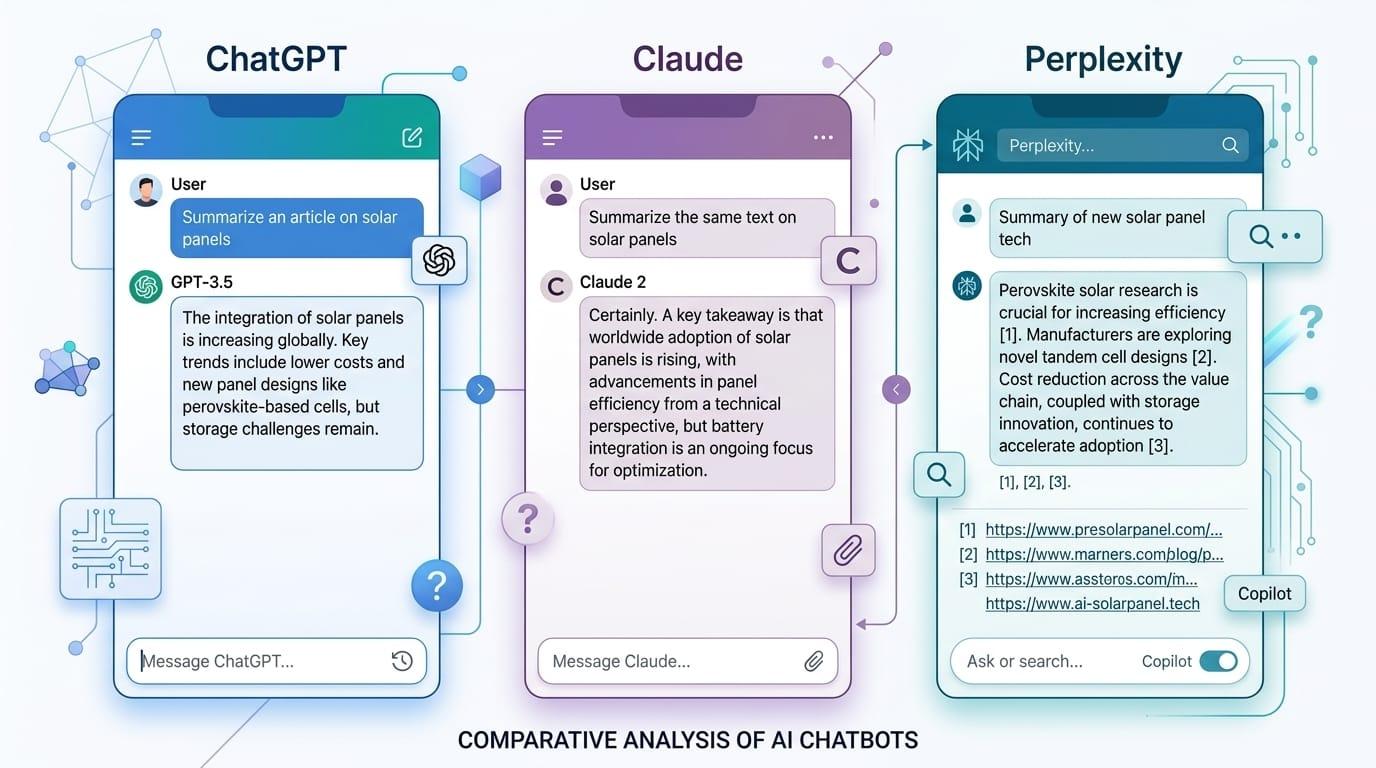
AI assistants & chatbots
ChatGPT is the most versatile AI assistant on the market. It handles writing, analysis, brainstorming, coding, image generation, and research in one interface. The Canvas feature lets you edit long-form documents with full version history. Custom GPTs allow you to train task-specific assistants for your brand voice or workflow. With features like Memory, Projects, and connectors to Google Drive, Gmail, and GitHub, ChatGPT becomes more useful the more you use it.
That said, you still need to fact-check its outputs. ChatGPT can hallucinate facts while sounding confident. For bulletproof citations, pair it with NotebookLM or Perplexity.
Best for:General-purpose AI assistance, rapid drafting, brainstorming Pricing: Free plan available with limited features → Paid plans starting at $20 per month for Plus
Claude from Anthropic produces the highest-quality writing of any AI model we tested. The prose comes out more natural and thoughtful than ChatGPT's, with fewer telltale AI patterns. The Artifacts feature (a side panel where Claude builds editable docs or code) makes iteration fast. Projects let you save context and brand voice across sessions, and the context window stretches to 1 million tokens on Sonnet 4.6 and Opus 4.7, enough to feed it an entire report or codebase.
Where ChatGPT is a generalist, Claude is the tool you reach for when output quality matters. The free tier has stricter daily limits than ChatGPT, and Claude can be overly cautious in its responses. But for research, long-form writing, and technical analysis, it's the strongest option.
Best for:High-quality writing, research, technical analysis Pricing: Free plan with daily limits → Pro offers at $20 per month
Perplexity is an AI-powered search engine that generates answers backed by sources. Unlike ChatGPT or Claude, which draw from training data and can make things up, Perplexity searches the web in real time and cites specific URLs. The follow-up question flow stays on topic even as you dig deeper. It's the tool to use when you need accurate, sourced answers fast.
Perplexity won't replace your general AI assistant, but it's a better choice when factual accuracy matters.
Best for:Research, sourced answers, fact-checking Pricing: Free plan available → Pro at $20 per month
Quick comparison: Top AI assistants
| Tool | Best for | Free plan | Paid plans starting | Key strength |
|---|---|---|---|---|
| ChatGPT | General assistance | Yes | $20/month | Most versatile feature set |
| Claude | Quality writing | Yes | $20/month | Natural prose, 1M token context |
| Perplexity | Research | Yes | $20/month | Real-time web search with citations |
| Notion AI | Knowledge mgmt | Yes | $10/month | Workspace integration |
| LockIn MCP | Focus enforcement | Yes (trial) | $2.99/month | AI + system-level blocking |
Focus enforcement & distraction blocking

LockIn MCP turns AI assistants like ChatGPT, Claude, Poke, and Perplexity into productivity enforcers by connecting them to system-level website blocking. You ask your AI assistant to start a focus session, and it blocks distracting sites through your system's hosts file and a background MCP server. The blocking works across all browsers, and you can request temporary unblocks with accountability through the same AI chat.
LockIn MCP integrates at the system level (macOS, Linux, Windows), not just as a browser extension, so it's harder to bypass. Installation is a one-line npx command. The dashboard tracks focus sessions and shows patterns over time. A Chrome extension offers quick access to start sessions, and the whole system pairs automated enforcement with an AI-driven workflow assistant.
This is the missing piece if you already use AI assistants for productivity but still struggle with distraction. LockIn MCP closes the loop by making your AI coach actually enforce focus instead of just suggesting it.
Best for:System-level distraction blocking integrated with AI assistants Pricing: Monthly trial → Pro from $2.99/month Learn more: How It Works | Install Guide
Freedom blocks websites and apps across all your devices with scheduled sessions. It syncs across Mac, Windows, iOS, and Android, making it one of the most comprehensive cross-platform blockers. You can schedule recurring sessions or start them manually. The locked mode prevents you from disabling a session early.
Freedom is strong for recurring schedules and multi-device blocking, but it doesn't integrate with AI assistants. If you want your AI coach to control your blocking, LockIn MCP is the better choice.
Best for:Cross-device scheduled distraction blocking Pricing: $3.33/month (annual) or $8.99/month
Cold Turkey is the most hardcore desktop blocker available. Once a session starts, there's no way to bypass it, even if you restart your computer or reinstall the app. It's Windows-only (macOS and Linux versions exist but are less mature). Cold Turkey is overkill for casual use, but if you need unbypassable enforcement, it delivers.
Unlike LockIn MCP, Cold Turkey doesn't integrate with AI assistants and has no system for temporary unblocks with accountability.
Best for:Unbypassable desktop blocking Pricing: $49 one-time purchase
Writing & content creation
Jasper is an AI content creation platform built for businesses that need high volumes of marketing copy. It packs dozens of templates for blog posts, ads, social media, and email. Jasper connects to the internet to pull research and sources, and it generates images alongside text. The Brand Voice feature enforces your style guide across all outputs.
Jasper is overkill for individuals but scales well for teams shipping content at volume.
Best for:High-volume marketing content creation Pricing: Plans starting at $39/month
Grammarly catches grammar, spelling, and style issues in real time wherever you write, Gmail, Slack, Google Docs, LinkedIn, and more. GrammarlyGO adds AI-powered rewriting and drafting. The Brand Voice feature flags deviations from your team's defined style, making it valuable for teams who need consistency across everyone's output.
Grammarly is a polish layer, not a from-scratch AI writing tool. Pair it with ChatGPT or Claude for the best workflow. The app offers suggestions across virtually every text field on your device.
Best for:Real-time writing improvement across all apps Pricing: Free → $12/month for Premium
Notion AI adds an AI layer to Notion's all-in-one workspace. It drafts content, summarizes databases, and answers questions across your docs without leaving the tool where your knowledge already lives. Ask Notion (formerly Q&A) pulls sourced answers from your own workspace with citations linking back to source pages.
Notion AI only makes sense if you're already a Notion user. The full AI feature set requires the Business plan at $20/month.
Best for:Knowledge management with AI assistance Pricing: Free → AI features starting at $10/month
Scheduling & calendar AI
Motion is an AI-powered project manager and calendar that automatically schedules your tasks based on priority and deadlines. You set task priorities, and Motion places them on your calendar, rearranging the schedule as new tasks come in or meetings shift. It combines project management, task lists, and calendar in one view.
Motion is strong for individuals who want time-blocking without manual dragging, but it's expensive at $34/month.
Best for:Automated task time-blocking Pricing: $34/month
Reclaim.ai is an AI calendar app that defends time for focus work, habits, and breaks while optimizing your meeting schedule. It syncs with Google Calendar and Outlook and automatically reschedules flexible events (like focus time or habits) around your fixed commitments. Reclaim integrates with task tools like Asana, Jira, Linear, and Todoist to pull work context directly onto your calendar.
Reclaim saves an average of 7.6 hours per week by automating calendar management.
Best for:Defending focus time and automating calendar optimization Pricing: Free → $10/seat/month
Clockwise syncs team calendars to find the best meeting times and create blocks of uninterrupted focus time for everyone. It's designed for teams rather than individuals. Clockwise analyzes everyone's calendar and automatically moves flexible meetings to times that preserve focus blocks.
Best for:Team calendar optimization Pricing: Free → $6.75/month per user
Project management
Asana is a project management platform with AI features that generate subtasks, roll up status updates, and identify workflow blockers. Asana AI Studio creates custom AI workflows for your team. The platform's strength is its structure, goals cascade from company objectives down to individual tasks, and portfolios surface project health across your organization.
The most useful AI features sit behind the Advanced tier at $10.99/month per user.
Best for:Structured project management with AI assistance Pricing: Free → $10.99/month per user for Advanced
ClickUp is an all-in-one workspace with AI features for status updates, task creation, and workflow suggestions. ClickUp Brain can navigate your workspace and answer questions like "Who created this task?" or "Which tasks mention this URL?" Autopilot Agents handle recurring work like generating daily reports or updating task properties.
ClickUp can feel heavy for small teams, but it scales well for organizations.
Best for:All-in-one workspace with AI automation Pricing: Free → $7/month per user
Slack added AI features that summarize channels, threads, and search results. Slack AI catches you up on what happened while you were away by generating channel recaps and highlighting key messages. It also improves search by understanding natural language queries.
Slack AI is an add-on to your existing Slack plan.
Best for:Team communication with AI summaries Pricing: Add-on to existing Slack plans
Meeting notes & transcription
Otter.ai automatically records, transcribes, and summarizes meetings. OtterPilot joins your Zoom, Google Meet, or Teams calls as a visible participant and captures everything said. After the meeting, Otter generates action items, summaries, and a searchable transcript. The Otter AI Chat feature lets you ask questions across your full meeting history.
The visible bot can change meeting dynamics, but the automated output is the richest of any transcription tool.
Best for:Full-featured meeting transcription and summaries Pricing: Free → $16.99/month
Fireflies.ai transcribes meetings and tracks conversation topics. Its bot (Fred) joins calls, records everything, and generates summaries. Fireflies integrates with CRMs like Salesforce and HubSpot, making it strong for sales teams who need meeting context synced automatically.
Best for:Meeting transcription with CRM integration Pricing: Free → $10/month per user
Granola is a privacy-first meeting notepad that captures audio from your device without a visible recording bot. It pairs that audio with any notes you type during the call and generates structured notes afterward. The raw audio is deleted automatically after transcription.
Granola is built for sensitive meetings where a visible bot would change the conversation, 1:1s, performance reviews, customer calls.
Best for:Bot-free meeting notes Pricing: Free → $14/month
Automation & workflow
Zapier connects over 8,000 apps and automates workflows between them. You can build multi-step automations (Zaps) that trigger on events in one app and take actions in others, like routing form submissions, syncing CRM data, or posting weekly summaries. Copilot builds workflows from natural language. Agents handle autonomous, multi-step work across your tech stack.
Pricing scales with task volume, plans starting from free for basic automation, then jumping to paid tiers that can get expensive with high-traffic workflows.
Best for:Cross-app workflow automation Pricing: Free → $19.99/month for Starter
Design & visual content
Canva is a design platform with AI features for generating layouts, writing copy, and creating images. Magic Design generates slide decks and social posts from text prompts. Brand Kit enforces your visual identity across all content. The template library includes 3.6 million+ options for social, print, presentation, and video formats.
Canva is built for everyday visual content. Complex professional design still belongs in dedicated tools like Figma or Adobe.
Best for:AI-powered design for non-designers Pricing: Free → $12/month for Pro
Midjourney generates high-quality images from text prompts. The outputs are consistently more polished and aesthetically refined than DALL-E or Stable Diffusion. Midjourney excels at stylized, editorial, and concept art imagery.
The workflow runs through Discord (and now a web app). There's no free tier, you need a paid subscription to use it. Public images are visible to other users by default on lower tiers.
Best for:High-quality AI image generation Pricing: $10/month for Basic
ChatGPT includes native image generation through DALL-E 3, making it the simplest way to create images if you're already using ChatGPT. The quality is strong, and the integration is seamless. Just describe what you want, and ChatGPT generates it inline. You can ask for tweaks, and it usually nails them on the first try.
Best for:Quick image generation within ChatGPT Pricing: Included with ChatGPT Plus ($20/month)
Video & audio
Descript lets you edit video and audio by editing text. Upload a recording, and Descript generates a transcript. Edit the words, and the video cuts automatically. AI features include automatic filler-word removal, audio cleanup, captions, and Overdub voice cloning to fix mistakes by typing in your own voice.
Descript makes video editing accessible to non-editors, but advanced edits still require timeline view.
Best for:Text-based video and audio editing Pricing: Free → $16/month
Loom records screen-and-camera videos and shares them instantly via link. AI features auto-generate titles, summaries, chapters, and action items, turning a raw recording into a scannable, shareable document. Viewer comments anchor to specific timestamps for threaded discussions.
Loom replaces meetings that could have been an async video.
Best for:Async video communication Pricing: Free → $15/month
How to choose the right AI productivity tool
Start with your biggest time sink. If meetings eat your day, prioritize scheduling and transcription tools. If writing consumes hours, start with ChatGPT, Claude, or Grammarly. If focus and distraction are the problem, look at LockIn MCP, Freedom, or Cold Turkey.
Check integration depth before committing. Tools that live outside your existing stack create more coordination work and information silos. Make sure the AI tool you pick connects with the apps your team already uses, calendar, email, docs, project management, chat. Even small friction points in your workflow can compound into lost time.
Pilot one tool at a time. ActivTrak's research shows employees spending 7-10% of their work hours in AI tools achieve the highest productivity gains. Above that, productivity plateaus or drops. Quality of AI usage matters more than quantity.
Choose tools that reduce "work about work." The most valuable AI productivity tools cut coordination overhead, status updates, searching for information, switching between apps. Look for automation that surfaces answers and keeps your team in sync without manual effort.
FAQ
What are AI productivity tools?
AI productivity tools are software applications that use artificial intelligence to automate tasks, accelerate workflows, and help you get more done. They include AI assistants (ChatGPT, Claude), scheduling tools (Motion, Reclaim), writing aids (Grammarly, Jasper), meeting transcription (Otter, Fireflies), and distraction blockers (LockIn MCP, Freedom). These tools handle repetitive work, generate content, optimize schedules, and block distractions so you can focus on high-value work.
Do I need to be tech-savvy to use AI productivity tools?
No. Most AI productivity tools are designed for non-technical users. ChatGPT, Grammarly, Notion AI, and Otter work through simple chat interfaces or browser extensions. Tools like LockIn MCP install with a one-line command and integrate with AI assistants you already use. The best AI tools reduce complexity rather than adding it.
Are AI productivity tools safe to use?
Most mainstream AI productivity tools are safe, but review their data policies before using them for sensitive work. Tools like ChatGPT, Claude, Notion, and Grammarly offer enterprise plans with stricter data controls, SSO, and compliance certifications (SOC 2, GDPR). For privacy-first meeting notes, Granola captures audio locally and deletes raw recordings after transcription. For distraction blocking, LockIn MCP processes blocking rules locally on your device.
How can AI productivity tools help me on a day-to-day basis?
AI productivity tools help you in measurable ways: writing 40% faster (ChatGPT, Claude), reclaiming 7+ hours per week on calendar management (Reclaim, Motion), eliminating meeting note-taking (Otter, Fireflies), automating cross-app workflows (Zapier), and blocking distractions during focus sessions (LockIn MCP). The best tools reduce "work about work", coordination, searching, and app-switching, so you spend more time on skilled work that moves your projects forward.
What I liked about AI productivity tools
AI productivity tools eliminate tasks I used to do manually. Writing drafts takes minutes instead of hours. Calendar optimization happens automatically. Meeting notes generate themselves. Workflows trigger without reminders. The best tools (ChatGPT, Reclaim, LockIn MCP, Otter) integrate deeply enough that they feel like extensions of my workflow rather than separate apps I have to remember to use.
What I disliked about AI productivity tools
Some AI productivity tools produce generic outputs without specific prompts. ChatGPT can hallucinate facts. Grammarly suggestions sometimes flatten your voice. Motion and Reclaim require setup time before they become useful. LockIn MCP only works if you already use AI assistants. The biggest issue across all tools: too many of them create their own coordination overhead. The best AI stacks are small and focused.
How do I select the best AI productivity app in each category?
Start by identifying your bottleneck, writing, scheduling, focus, meetings, or coordination. Test one tool in that category with a real project, not a demo. Measure time saved over a full week, not just the first impression. Check whether it integrates with your existing stack (calendar, email, docs, project tools). And make sure it reduces "work about work" rather than creating new busywork. The tools that stick are the ones that save more time than they consume.
Stop context-switching. Lock in.
AI productivity tools handle the writing, scheduling, and coordination. But if you're still getting pulled into Reddit, Twitter, or YouTube mid-focus session, the productivity gains evaporate.
LockIn MCP closes that loop. It turns your AI assistant into a focus enforcer, blocking distracting sites at the system level while you work. One command to install. Works across all browsers. Integrates with ChatGPT, Claude, Poke, and Perplexity.
Related reading: