Blog
Best MCP Servers in 2026: Docs, Dev Tools, Focus & Ops
The best MCP servers in 2026 for Claude, ChatGPT, and other AI clients — Context7, GitHub, Playwright, LockIn MCP, Notion, Sentry, and more.
 Mil Hoornaert · 10 min read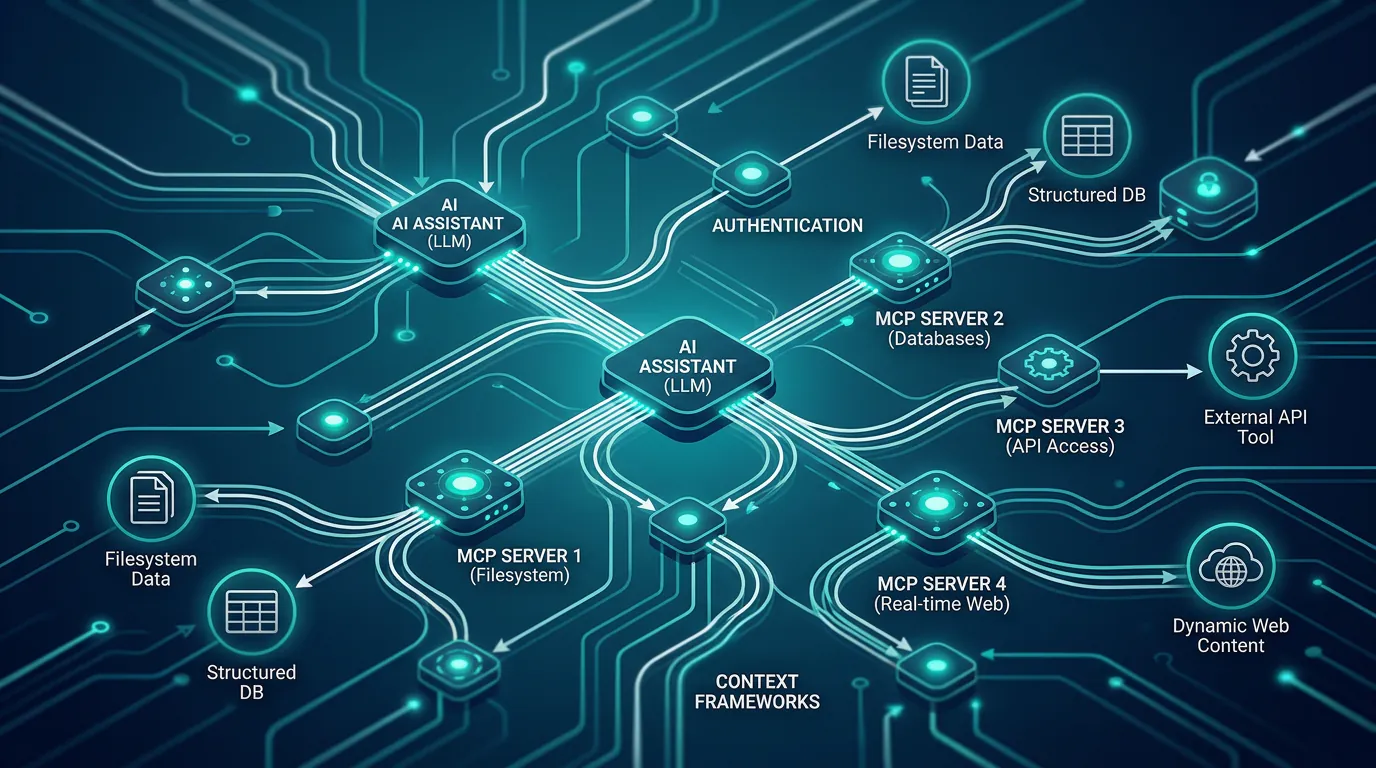
The best MCP servers in 2026 transform AI assistants like Claude, ChatGPT, Perplexity, and Gemini from isolated chatbots into connected productivity tools that can read your docs, control your browser, block distractions, and ship real code. The Model Context Protocol lets you plug external capabilities into any AI client through a standard interface.
Key takeaways:
- Context7 eliminates hallucinated APIs by pulling real, version-specific docs into your AI's prompt
- GitHub MCP lets AI agents open PRs, review code, and trigger workflows natively
- Playwright MCP adds browser automation for testing, scraping, and visual debugging
- LockIn MCP turns your AI into a focus enforcer that blocks distracting sites during work sessions
- Install 3-6 servers that match your workflow, more tools means slower responses and collisions
What is an MCP server?
An MCP server is a small program that exposes tools, resources, and prompts to AI assistants through the Model Context Protocol, an open standard created by Anthropic in November 2024. Think of it as a USB-C port for AI applications.
The server sits between your AI client (Claude Desktop, ChatGPT, Cursor, Poke, or custom agents) and external systems like GitHub, your filesystem, databases, or browser automation tools. When you ask your AI to "open a pull request" or "check this website," the MCP server handles the actual operation and returns the result.
According to Google Cloud, MCP provides a standardized interface for reading files, executing functions, and handling contextual prompts. This replaces the fragmented, custom integrations every AI tool used to maintain separately.
Why MCP servers matter for productivity and focus
AI assistants only know what their servers expose. A coding agent without Context7 hallucinates npm package APIs; with Context7 it pulls real docs. An AI assistant without a productivity MCP describes focus techniques; with LockIn MCP it actually blocks Reddit and enforces your focus session.
By mid-2026, hundreds of MCP servers exist, but most are abandoned demos or thin API wrappers. The servers below are production-ready, actively maintained, and solve real problems for developers and knowledge workers who want AI that acts instead of suggests.
For focus-driven workflows specifically, MCP bridges the gap between AI advice and AI enforcement. Your assistant stops being a passive coach and becomes an active productivity enforcer that removes distractions at the system level.
Documentation and knowledge MCP servers
Context7
The highest-leverage MCP server for any coding workflow. Context7 indexes thousands of libraries with version-specific docs and injects the exact information your AI needs on demand. No more hallucinated method signatures or outdated API patterns.
What it does:Serves up-to-date documentation for your project's dependencies, version-pinned to what you're actually using.
Best for:Every developer using Claude Code, Cursor, ChatGPT, or Codex. If you install only one MCP server, install this.
Install: npx -y @upstash/context7-mcp
Source: Context7 on GitHub
Firecrawl MCP
Converts any website into clean markdown your AI can read. Handles JavaScript rendering, anti-bot pages, and pagination automatically. Essential for research-heavy workflows and competitive analysis.
What it does:Scrapes URLs into structured markdown with optional crawl depth and JSON extraction.
Best for:SEO audits, content research, pulling competitor docs or changelogs into your prompt.
Install:Requires a Firecrawl API key; 10-minute setup via npm.
Source: Firecrawl MCP documentation
Exa MCP
Neural search engine optimized for precise web retrieval. Exa's MCP server lets your AI issue semantic queries and get clean, relevant results back instead of generic search engine noise.
What it does:Semantic web search tuned specifically for AI agent consumption.
Best for:Agents doing market research, competitive intelligence, or domain-specific lookups.
Install:Requires an Exa API key; 10-minute setup via npm.
Developer tooling MCP servers
GitHub MCP (official)
The official GitHub server from Microsoft. Your AI can read repos, create and review pull requests, comment on issues, trigger Actions workflows, and search code across organizations. More reliable and better-scoped than community wrappers.
What it does:Full GitHub API access, scoped by your personal access token or GitHub App permissions.
Best for:Any team whose code lives on GitHub, which is almost everyone.
Install: npx -y @modelcontextprotocol/server-github with a GitHub PAT in the environment.
Source: Official GitHub MCP
Playwright MCP (official from Microsoft)
Microsoft's browser automation server built on Playwright. Your AI can navigate pages, click elements, fill forms, take screenshots, and run JavaScript in a real browser. Stealth mode supported through the underlying Playwright runner.
What it does:Full browser automation through MCP tool calls.
Best for:Visual testing, UI debugging, scraping JavaScript-heavy sites, agentic web flows.
Install: npx -y @playwright/mcp
Source: Playwright MCP on GitHub
Filesystem MCP (official Anthropic reference)
Anthropic's reference implementation for secure file operations. Reads, writes, and lists files in directories you explicitly allow-list. Boring but indispensable for local coding agents that edit code outside an IDE.
What it does:Scoped filesystem access with configurable directory permissions.
Best for:Local agents editing files across projects. (Note: Cursor and Claude Code already expose project-level filesystem, so this is mainly for cross-project work.)
Install: npx -y @modelcontextprotocol/server-filesystem /path/to/allowed/directory
Productivity and focus MCP servers
LockIn MCP
Turns your AI assistant into a system-level distraction blocker. When you ask Claude, ChatGPT, Poke, or Perplexity to start a focus session, LockIn MCP blocks distracting sites at the hosts file level and tracks your session. Request temporary unblocks with accountability.
What it does:System-level domain blocking integrated with AI assistants. Start focus sessions, manage blocked sites, and let your AI enforce boundaries you set.
Best for:Knowledge workers who already use AI assistants and want lightweight, developer-friendly focus enforcement without clunky browser extensions.
Install:One-line npx installer connects the MCP server; get started here.
Why it matters:Other productivity MCP servers help you build things faster. LockIn MCP helps you stay focused while you build. It's the only MCP server on this list designed specifically to remove distractions at the system level while keeping your AI workflow intact.
Source: LockIn MCP
Notion MCP (official)
Official Notion server that lets your AI read and write pages, databases, and properties. Excellent for maintaining knowledge bases, shipping docs alongside code, or pulling product context into a coding session.
What it does:Page and database operations on a Notion workspace.
Best for:Teams whose docs, specs, and product context live in Notion.
Install:Requires a Notion integration token; 10-minute setup.
Source: Official Notion MCP documentation
Operations and infrastructure MCP servers
Kubernetes MCP
Lets your AI inspect and operate Kubernetes clusters. List pods, read logs, describe deployments, apply manifests under tight allow-lists. Indispensable when your AI is the on-call rubber duck for platform work.
What it does: kubectl-equivalent operations exposed as MCP tools.
Best for:SREs and platform engineers using AI agents during incident response.
Install:Requires kubeconfig and careful RBAC scoping; 15-minute setup.
Sentry MCP
Connects your AI to Sentry for error, trace, and release issue retrieval. Combine with GitHub MCP and your agent can triage a production error, find the offending commit, and open a fix PR in one conversation.
What it does:Query Sentry projects, errors, and traces via MCP.
Best for:Teams already on Sentry that want AI-assisted triage.
Install:Requires a Sentry auth token; 10-minute setup.
Source: Sentry MCP details
Slack MCP (official)
Official Slack server that lets your AI post messages, read threads, and DM users. Necessary for agents that summarize work, flag incidents, or answer questions in shared channels. Use with strict per-channel allow-lists.
What it does:Scoped Slack workspace operations.
Best for:Agents acting on behalf of a team in a real workspace.
Install:Requires Slack app install and OAuth scopes; 20-minute setup.
How to install MCP servers in Claude, ChatGPT, and other AI clients
Every modern AI client follows the same pattern: add a config entry, restart the client, and the new tools show up. The config file path differs by client.
Claude Desktop:
- macOS:
~/Library/Application Support/Claude/claude_desktop_config.json - Linux:
~/.config/claude/claude_desktop_config.json - Windows:
%APPDATA%/Claude/claude_desktop_config.json
Cursor:Settings → Features → MCP Servers panel, or edit ~/.cursor/mcp.json
Codex CLI: ~/.codex/config.toml under [mcp_servers]
Here's a minimal config for Claude Desktop with Context7, GitHub, and LockIn MCP:
{
 "mcpServers": {
 "context7": {
 "command": "npx",
 "args": ["-y", "@upstash/context7-mcp"]
 },
 "github": {
 "command": "npx",
 "args": ["-y", "@modelcontextprotocol/server-github"],
 "env": {
 "GITHUB_PERSONAL_ACCESS_TOKEN": "ghp_your_token_here"
 }
 },
 "lockin": {
 "command": "npx",
 "args": ["-y", "lockin-mcp"]
 }
 }
}
Restart Claude Desktop. Type "Tools" in the chat to confirm the new servers loaded correctly.
For a step-by-step walkthrough with screenshots, see the official MCP quickstart guide.
Common mistakes to avoid when using MCP servers
Installing too many servers:Every server adds tools to your AI's context window. Past six or seven, tool selection accuracy drops and responses slow down. Pick 3-6 servers that match your daily workflow.
Loose permission scopes:A GitHub PAT with full repo access, a Slack token with chat:write on every channel, a kubeconfig with cluster-admin rights. Scope down to the minimum your workflow needs.
Ignoring stdio vs HTTP tradeoffs: stdio is faster locally but doesn't work for cloud-hosted agents. HTTP/SSE adds 30-200ms latency per call but works everywhere. Choose deliberately based on where your agent runs.
Tool-name collisions:Two servers exposing tools with identical names confuse the agent. Modern clients prefix tools with the server name, but older versions don't. Check your loaded tool list after install.
Forgetting to pin versions in production: npx -y always fetches the latest version. For production agents, pin explicitly: npx -y @upstash/context7-mcp@1.4.2. The MCP spec evolved quickly through 2025-2026 and breaking changes still happen.
Running OAuth-only servers headless:Agents run headless by default. OAuth-only servers can't complete the redirect. Use the API-key fallback path most vendors provide.
Best MCP servers comparison table
| Server | Category | Official | Best for | One-line verdict |
|---|---|---|---|---|
| Context7 | Docs | Community | All developers | Stops hallucinated APIs |
| Firecrawl | Docs | Vendor | Research workflows | Cleanest web-to-markdown |
| Exa | Docs | Vendor | Semantic search | AI-tuned web retrieval |
| GitHub | Dev tools | Official | Repo work | Real PR and CI access |
| Playwright | Dev tools | Official (MS) | Browser automation | Screenshots, clicks, stealth |
| Filesystem | Dev tools | Official (Anthropic) | Local file access | Reference implementation |
| LockIn | Productivity | Official | Focus enforcement | AI-controlled distraction blocking |
| Notion | Productivity | Official | Knowledge bases | Read/write docs and databases |
| Kubernetes | Ops | Community | Platform work | kubectl through MCP |
| Sentry | Ops | Official | Error triage | Errors and traces in-prompt |
| Slack | Ops | Official | Team communication | Post and read in channels |
FAQ
What are MCP servers used for?
MCP servers connect AI assistants to external systems and data sources through a standardized protocol. They let AI agents read documentation, control browsers, manage code repositories, block distractions, and access databases without requiring custom integrations for each tool.
Which MCP server should I install first?
Context7. It eliminates hallucinated APIs by pulling real, version-specific documentation into your AI's prompt. It's the single highest-impact MCP server for any coding or technical workflow and works with Claude, ChatGPT, Cursor, and other AI clients.
How many MCP servers should I run at once?
3-6 servers that match your daily workflow. More servers add latency and increase tool-name collisions. Start with Context7 (docs), GitHub (code), and one productivity server like LockIn MCP (focus enforcement). Add others only when a real workflow asks for them.
Do MCP servers work with ChatGPT?
Yes. ChatGPT supports MCP through its desktop app and API integrations. The same config pattern used for Claude Desktop works for ChatGPT, add server entries to the config file, restart, and the tools appear in your conversation.
Can I build my own MCP server?
Yes. The Model Context Protocol specification is open source with SDKs for TypeScript, Python, C#, Go, Java, Kotlin, PHP, Ruby, Rust, and Swift. You can build a custom server for internal APIs or unique data sources your team needs.
Are MCP servers free?
Many are. Filesystem, Playwright, GitHub (with free PAT), and Context7 (free tier) cost nothing. Others like Firecrawl, Exa, Sentry, Slack, Notion, and LockIn MCP follow their platform's pricing, usually free tiers exist with usage limits.
What's the difference between MCP servers and ChatGPT plugins?
MCP is an open standard that works across AI clients (Claude, ChatGPT, Cursor, custom agents). ChatGPT plugins are proprietary to OpenAI. MCP servers are simpler to build, use standard stdio or HTTP transports, and don't require vendor approval to distribute.
How do I connect LockIn MCP to my AI assistant?
Install LockIn MCP with one command, add the server entry to your AI client's config file (Claude Desktop, ChatGPT, or Poke), and restart. Your AI can now start focus sessions and block distracting sites at the system level. Full install guide here.
Final verdict
The best MCP servers in 2026 match the work you do. Install Context7 for accurate docs, GitHub MCP for repo work, Playwright for browser flows, and LockIn MCP if staying focused while using AI is part of your workflow. Skip the rest until a real need surfaces.
Add new servers when you catch yourself describing what you want instead of having your AI just do it. The goal is a small, fast toolkit that turns your AI from a chatbot into a productivity tool that enforces the boundaries you set.
Block distractions with AI using LockIn MCP
LockIn MCP is the only productivity-focused MCP server that turns your AI assistant into a focus enforcer. Start a session through Claude, ChatGPT, or Poke and block distracting sites at the system level, no browser extensions, no bypasses. Try it free or see how it compares to other distraction blockers.
