Blog
MCP Integration Platforms: How AI Agents Connect to Tools in 2026
An MCP integration platform connects AI agents to external tools and data through the Model Context Protocol. Here's how the infrastructure works in 2026.
 Mil Hoornaert · 15 min read
An MCP integration platform handles the infrastructure that connects AI agents to external data sources and business tools through the Model Context Protocol. These platforms provide authentication, pre-built connectors, scaling, and security so your AI can query CRMs, update databases, or trigger actions across 100+ applications without custom integration work for each one.
Key takeaways:
- MCP integration platforms turn the Model Context Protocol standard into production-ready infrastructure with multi-tenant auth, pre-built connectors, and managed scaling
- Leading platforms like Paragon, Composio, Alumio, and SnapLogic offer 130-20,000+ tool integrations via MCP servers
- Choose based on deployment needs (cloud vs. self-hosted), existing API infrastructure, and whether you need custom connector support
- MCP platforms enable agentic workflows where multiple AI agents coordinate across systems using a shared integration layer
What is the Model Context Protocol?
The Model Context Protocol (MCP) is an open standard introduced by Anthropic in November 2024 that standardizes how LLMs connect to external systems. Before MCP, every AI model needed custom integrations for every data source, the "N × M problem" where complexity exploded with each new tool or model.
MCP provides a universal interface. Instead of hard-coding connections between ChatGPT and Salesforce, Claude and Google Sheets, or Gemini and your CRM, you build one MCP server that any MCP-compatible AI client can use. It's often called the "USB-C for AI" because it replaces thousands of bespoke integrations with a single reusable standard.
The protocol uses JSON-RPC 2.0 for communication and supports both local (stdio) and remote (server-sent events) transport layers. This means AI agents can access local file systems as fast as external cloud APIs, all through the same interface.
Why you need an MCP integration platform
The Model Context Protocol is a specification, not a product. Implementing MCP from scratch means building MCP servers for every tool, managing OAuth flows for each user, handling rate limits, monitoring failures, and keeping connectors updated when third-party APIs change.
An MCP integration platform provides this infrastructure layer so you don't build it yourself. Here's what they handle:
Pre-built MCP servers and connectors
Instead of writing MCP server code for Salesforce, HubSpot, Slack, Gmail, and 100+ other tools, platforms ship with ready-made connectors. Paragon MCP offers 130+ integrations, while Composio claims 20,000+ tools via direct APIs and MCP.
Each connector exposes the underlying API as MCP-compatible tools and resources. Your AI agent can call salesforce.get_account_by_id or slack.send_message without knowing the specific REST endpoints, authentication methods, or data formats.
Multi-tenant authentication
When you ship an AI product to customers, each user needs to connect their own Salesforce account, not yours. MCP integration platforms handle OAuth 2.0 flows, API key storage, and token refresh for every user across every integration.
Platforms like Paragon embed authentication prompts directly in your chat interface. When an AI agent tries to access a user's HubSpot data, the platform automatically prompts for authorization and manages credentials securely.
Managed scaling and monitoring
MCP servers need to handle concurrent requests from multiple AI agents, retry failed API calls, respect rate limits, and log every interaction for debugging. Integration platforms provide this infrastructure out of the box.
Google Cloud's MCP guide recommends deploying remote MCP servers on Cloud Run or Kubernetes for auto-scaling and high availability. Managed platforms abstract this complexity, you configure the integration once, and the platform handles deployment, scaling, and uptime.
Custom integration builder
Pre-built connectors cover the most popular tools, but every organization uses niche internal systems or industry-specific software. MCP integration platforms include visual builders for custom connectors.
Paragon's custom integration builder lets you define any REST API as an MCP-compatible tool in under 10 minutes using OpenAPI specs. Alumio's approach is to expose existing iPaaS routes as MCP servers, so any system already connected to your integration layer becomes instantly AI-accessible.
How MCP integration platforms work
An MCP integration platform sits between your AI application (the MCP host/client) and external business systems (data sources and APIs). Here's the flow when a user asks your AI agent to "Find the latest sales report and email it to my manager":
- The AI agent invokes MCP tools. Your LLM (hosted in Claude Desktop, ChatGPT, Poke, or your custom app) recognizes it needs external data. It uses the MCP client to discover available tools and calls
database_queryandemail_sender. - The platform routes requests to MCP servers. The integration platform receives the tool calls and routes them to the appropriate MCP server, one for your database, another for Gmail or Outlook.
- MCP servers execute actions. Each server translates the AI's request into the target API's format, handles authentication (using the user's stored credentials), executes the call, and formats the response in a structure the LLM understands.
- Results flow back to the AI. The LLM receives the sales report data and the email confirmation, then generates a human-readable response: "I found the latest sales report and emailed it to your manager."
The platform handles retry logic if an API is down, logs every call for compliance, and tracks which user triggered which action across which integrations.
Comparing top MCP integration platforms
Different platforms optimize for different use cases. Here's a breakdown of leading options in 2026:
| Platform | Integrations | Key Strength | Best For |
|---|---|---|---|
| Paragon MCP | 130+ pre-built, custom builder | Embedded auth, dynamic proxy actions | SaaS products shipping AI agent features |
| Composio | 20,000+ tools via MCP + direct APIs | Massive coverage, agent-first design | Developers building autonomous AI agents |
| Alumio iPaaS | Existing API routes as MCP servers | Reuses enterprise integration infrastructure | Companies with complex iPaaS deployments |
| SnapLogic | Enterprise focus, data pipeline integration | Governed, enterprise-grade workflows | Large organizations with compliance needs |
| K2view MCP | Enterprise data products, micro-databases | Data governance, privacy-first architecture | Regulated industries (finance, healthcare) |
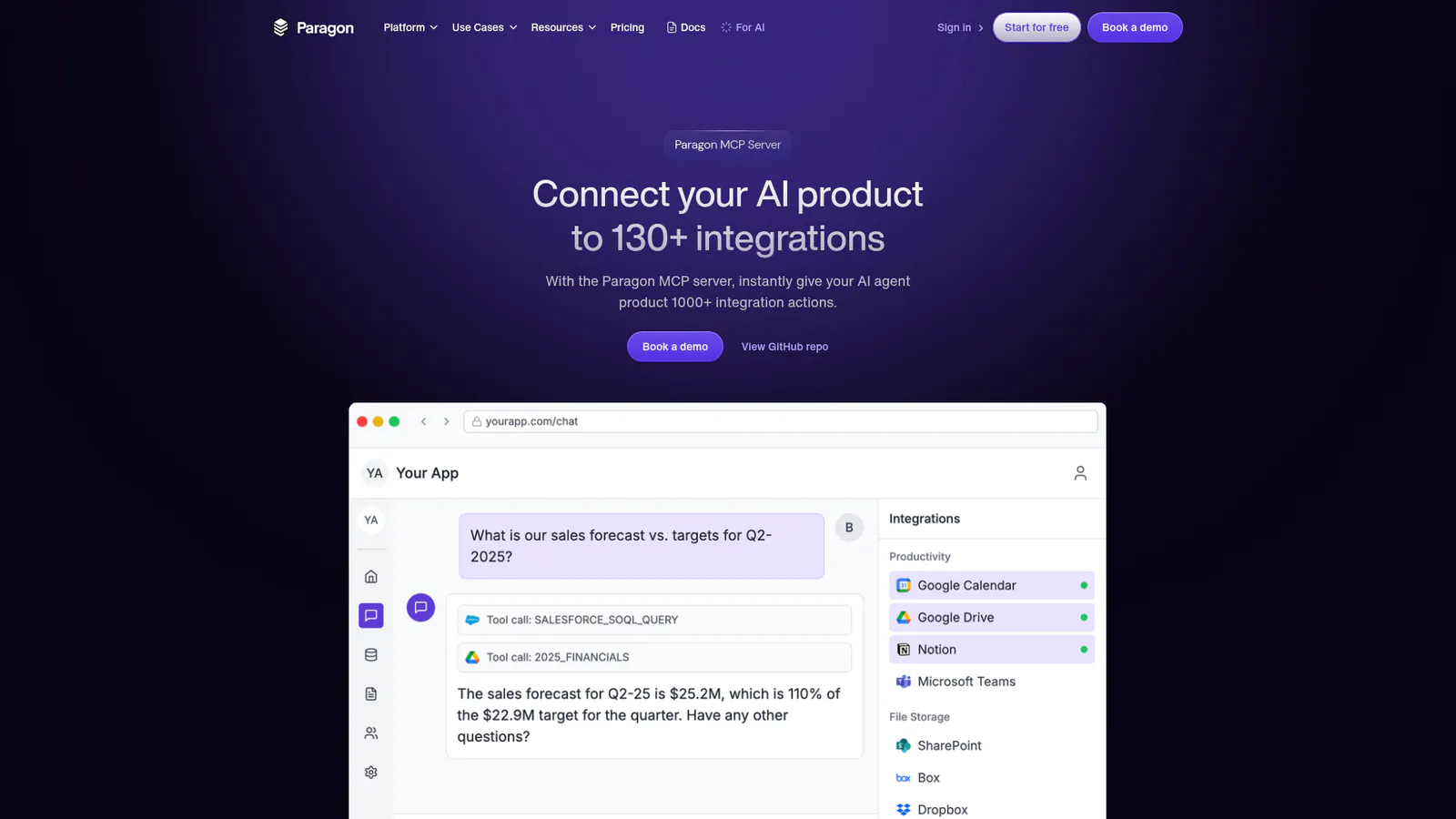
Paragon MCP Server
Paragon is an embedded integration platform built for B2B SaaS companies. Its MCP server provides 1,000+ integration actions across 130+ connectors (Salesforce, HubSpot, Slack, Microsoft Dynamics, and more).
The platform's key differentiator is embedded in-chat authentication. When your AI agent needs access to a user's Salesforce account, Paragon prompts the user to authorize directly within your application. OAuth flows are white-labeled and managed entirely by Paragon.
Paragon also offers dynamic proxy actions (beta), which let AI agents write and execute raw HTTP requests using the LLM's inherent knowledge of popular APIs. This means your agent can access any public API even if Paragon doesn't have a pre-built connector yet.
Composio Toolkits
Composio positions itself as the most comprehensive tool library for AI agents, with support for 20,000+ tools via both MCP servers and direct API integrations. The platform is agent-first, designed for developers building autonomous AI workflows rather than embedding features in existing SaaS products.
Composio focuses on real work automation, enabling AI agents to execute tasks across calendar apps, email, project management tools, CRMs, and developer environments (GitHub, Linear, Jira). The platform supports multiple protocols beyond MCP, giving developers flexibility in how they connect AI to external systems.
Alumio iPaaS with MCP
Alumio takes a different approach: it turns existing integration infrastructure into MCP-accessible endpoints. If your organization already uses Alumio's iPaaS to connect e-commerce platforms (Magento, Shopify, BigCommerce), ERPs, and CRMs, you can expose those routes as MCP servers without building new integrations.
As Ray Bogman, Alumio's Head of Innovation, explains: "With MCP in place, those prompts can trigger real-time data retrieval from Magento via Alumio, without the need for custom queries or additional configurations. It's a smarter, more flexible way to use AI across the entire integration landscape."
This model works best for enterprises with complex data flows already managed through an iPaaS. Instead of migrating to a new platform, you add MCP as a layer on top of your existing integration architecture.
SnapLogic for enterprise AI agents
SnapLogic added MCP support in 2025 to extend its enterprise data pipeline platform into AI agent territory. The platform emphasizes governance, audit trails, and role-based access control, requirements for regulated industries.
SnapLogic's integration catalog covers enterprise systems (SAP, Oracle, Workday) and modern SaaS tools. The platform's strength is orchestrating complex, multi-step workflows where AI agents need to interact with multiple systems while maintaining compliance and security standards.
How to choose an MCP integration platform
Start with these questions:
1. Do you need to embed integrations in a product, or build internal AI agents?
If you're shipping a B2B SaaS product with AI features, choose a platform like Paragon that handles multi-tenant auth and white-labeled OAuth flows. If you're building internal automation agents, Composio's broader tool coverage and agent-first design may fit better.
2. What's your deployment model, cloud or self-hosted?
Most MCP integration platforms are cloud-hosted, which simplifies scaling and maintenance. If you have strict data residency or security requirements, look for platforms that support self-hosted MCP servers. Google Cloud's guide covers deploying remote MCP servers on Cloud Run or Kubernetes.
For system-level productivity tools like LockIn MCP, you can run MCP servers locally via stdio transport for low-latency access to the local hosts file and system resources.
3. Do you already have an iPaaS or integration infrastructure?
If your organization has invested in an iPaaS like Alumio, MuleSoft, or Dell Boomi, investigate whether it supports MCP. Reusing existing integration routes as MCP servers avoids duplicating infrastructure and leverages the governance and data transformations you've already built.
4. What level of customization do you need?
Pre-built connectors cover common use cases, but niche industries or custom internal tools require a visual builder for defining custom MCP servers. Platforms like Paragon and Alumio offer low-code tools for building connectors in minutes using OpenAPI specs or existing API documentation.
5. How many tools do you realistically need?
A platform advertising 20,000+ integrations sounds impressive, but most organizations actively use 10-30 systems. Prioritize depth (well-maintained connectors with comprehensive action coverage) over breadth (a long list of superficial integrations).
MCP integration platforms and agentic workflows
The most powerful use case for MCP integration platforms isn't single-task AI assistants, it's agentic workflows where multiple AI agents collaborate autonomously.
Imagine an e-commerce workflow:
- Agent 1 monitors inventory levels via an MCP connection to your ERP
- Agent 2 analyzes sales trends using data from Shopify or Magento
- Agent 3 generates restocking recommendations and creates purchase orders in your procurement system
- Agent 4 sends supplier notifications via email or Slack
Each agent specializes in one domain, but they all use the same MCP integration platform to access data and trigger actions. The platform handles authentication, rate limiting, and error handling across all agents and all systems.
As Alumio's analysis notes, "MCP allows Alumio to serve as the bridge, so any system we connect to today via APIs can become AI-accessible tomorrow, with minimal friction. That's what makes it so scalable."
This architecture shifts integration from a one-time development task to an ongoing capability that evolves with your AI agents.
Security and governance for MCP integration platforms
Connecting AI agents to production systems introduces new security considerations. MCP integration platforms must address:
User consent and authorization
Every MCP action should require explicit user permission before accessing data or executing commands. Platforms like Paragon embed authorization prompts directly in the chat interface, ensuring users understand what the AI is doing.
Google Cloud's MCP security guidance emphasizes: "Users need to clearly understand and agree to all actions and data access the LLM performs through MCP. They should be able to control what data is shared and what actions are taken."
Data privacy and encryption
MCP servers handle sensitive business data, customer records, financial information, employee details. Integration platforms must encrypt data in transit and at rest, implement role-based access control, and provide audit logs for every API call.
For regulated industries, platforms like K2view offer data masking, tokenization, and compliance-specific features built into their MCP architecture.
Tool safety and output validation
AI agents can execute code or trigger irreversible actions (deleting records, sending emails, placing orders). MCP integration platforms should:
- Require confirmation before destructive actions
- Validate AI-generated API requests against schema definitions
- Rate-limit tool invocations to prevent runaway agents
- Log every action with timestamp, user context, and agent identifier
Supply chain security
The reliability of your MCP integration platform affects every AI agent you deploy. Evaluate the platform's uptime guarantees, security certifications (SOC 2, ISO 27001), and incident response processes.
Open-source MCP server implementations provide transparency but require you to manage updates, security patches, and hosting infrastructure yourself.
Implementing an MCP integration platform
Here's a practical roadmap for adding MCP integration capabilities to your AI application:
1. Choose an MCP-compatible AI host
Your AI application needs to support MCP. Compatible hosts include:
- Claude Desktop (native MCP support)
- Cursor (code editor with MCP)
- Poke (AI assistant with MCP)
- ChatGPT (via custom plugins or connectors)
- Custom applications using MCP client libraries
If you're building a custom AI product, implement an MCP client that discovers available servers and invokes tools based on LLM requests.
2. Select and configure your integration platform
Sign up for an MCP integration platform (Paragon, Composio, Alumio, etc.) and configure the connectors you need. Most platforms offer SDKs for embedding authentication flows in your application.
For local-only tools like LockIn MCP's focus enforcement system, deploy MCP servers locally using stdio transport. For cloud-based integrations (Salesforce, Slack), use remote MCP servers with SSE transport.
3. Define your AI agent's scope
Not every AI agent needs access to every integration. Define which tools each agent can invoke based on user roles and use cases:
- A sales assistant agent accesses CRM and email tools
- A support agent accesses ticketing systems and knowledge bases
- A focus enforcement agent (like LockIn MCP) controls system-level blocking via the hosts file
This scoping reduces security risk and prevents agents from accidentally invoking the wrong tools.
4. Test with real-world scenarios
Before production, test your MCP setup with realistic prompts:
- "Pull last quarter's revenue from Salesforce and summarize trends"
- "Find all open tickets assigned to me in Jira and prioritize by urgency"
- "Block distracting websites for the next two hours" (for productivity agents like LockIn MCP)
Monitor how the platform handles rate limits, authentication failures, and API errors. Verify that audit logs capture every tool invocation with sufficient detail for debugging.
5. Monitor and iterate
Once live, track which integrations your AI agents use most, which fail most often, and where users encounter friction. MCP integration platforms provide dashboards for monitoring API call volumes, error rates, and user authorization flows.
Use these metrics to prioritize adding custom connectors, improving error messages, or optimizing slow tool invocations.
The future of MCP integration platforms
MCP is less than two years old, and the ecosystem is evolving rapidly. Several trends are shaping the next generation of MCP integration platforms:
MCP vs. RAG consolidation
Retrieval-Augmented Generation (RAG) and MCP serve complementary roles. RAG pulls information from documents to augment LLM responses. MCP enables action, querying databases, updating records, sending messages.
Future platforms will integrate both: RAG for knowledge retrieval and MCP for tool execution. An AI agent could use RAG to reference product documentation while using MCP to place an order or update inventory.
AI-native workflow builders
Today's integration platforms were designed for human developers defining static workflows. MCP enables AI agents to dynamically compose workflows by chaining tool invocations.
Next-generation platforms will provide AI-native orchestration layers where agents can discover, reason about, and invoke tools without pre-defined workflows. This requires better tool documentation (so LLMs understand what each tool does) and semantic tool search (so agents find the right tool for each task).
Cross-vendor MCP server registries
As more vendors publish MCP servers, the ecosystem needs standardized registries where developers can discover, evaluate, and deploy servers. Think "npm for MCP servers" with version control, security scanning, and community ratings.
Prefect Horizon is positioning itself as the only platform covering the full MCP server lifecycle, registry, deployment, gateway, and monitoring.
Edge and local-first MCP
Most current MCP implementations rely on cloud-based remote servers. But use cases like LockIn MCP's system-level distraction blocking require local MCP servers with stdio transport for low-latency access to the hosts file and OS-level controls.
Future platforms will offer hybrid architectures: remote servers for cloud APIs (Salesforce, Slack) and local servers for file systems, developer tools, and OS-level actions, all managed from a unified control plane.
FAQ
What is an MCP integration platform?
An MCP integration platform provides the infrastructure layer for connecting AI agents to external business systems via the Model Context Protocol. It handles authentication, pre-built connectors, scaling, monitoring, and security so developers don't build MCP servers from scratch for every tool.
How is an MCP integration platform different from an iPaaS?
Traditional iPaaS platforms (like MuleSoft or Dell Boomi) connect systems and automate data flows between them. MCP integration platforms specifically enable AI agents to query data and trigger actions via the Model Context Protocol. Some iPaaS platforms like Alumio now support MCP, offering both traditional integration and AI-native connectivity.
What are the best MCP integration platforms in 2026?
Top platforms include Paragon MCP (130+ integrations, embedded auth), Composio (20,000+ tools, agent-first), Alumio (iPaaS with MCP support), SnapLogic (enterprise-grade workflows), and K2view (data governance focus).
Can I use MCP without an integration platform?
Yes. You can build MCP servers yourself using Anthropic's open-source SDKs for Python, TypeScript, and other languages. This gives you full control but requires managing authentication, hosting, scaling, and maintenance. Integration platforms trade flexibility for speed and convenience.
Does MCP work with ChatGPT, Claude, and other LLMs?
MCP is model-agnostic. Any LLM application can implement an MCP client to connect to MCP servers. Claude Desktop has native support. ChatGPT, Poke, Cursor, and other tools use MCP through plugins or custom implementations.
How does MCP integration improve AI agent capabilities?
MCP gives AI agents access to real-time data and the ability to take action in external systems. Instead of only answering questions based on training data, an AI agent can query your CRM for customer details, update order status in your ERP, or block distracting websites via a system-level tool like LockIn MCP.
What security considerations matter for MCP integration platforms?
Key concerns include multi-tenant authentication (each user's credentials stored securely), role-based access control (limiting which tools each agent can invoke), audit logging (tracking every API call), data encryption (in transit and at rest), and output validation (preventing malicious or malformed requests). Enterprise platforms like SnapLogic and K2view provide compliance-specific features for regulated industries.
How much do MCP integration platforms cost?
Pricing varies widely. Developer-focused platforms like Composio offer free tiers for limited usage. Enterprise platforms like SnapLogic require custom pricing based on volume and features. SaaS-focused platforms like Paragon typically charge per connected user or per integration action, with free trials available for testing.
