Blog
StayFocusd vs Freedom: Best Distraction Blocker in 2026
StayFocusd is a free Chrome extension with daily time limits. Freedom syncs blocking across Mac, Windows, iOS, and Android. Compare platform support, bypass resistance, and pricing.
 Mil Hoornaert · 12 min read
Some links are affiliate links. We may earn a commission if you buy through them, at no extra cost to you.
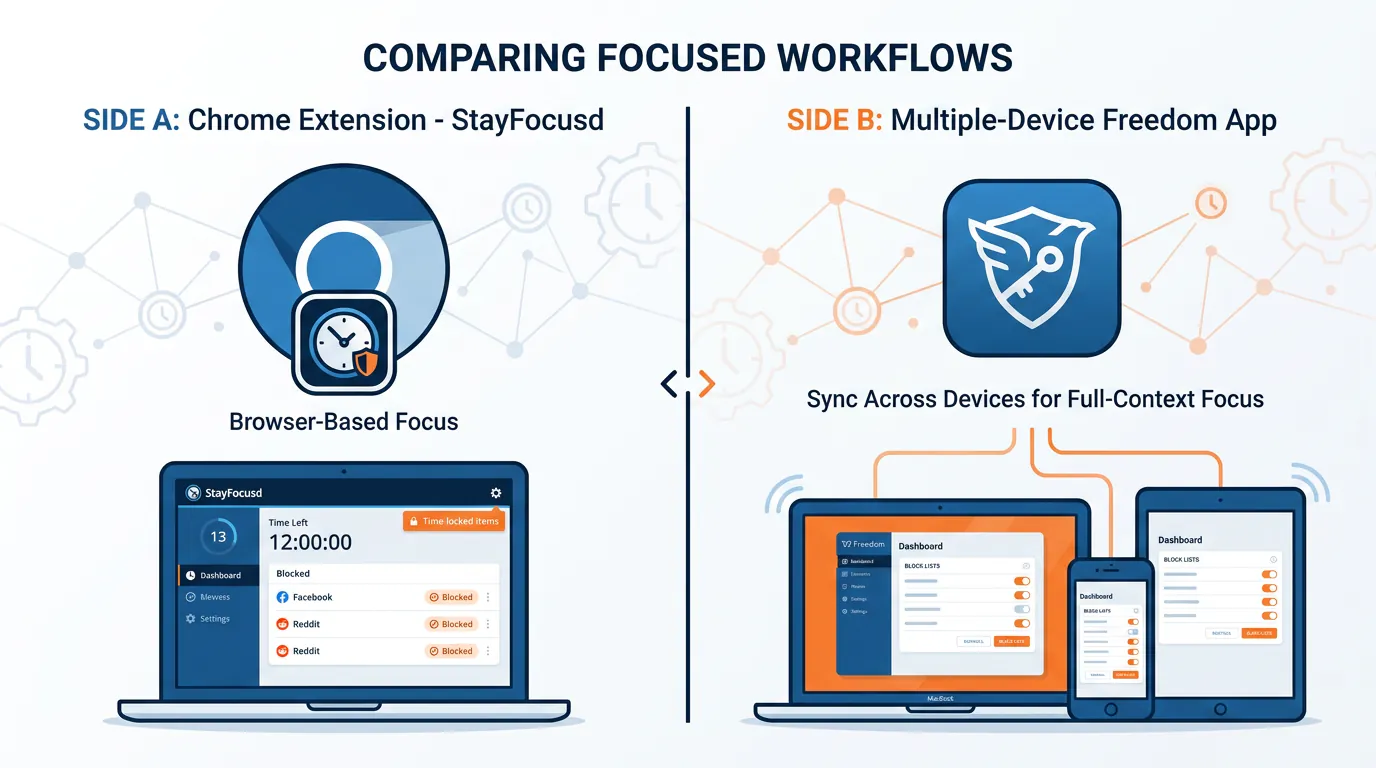
StayFocusd is a free Chrome extension with time limits and a Nuclear Option. Freedom is a $39.99/year cross-device app that syncs blocking across Mac, Windows, iOS, and Android. The main difference: StayFocusd only works in Chrome and is relatively easy to bypass, while Freedom blocks apps and websites across multiple devices with stronger enforcement via locked mode.
Key takeaways:
- StayFocusd is free, Chrome/Edge-only, blocks websites with daily time limits, and offers a Nuclear Option for strict blocking
- Freedom costs $39.99/year, syncs across all devices (desktop + mobile), blocks both apps and websites, and has locked mode to prevent session exits
- StayFocusd is easier to bypass (switch browsers, disable extension); Freedom is harder but still allows uninstalls
- Choose StayFocusd if you only need basic Chrome blocking; Freedom if you work across devices and need mobile app blocking
- For stronger enforcement, consider system-level blockers like LockIn MCP that integrate with AI assistants
Quick Comparison Table
| Feature | StayFocusd | Freedom |
|---|---|---|
| Pricing | Free | $39.99/year or $99.50 lifetime |
| Platforms | Chrome, Edge (browser only) | Mac, Windows, iOS, Android, Chrome, Linux |
| Blocks apps | No | Yes |
| Mobile support | No | Yes |
| Cross-device sync | No | Yes |
| Bypass difficulty | Easy (switch browsers) | Moderate (locked mode, but can uninstall) |
| Best for | Basic Chrome users on a budget | Multi-device users who need mobile blocking |
What Is StayFocusd?
StayFocusd is a free website blocker and productivity extension for Google Chrome (also available on Microsoft Edge) that restricts the amount of time you spend on distracting sites. You set a daily allowance, say, 30 minutes for social media, and once you hit that limit, blocked sites become inaccessible for the rest of the day.
With over 2 million users and 8,500+ Chrome Web Store reviews averaging 4.5 stars, StayFocusd is one of the most popular Chrome extensions for keeping focus.
Key Features
Daily time limits:Allocate a specific amount of time per day for time-wasting sites. When the timer runs out, those sites are blocked.
The Nuclear Option:A strict mode that blocks all distracting websites for a set period (up to 12 hours). Once activated, you can't turn it off early, but you can disable the extension entirely if you know where to look.
Usage metrics dashboard:Track which sites consume the most time with visual charts and daily reports.
In-app blocking:Block specific sections within social media sites like YouTube, Instagram, and TikTok feeds, hiding recommended videos and comments to stay focused on what matters.
Customizable blocklist:Build your own list of time-wasting sites, or use preset categories.
Pros
- Completely free
- Simple setup, no account required
- Good for casual users who need a nudge
- Detailed usage tracking
Cons
- Chrome/Edge only, doesn't work in Safari, Firefox, or other browsers
- No mobile app blocking
- Easy to bypass: disable the extension, switch browsers, or use incognito
- No cross-device sync
Pricing
Free.Always.
What Is Freedom?
Freedom is a cross-platform website and app blocker that syncs sessions across Mac, Windows, iOS, Android, Chrome, and Linux. You create blocklists of distracting websites and apps, start a focus session, and Freedom enforces blocking across every device you've installed it on.

With over 4 million users worldwide, Freedom has been scientifically validated: a Carnegie Mellon University study found 22% higher hourly earnings when Freedom was used, and a Microsoft research project showed 20% productivity gains at work with Freedom enabled.
Key Features
Cross-device sync:Start a session on your laptop, and your phone automatically blocks the same apps and sites.
App and website blocking:Block desktop apps (Slack, Discord) and mobile apps (Instagram, TikTok, YouTube) in addition to websites.
Locked mode:Prevents you from ending a session early, adding accountability.
Scheduling:Pre-schedule recurring sessions (e.g., weekday mornings, bedtime) so blocking starts automatically.
Ambient sounds:Built-in focus music and soundscapes, including pomodoro timers and tracks from Brain.fm.
Block the entire internet:Nuclear option to disable all internet access for deep work.
Pros
- Works across all major platforms, including mobile
- Syncs blocking sessions automatically
- Blocks both apps and websites
- Locked mode adds friction to bypassing
- Scheduling helps build consistent habits
- Science-backed with published research
Cons
- Not free, requires $39.99/year subscription after free trial
- Still bypassable if you uninstall the app or use a non-configured device
- Locked mode can be frustrating if you genuinely need access
- Doesn't block at the system level (relies on app layer)
Pricing
- Free plan: 7 total sessions (not per month, total), basic blocking
- Premium: $39.99/year or $8.99/month
- Forever plan: $99.50 one-time
StayFocusd vs Freedom: Head-to-Head
Platform Support
StayFocusd:Chrome and Edge browsers only. No mobile, no desktop app blocking, no Safari or Firefox.
Freedom:Mac, Windows, iOS, Android, Chromebook, and Linux. Syncs everywhere.
Winner:Freedom. If you use more than one browser or own a phone, StayFocusd won't cut it.
Blocking Strength
StayFocusd:Browser-extension blocking. Easy to bypass by:
- Switching to Safari, Firefox, or another browser
- Disabling the extension in Chrome settings
- Using incognito/private mode
- Editing the extension code if you're technical
The Nuclear Option adds friction, but it's still just a Chrome extension.
Freedom:App-level blocking across all devices. Harder to bypass, especially with locked mode enabled. But you can still:
- Uninstall the app
- Restart in safe mode (desktop)
- Use a device where Freedom isn't installed
- Factory-reset your phone (extreme, but possible)
Winner:Freedom. It's significantly harder to bypass, but not impossible. Research shows distractions cost focus: the University of California Irvine found it takes an average of 23 minutes and 15 seconds to regain full focus after a distraction.
Pricing
StayFocusd:Free forever. No trial, no upsells, no premium tier.
Freedom: $39.99/year (about $3.33/month). The free plan is limited to 7 total sessions, which you'll burn through in a week.
Winner:StayFocusd if you're on a budget. Freedom if you're willing to pay for better blocking and mobile support. At $40/year, Freedom costs less than one coffee per month for users who gain 2.5+ hours of productivity daily.
Mobile and App Blocking
StayFocusd:None. It's a browser extension, so it can't block mobile apps or desktop software.
Freedom:Full mobile and desktop app blocking. Block Instagram on your iPhone, Slack on your Mac, and YouTube on your Android tablet, all in one session.
Winner:Freedom by a mile. 79% of US workers get distracted within one hour of starting a task, and most distractions come from mobile devices.
Ease of Use
Both are simple. StayFocusd has a slightly faster setup (no account, just install and configure). Freedom requires creating an account and installing on each device, but the cross-device sync is worth the extra two minutes.
Winner:Tie.
Who Should Choose StayFocusd?
Pick StayFocusd if:
- You only use Chrome or Edge
- You don't need mobile blocking
- Your distraction problem is mild (you just need a reminder, not enforcement)
- You want a free solution
- You're fine switching browsers when you need to bypass
Who Should Choose Freedom?
Pick Freedom if:
- You work across multiple devices (laptop + phone + tablet)
- You need to block mobile apps like Instagram, TikTok, or news apps
- You want sessions to sync automatically everywhere
- You're willing to pay $40/year for stronger blocking
- You need scheduling to automate focus sessions
- You care about scientifically validated productivity tools
What Makes Freedom Different From Other Focus and Screen Time Apps?
Freedom stands out for three reasons: cross-device sync, pure focus design, and scientific validation.
Most site blockers are browser extensions (StayFocusd, LeechBlock NG) or mobile-only apps (Opal). Freedom syncs blocking across desktop and mobile in one session, so you can't device-hop to bypass.
Unlike habit-tracking apps with streaks, points, and leaderboards, Freedom is designed for pure focus without creating another digital dependency. There are no dopamine-triggering rewards keeping you in the app.
Finally, Freedom has been validated in peer-reviewed research. A 14-day detox study published in PNAS found participants reversed 10 years of cognitive decline caused by social media use when using Freedom. Multiple universities have studied its effectiveness, showing 20-27% productivity gains.
Why Should I Believe You? Who Else Uses Freedom?
Freedom has over 4 million users globally, including writers, developers, students, and knowledge workers. It's been featured in The New York Times, The Wall Street Journal, Wired, and Business Insider.
User surveys show:
- 96% reported increased productivity
- 80% believe Freedom made them a better contributor at work
- Users gain an average of 2.5 hours of focused time every day
Freedom doesn't track personal user activity or sell data, your privacy matters. The company has been transparent about its privacy practices since 2009.
How Can I Get Freedom for Everyone in My Company?
Freedom offers team plans with centralized billing, admin dashboards, and company-wide reporting. Contact their sales team for pricing on 10+ licenses.
What If You Need Stronger Enforcement?
Both StayFocusd and Freedom are bypassable. StayFocusd is trivial to disable; Freedom is harder but still allows uninstalls.
If you consistently bypass your blockers, consider system-level blocking instead of app-layer tools. System-level blockers modify your computer's hosts file or DNS settings, making blocks harder to circumvent without technical knowledge.
LockIn MCP is an AI-native system-level blocker that integrates with AI assistants like ChatGPT, Claude, and Poke. You tell your AI, "Block Reddit for two hours," and it enforces the block at the OS level across all browsers. Key benefits:
- System-level enforcement: Blocks work in Chrome, Safari, Firefox, and all browsers simultaneously
- AI control: Start and manage focus sessions through your existing AI assistant
- Accountability layer: Request temporary unblocks with a reason, and your AI logs it
- One-command install:
npx -y lockin-mcp installon Mac, Linux, or Windows - Affordable: Starting at $2.99/month
Compare LockIn MCP vs Freedom or see other system-level blockers if you need enforcement that sticks.
Other Alternatives Worth Considering
DigitalZen: System-level blocking across all browsers on desktop, with schedule-based enforcement. No mobile support.
Cold Turkey: The strictest desktop blocker for Windows, with unbypassable enforcement during sessions. $39 one-time. See our LockIn MCP vs Cold Turkey comparison.
FocusMe: Comprehensive blocker with AI coaching, CLI automation, and enforced screen breaks. More expensive than Freedom but stronger enforcement.
Pluckeye: Delay-based blocker that requires 1-7 days to remove blocks, making bypassing almost impossible.
FAQ
Does StayFocusd work on Safari or Firefox?
No. StayFocusd is Chrome/Edge only. If you switch browsers, your blocks don't follow.
Can Freedom block desktop apps?
Yes. Freedom blocks desktop apps on Mac and Windows (e.g., Slack, Discord, Steam) and mobile apps on iOS and Android (e.g., Instagram, TikTok, YouTube).
Which is harder to bypass: StayFocusd's Nuclear Option or Freedom's Locked Mode?
Freedom's locked mode is significantly harder to bypass. StayFocusd's Nuclear Option is still just a Chrome extension, you can disable it in seconds. Freedom requires uninstalling the app, which adds more friction.
What's the difference between a browser extension and a system-level blocker?
A browser extension (like StayFocusd) only blocks within that browser. Switch to Safari or Firefox, and the block disappears.
A system-level blocker (like LockIn MCP or Cold Turkey) modifies your computer's hosts file or network settings, blocking sites across all browsers and apps. Much harder to bypass.
Which StayFocusd alternative has the strongest bypass prevention?
Cold Turkey (desktop) and LockIn MCP (desktop with AI control) offer the strongest enforcement. Both block at the system level and require technical workarounds to disable. For mobile, Opal has strong iOS enforcement.
Can StayFocusd block apps?
No. StayFocusd only blocks websites in Chrome and Edge. It can't block desktop apps, mobile apps, or other browsers.
Is StayFocusd safe?
Yes. StayFocusd has 2 million users and 8,500+ reviews. It's maintained by Sensor Tower, doesn't track personal data, and is safe to use. Just note that it's easy to bypass if you lack self-control.
How much does Freedom cost?
Freedom Premium is $39.99/year or $8.99/month. There's also a Forever plan for $99.50 one-time. The free tier is limited to 7 total sessions.
What are some other cool Freedom features I should know about?
Freedom offers ambient focus sounds (including Brain.fm tracks), website exceptions (block all sites except specific ones), pomodoro timers, and team plans for organizations. It also integrates with productivity research and publishes studies on distraction reduction.
What to look for in a StayFocusd alternative?
When evaluating alternatives to StayFocusd, prioritize:
- Platform support: Does it work across all your devices and browsers?
- Bypass prevention: How hard is it to disable during a session?
- App blocking: Can it block desktop and mobile apps, not just websites?
- Scheduling: Can you set recurring sessions to automate focus?
- Price: Is it free, subscription, or one-time purchase?
System-level blockers like LockIn MCP, Cold Turkey, and DigitalZen score highest on bypass prevention.
The Bottom Line
StayFocusd is best for casual Chrome users who need free, basic website blocking and don't mind easy bypasses. It's a gentle nudge, not a wall.
Freedom is the better choice for multi-device users who need mobile app blocking, cross-device sync, and stronger enforcement. At $40/year, it's a solid investment if distractions cost you hours every day. With 4 million users and proven 20%+ productivity gains in published studies, Freedom delivers results.
Neither is truly unbypassable. If you regularly disable your blockers, look into system-level alternatives like LockIn MCP or Cold Turkey that enforce blocks at the OS level.
Ready to block distractions with AI? Install LockIn MCP and let your AI assistant enforce focus sessions across all browsers.
