Blog
AI That Blocks Distractions: Best Tools to Lock In Focus in 2026
AI distraction blockers enforce focus without relying on willpower. Compare LockIn MCP, Freedom, Cold Turkey, and other AI-powered focus tools for 2026.
 Mil Hoornaert · 14 min read
Some links are affiliate links. We may earn a commission if you buy through them, at no extra cost to you.

AI that blocks distractions uses automation and intelligence to enforce focus without constant manual intervention. Instead of relying on willpower to activate a blocker every time you sit down to work, AI-powered tools automatically block distracting sites and apps based on your schedule, work patterns, or simple voice commands to your assistant.
Key Takeaways
- AI distraction blockers automate enforcement so you don't have to remember to turn blocking on every session
- Traditional tools like Freedom and Cold Turkey remain the strongest for pure cross-device or desktop blocking power
- AI-native tools like LockIn MCP let you control blocking through ChatGPT, Claude, or Poke with natural conversation
- Research shows blocking works: a 2025 study found two weeks of mobile internet blocking improved attention by an amount comparable to reversing 10 years of cognitive aging
- Adherence is the real problem, the best AI blocker is one you'll actually keep using
What Does "AI That Blocks Distractions" Actually Mean?
AI that blocks distractions refers to productivity tools that use automation, scheduling intelligence, or integration with AI assistants to enforce focus without manual activation every time. There are three main approaches in 2026:
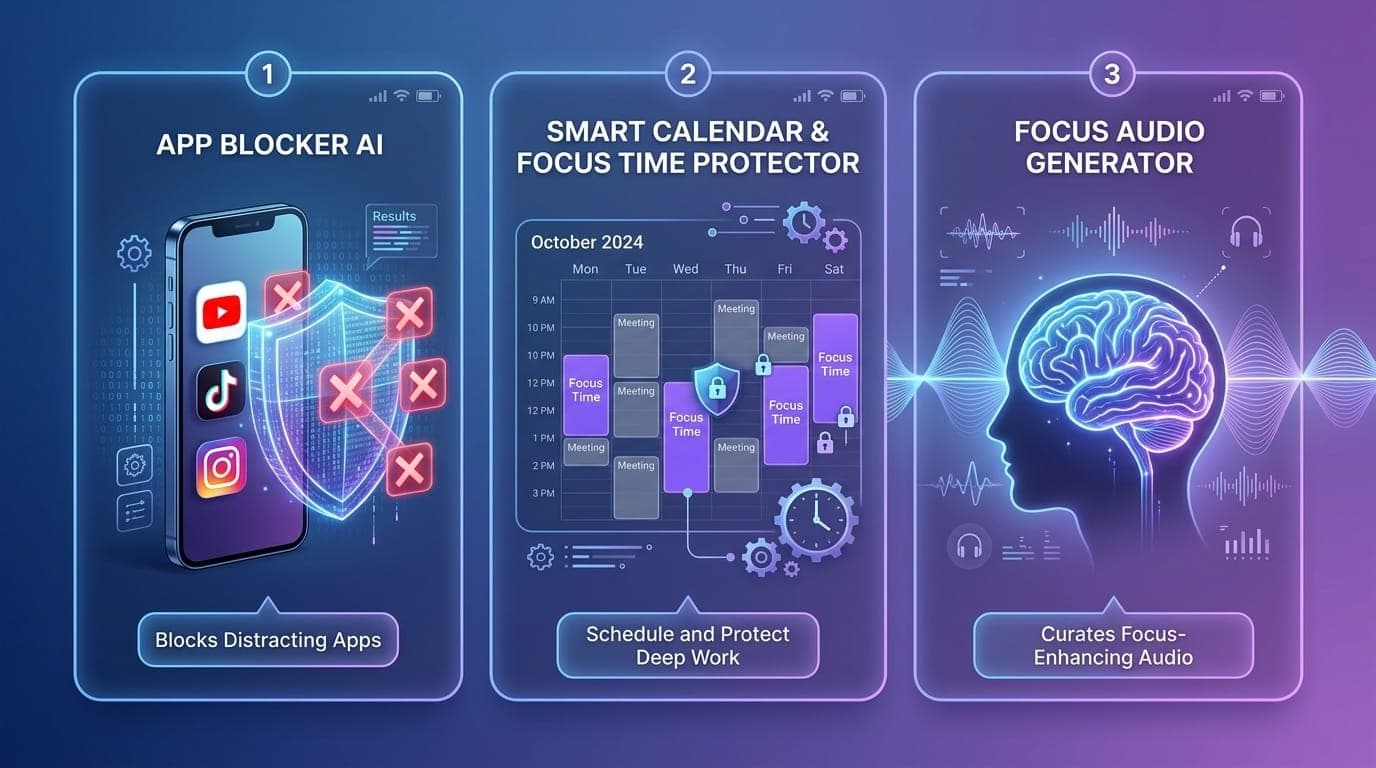
1. Smart scheduling blockers that automatically block distracting sites during your designated work hours or focus sessions. Tools like Reclaim and Freedom fall into this category, they defend focus time on your calendar and activate blocks automatically.
2. AI assistant-integrated blockers that let you start and stop blocking sessions through natural conversation with ChatGPT, Claude, Gemini, or other AI tools. LockIn MCP pioneered this approach by turning your AI assistant into a system-level productivity enforcer.
3. Adaptive blockers that learn your distraction patterns and adjust blocking based on your behavior. Tools like Opal and StayFree track your app usage and suggest or enforce limits on your worst offenders.
The key difference from traditional blockers: you don't have to remember to turn them on. The AI handles enforcement based on your goals, schedule, or voice commands.
Why Willpower Alone Doesn't Work Against Digital Distractions
Your attention span isn't shrinking because you're weak. It's shrinking because the apps on your phone are built by teams whose job is to grab and hold your focus. Research from UC Irvine's Gloria Mark found that the average attention span on a single screen dropped from 2.5 minutes in 2004 to just 47 seconds today.
The average person now spends roughly 3.6 hours a day on their phone, with about 2 hours and 21 minutes going to social media alone. Willpower rarely beats algorithms designed to maximize engagement.
That's where AI distraction blockers level the field. A 2025 randomized controlled trial published in PNAS Nexus found that blocking mobile internet for two weeks improved sustained attention, reduced depressive symptoms, and cut daily screen time from 314 minutes to 161 minutes. Among participants who stuck with it, 91% improved on at least one measured outcome.
The catch? Adherence. Of 467 people who agreed to the study, only 119 kept the blocker running for the full ten days. The tool worked; getting people to keep using it was the hard part. That's exactly what AI automation solves.
The 3 Types of AI Distraction Blockers
AI-Native System-Level Blockers
These tools integrate directly with AI assistants like ChatGPT, Claude, or Gemini, letting you control blocking through natural conversation. You can tell your AI "lock me in for two hours" or "block Instagram until 5pm" without opening a separate app.
Best for:People who already use AI assistants daily and want conversational focus control
Example: LockIn MCP uses the Model Context Protocol to connect AI assistants to system-level blocking. You install it once with one command (npx -y lockin-mcp install), connect your AI tool, and then manage blocking by chatting with Claude, ChatGPT, or Poke. It blocks at the hosts file level on Mac, Linux, and Windows, so distracting sites never load in any browser.
Cross-Device Smart Schedulers
These blockers synchronize across all your devices and activate automatically on a schedule. Set your focus hours once, and the tool blocks distractions across your laptop, phone, and tablet without you lifting a finger.
Best for:People who block Instagram on their laptop and immediately grab their phone
Example: Freedom is the most researched blocker in this category, it was used in the 2025 PNAS Nexus attention trial. It blocks sites and apps on Mac, Windows, iOS, Android, and Chrome at once. Locked Mode prevents you from editing your blocklist mid-session, closing the just five minutes loophole that sinks most willpower-based apps.
Adaptive AI Learning Blockers
These tools track your screen time, learn which apps distract you most, and automatically suggest or enforce limits based on your patterns. The AI adapts to your behavior instead of requiring manual configuration.
Best for:People who don't know where their phone time actually goes
Example: Opal on iPhone and StayFree on Android both track per-app usage and let you set daily limits. When you hit your limit, the app blocks. Opal's "make it hard to stop" feature adds a 7-second delay before you can break a session, just enough friction to break the reflex.
The Best AI Distraction Blockers for 2026

LockIn MCP, Best AI-Native Blocker for ChatGPT, Claude & Poke
What it does:LockIn MCP turns AI assistants into system-level productivity enforcers. You control blocking by chatting with your AI, no separate app to remember.
Why it stands out:It's the first blocker built for the AI era. Instead of opening a separate blocking app, you simply tell ChatGPT "block Reddit and Twitter for the next three hours" or ask Claude "start a focus session." LockIn MCP integrates at the system level (hosts file blocking) and via a Chrome extension, so blocks work across all browsers and apps.
Key features:
- Voice and chat control through ChatGPT, Claude, Perplexity, Gemini, or Poke
- System-level hosts file blocking on Mac, Linux, and Windows
- One-line npx installer for frictionless setup
- Temporary unblock requests with built-in accountability
- Focus session tracking integrated with your AI workflow
Best for:AI power users, developers, and anyone who already uses ChatGPT or Claude daily
Pricing:Free trial, then From $2.99/month or $59.99 lifetime
Honest limitation:Mobile blocking is in progress. Right now it works best for desktop-first workflows. If your main distraction is your phone, pair it with Opal or StayFree.
Freedom, Best Cross-Device Blocker
What it does: Freedom blocks websites and apps across Mac, Windows, iOS, Android, and Chrome simultaneously. One session locks all your devices at once.
Why it stands out:It's the only blocker backed by a 2025 randomized controlled trial showing measurable attention improvements. Cross-device sync means you can't dodge a laptop block by grabbing your phone. Locked Mode prevents mid-session edits to your blocklist.
Key features:
- Blocks sites and apps across all devices from one account
- Locked Mode stops you from disabling blocks mid-session
- Scheduled recurring sessions protect deep-work hours automatically
- Used in peer-reviewed attention research
Best for:People who switch between laptop and phone to avoid blocking
Pricing: From $39.99/year
Honest limitation:Mobile blocking can be inconsistent until you enable Locked Mode (which is off by default). Some users report billing and support issues.
Cold Turkey, Best Unbreakable Desktop Blocker
What it does: Cold Turkey Blocker is the most thorough desktop blocker for Windows and Mac. "Frozen Turkey" mode can lock you out of your computer entirely.
Why it stands out:It's nearly impossible to bypass once a block is running. It blocks the task manager, uninstalls, reboots, and even system clock changes. If you have a looming deadline and need a block that won't negotiate, this is it.
Key features:
- System-wide blocking of sites and desktop apps, not just browsers
- Blocks common workarounds (task manager, uninstaller, system clock)
- Scheduled recurring lockdowns
- One-time $39 purchase with no subscription
Best for:Desk work with a hard deadline, or anyone who talks themselves out of their own blocks
Pricing: Free → $39 one-time
Honest limitation:Desktop only (no mobile support). On Mac it's far less reliable than on Windows, with reports of delayed or failed blocking.
Reclaim, Best AI Calendar Focus Manager
What it does: Reclaim protects focus time on your calendar automatically. You set a weekly Focus Time goal, and Reclaim finds and defends those blocks around your meetings.
Why it stands out:It solves a different problem than phone blockers. For many professionals, the biggest thief of focus isn't TikTok, it's the meeting that lands on your one open afternoon. Reclaim reschedules focus blocks when meetings shift instead of letting them quietly disappear.
Key features:
- Auto-defends and reschedules focus blocks around meetings
- Works with Google Calendar and Outlook
- Habits, Smart Meetings, and Focus Time in one place
- Free Lite plan to start
Best for:Knowledge workers whose focus gets eaten by meetings, not their phone
Pricing: Free → From $10/month
Honest limitation:Not a phone or website blocker. Pair it with LockIn MCP, Freedom, or Opal for device-level blocking.
Opal, Best iPhone Screen-Time Control
What it does: Opal uses Apple's Screen Time framework to block apps on a schedule. A "make it hard to stop" feature delays you for 7 seconds before you can break a session.
Why it stands out:It's the most polished iPhone blocker with clearer insights than Apple's built-in Screen Time. The friction delay is a smart middle ground between a gentle nudge and a hard block.
Key features:
- Scheduled app blocks built on Apple's Screen Time API
- 7-second friction delay before you can break a session
- Detailed screen-time insights, trends, and focus scores
- Motivating "gem" rewards
Best for:Doomscrolling that lives on your iPhone
Pricing: Free → From $99.99/year
Honest limitation:The priciest pick here. Outside paid Deep Focus mode, blocks are easy to undo (you can disable Opal in iPhone Screen Time settings). Some reviewers report surprise renewal charges.
AI Distraction Blocker Comparison
| Tool | Type | Best For | Cross-Device | AI Integration | Price |
|---|---|---|---|---|---|
| LockIn MCP | AI-native blocker | ChatGPT/Claude users | Desktop only | Native MCP | From $2.99/mo |
| Freedom | Smart scheduler | Multi-device blocking | Yes | Scheduled automation | From $39.99/yr |
| Cold Turkey | Desktop enforcer | Unbreakable blocking | No (desktop only) | None | $39 one-time |
| Reclaim | Calendar manager | Meeting-heavy schedules | Calendar sync | AI scheduling | Free → $10/mo |
| Opal | Adaptive blocker | iPhone screen time | iOS + Mac | Pattern learning | Free → $99.99/yr |
| StayFree | Adaptive blocker | Android screen time | Android + Windows | Pattern learning | Free → $19.99/yr |
How AI Makes Distraction Blocking More Effective
Traditional blockers require you to manually activate a block session every time you sit down to work. That's where adherence breaks down. AI solves four key friction points:
1. Removes the activation burden.Tools like Freedom and Reclaim automatically start blocking based on your calendar or recurring schedule. You set your focus hours once, then the AI enforces them without daily decisions.
2. Makes blocking conversational.LockIn MCP lets you say "Claude, block Twitter for the rest of the day" instead of opening a separate app and clicking through settings. Your AI assistant becomes your accountability partner.
3. Adapts to your patterns.Adaptive tools like Opal and StayFree learn which apps drain your time most and surface that data clearly. You see "3 hours on Instagram today" before you set a block, making the decision feel less arbitrary.
4. Protects calendar-level focus.Reclaim's AI scheduling defends deep-work blocks when meetings shift. Manual time blocking falls apart when your Wednesday afternoon focus session gets overwritten by a last-minute call. Reclaim automatically reschedules it.
The American Psychological Association estimates that task-switching can eat up to 40% of productive time. AI removes the switching cost of managing the blocker itself.
How to Choose the Right AI Distraction Blocker
Match the tool to how your focus actually breaks down:
If your phone is the problem:Start with Opal on iPhone or StayFree on Android. Both track usage and let you set daily limits with blocking.
If you use AI assistants daily: LockIn MCP lets you control blocking through ChatGPT, Claude, or Poke. You already chat with your AI, now it can enforce your focus sessions.
If you block Instagram on your laptop and grab your phone: Freedom syncs one block session across all your devices at once. Enable Locked Mode so you can't undo it mid-session.
If you have a looming deadline and need unbreakable blocking: Cold Turkey on Windows is the strongest desktop blocker. It blocks the task manager, uninstaller, and reboots.
If meetings eat your focus time: Reclaim automatically defends and reschedules focus blocks on your calendar when meetings shift.
One caution from digital-detox research: don't block TikTok and then drift to YouTube. Block the behavior, not just the app. Most tools let you block by category (all social media, all news sites) instead of hunting down every individual domain.
How We Evaluate AI Distraction Blockers
We test distraction blockers across five core criteria to help you stay focused on work that matters:
1. Blocking strength:Can you bypass it easily? We test common workarounds like disabling the app, changing system clocks, or switching devices. The strongest tools like Cold Turkey and Freedom's Locked Mode are nearly impossible to circumvent mid-session.
2. Cross-platform support:Does blocking distracting apps and websites work across desktop, mobile, and browser? Tools that sync across devices (like Freedom) score higher than single-platform options.
3. AI and automation features:Does the tool automate enforcement through scheduling, AI assistant integration, or adaptive learning? We prioritize productivity tools that reduce manual overhead.
4. Setup and friction:How fast can you start blocking? One-line installers (LockIn MCP) and browser-based tools (Pomofocus) beat apps requiring extensive configuration.
5. Value and pricing:We compare free tiers, trial periods, subscription costs, and one-time purchases. The best distraction blocker is one you'll actually keep using long-term.
Frequently Asked Questions
Does AI that blocks distractions actually work?
Yes. A 2025 randomized controlled trial found that blocking mobile internet for two weeks improved sustained attention by an amount comparable to reversing about 10 years of cognitive aging, with 91% of participants improving on at least one measure. The catch is adherence, AI automation solves this by removing the daily decision to turn blocking on.
What's the difference between AI distraction blockers and regular blockers?
AI distraction blockers automate enforcement through scheduling, AI assistant integration, or adaptive learning. Traditional blockers like Cold Turkey require you to manually start every blocking session. AI-powered tools like Freedom, Reclaim, and LockIn MCP activate blocks automatically based on your calendar, work patterns, or voice commands to your AI assistant.
Can I control distraction blocking through ChatGPT or Claude?
Yes. LockIn MCP uses the Model Context Protocol (MCP) to connect ChatGPT, Claude, Gemini, or Poke to system-level blocking on your Mac, Linux, or Windows machine. You simply tell your AI "block Reddit for two hours" and it enforces the block at the hosts file level across all browsers.
Which AI distraction blocker is best for ADHD?
Tools with immediate feedback and low friction work best. Forest provides visible rewards (growing trees). One sec adds a gentle pause before compulsive checking. Brain.fm has peer-reviewed research showing its focus audio helps most for people with more ADHD symptoms. LockIn MCP's conversational control through AI assistants also reduces the setup friction that derails many ADHD users.
Is there a free AI distraction blocker?
Yes. Your phone's built-in Screen Time (iPhone) or Digital Wellbeing (Android) is free and functional. StayFree offers excellent free usage tracking and limits on Android. Reclaim has a free Lite plan for calendar-level focus time. Pomofocus is a free, browser-based Pomodoro timer. For full AI assistant integration, LockIn MCP offers a free trial before its paid plans start at $2.99/month.
Can AI distraction blockers block specific websites or apps?
Yes. All the tools mentioned here let you block specific sites (like Reddit or Twitter) or apps (like Instagram or TikTok). Most also support category-based blocking (all social media, all news sites) and custom blocklists. Tools like LockIn MCP and Freedom let you create multiple blocklists for different focus modes.
Does blocking distractions improve productivity more than focus music or timers?
Research suggests blocking has the strongest causal evidence. The 2025 PNAS Nexus trial showed measurable attention improvements from blocking distracting websites. A 2024 study on focus music found real but narrower effects. Pomodoro timers have mixed research, a 2025 study found structured breaks didn't beat self-chosen breaks on output. That said, most people benefit from combining approaches: blocking for enforcement, timers for structure, and focus audio for environmental control.
Why should I believe you? Who else uses these AI distraction blockers and gets results?
Freedom has been used in peer-reviewed research, including the 2025 PNAS Nexus trial with 467 participants. Among those who completed the study, 91% saw improvements in at least one attention metric. Thousands of developers, knowledge workers, and productivity enthusiasts use LockIn MCP to integrate focus enforcement directly into their AI workflows. Reclaim serves over 400,000 users across product, engineering, and executive teams who need to protect focus time from meeting overload. The research is public, the user bases are real, and the tools have free trials so you can verify the results yourself.
How can I get Freedom or other distraction blockers for my whole company?
Most enterprise-grade distraction blockers offer team licenses and admin management. Freedom offers team plans for organizations. Reclaim provides enterprise solutions with workforce analytics, centralized billing, and SSO support. For LockIn MCP, reach out via the contact page for volume licensing and deployment support across your development or operations teams.
What's new with AI distraction blocking in 2026?
The biggest shift in 2026 is the rise of MCP-based (Model Context Protocol) integration. Tools like LockIn MCP now let you control system-level website blocking through ChatGPT, Claude, Perplexity, and other AI assistants using natural conversation. This removes the friction of opening separate apps and clicking through settings, you simply tell your AI to "lock you in" and the blocking starts immediately. Traditional tools like Freedom and Cold Turkey remain strong for pure blocking power, but AI-native integration is changing how focused people stay throughout the day.
Lock In Your Focus With AI
Digital distractions aren't a personal failing. The apps on your phone are built to grab your attention, and willpower alone rarely wins that fight. AI distraction blockers level the field by automating enforcement, removing the daily decision to turn blocking on, and adapting to your work patterns.
The best tool depends on your workflow. If you already use ChatGPT or Claude daily, LockIn MCP turns your AI assistant into a system-level productivity enforcer. If you need cross-device blocking, Freedom syncs one session across all your devices. If meetings steal your focus time, Reclaim automatically defends calendar blocks.
The research is clear: blocking works. The hard part is adherence. AI solves that by making enforcement automatic instead of an act of willpower every time you sit down to work.
Try LockIn MCP free and let your AI assistant lock you in when it matters most.
