Blog
Best Digital Wellbeing Tools in 2026
 Mil Hoornaert · 11 min read
Some links are affiliate links. We may earn a commission if you buy through them, at no extra cost to you.

Digital wellbeing tools help you manage screen time, reduce digital distractions, and protect your mental health. They actively enforce boundaries around technology use. The best tools for digital wellbeing in 2026 span three core categories: system-level website blockers (like LockIn MCP, Freedom, and Cold Turkey), mindfulness apps (Headspace and Calm), and screen-time analytics platforms (RescueTime and Google Digital Wellbeing).
Key takeaways:
- Digital wellbeing tools actively manage screen time, mental health, and focus through blocking, tracking, or mindfulness exercises
- System-level blockers outperform browser extensions by blocking distractions at the operating system level, making them harder to bypass
- Over 50% of teens use screens 4+ hours daily, and high screen time is strongly linked to anxiety, depression, and poor sleep
- Choose tools based on your primary goal: enforcement (blockers), awareness (trackers), or mental health support (mindfulness apps)
What Are Digital Wellbeing Tools?
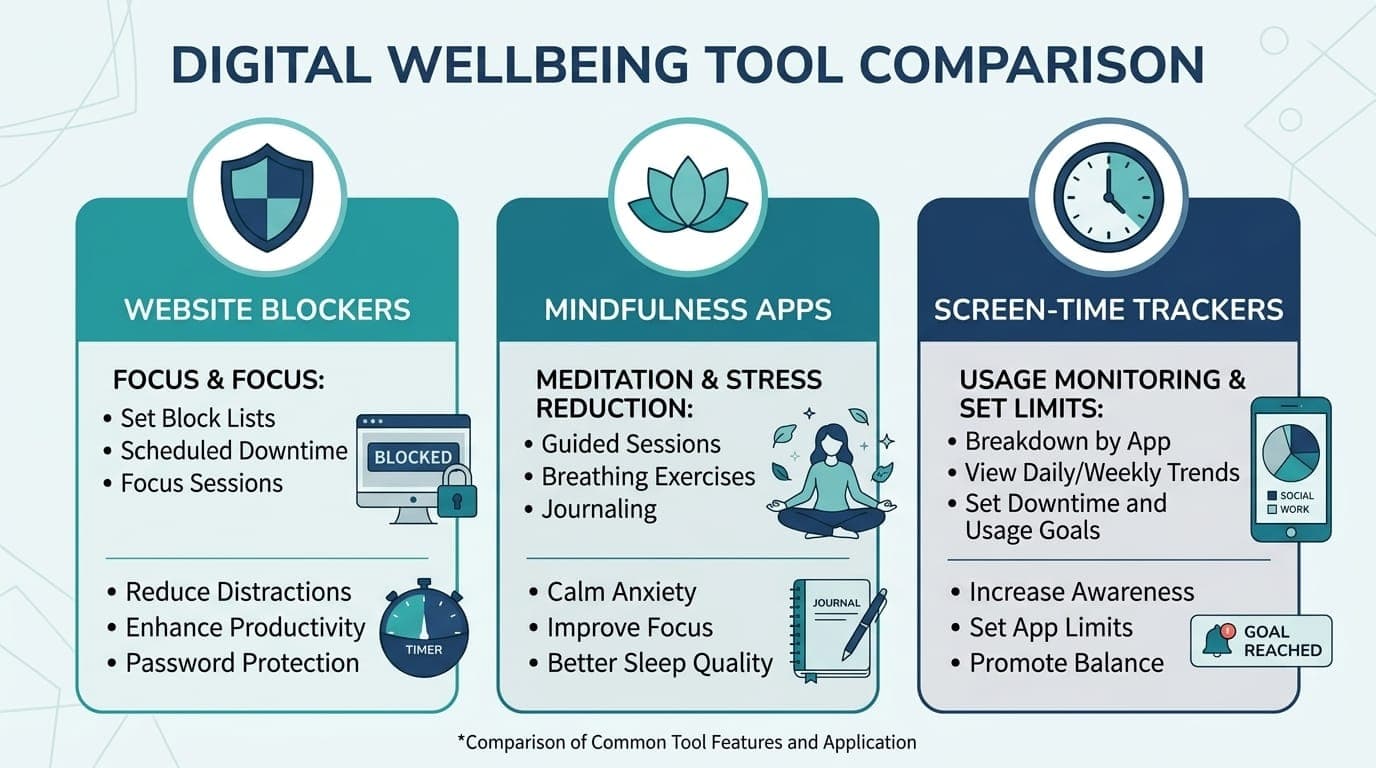
Digital wellness tools are apps, software, and platforms designed to help you build healthier relationships with technology. They support your mental health, reduce excessive screen time, improve sleep quality, and help you regain control over digital usage. These tools work through tracking, blocking, or behavioral interventions.
Research from the National Center for Health Statistics shows that teenagers with 4+ hours of daily screen time are 2.5 times more likely to experience depression symptoms and 2.1 times more likely to have anxiety symptoms compared to those with lower usage. Adults face similar risks. Excessive screen time is linked to eye strain, disrupted sleep, and reduced physical activity.
The tools fall into three main categories:
- Website and app blockers that restrict access to distracting sites and apps during focus sessions
- Mindfulness and mental health apps that offer meditation, stress relief, and cognitive behavioral therapy exercises
- Screen-time trackers that monitor your digital usage and provide insights to support behavior change
You can learn more about AI productivity and distraction blocking to understand how modern tools integrate AI for better enforcement.
Best Website and App Blockers
Website blockers are the enforcement arm of digital wellbeing. They actively prevent you from accessing time-wasting sites during focus sessions. The best ones operate at the system level rather than as browser extensions. This technology makes them nearly impossible to bypass.
LockIn MCP
LockIn MCP turns AI assistants like ChatGPT, Claude, and Poke into productivity coaches. It actively enforces focus by blocking distracting websites at the system level. It integrates directly with your device's hosts file and runs as a background MCP server. This means you can't bypass blocks by simply switching browsers.
Key features:
- System-level domain blocking across all browsers
- Native integration with ChatGPT, Claude, Perplexity, and other AI assistants
- One-line installation via npx
- Request temporary unblocks with built-in accountability
Best for:Developers, knowledge workers, and anyone who already uses AI tools and wants automated, AI-driven distraction blocking.
Pricing:From $2.99/month or $59.99 lifetime.
Learn more about how LockIn MCP works or see honest comparisons with other blockers.
Freedom
Freedom is a cross-platform blocker. It syncs across Mac, Windows, iOS, Android, and Chrome. You can schedule recurring focus sessions, block specific websites or entire categories. You can even block the entire internet when you need to focus on offline work.
Key features:
- Syncs blocking rules across all your devices
- Recurring scheduled sessions
- Locked mode prevents you from disabling blocks mid-session
- Blocks both websites and desktop apps
Best for:Users who work across multiple devices and need a unified blocking system.
Pricing: $8.99/month or $39/year.
Cold Turkey
Cold Turkey is the strictest desktop blocker available. Once you activate a block, it cannot be disabled. You can't disable it by uninstalling the app or restarting your computer. It offers granular controls over websites, apps, and even specific file types.
Key features:
- Unbypassable blocking, even by rebooting or reinstalling
- Frozen Turkey mode locks your entire computer during focus sessions
- Time-based and schedule-based blocking
- Block individual apps, websites, or everything at once
Best for:Users who need maximum enforcement and struggle with willpower.
Pricing:Free for basic blocking; $39 one-time for the Pro version.
For a detailed comparison, read LockIn MCP vs Cold Turkey or LockIn MCP vs Freedom.
Best Mindfulness and Mental Health Apps
Mindfulness apps address the root causes of digital overload. They teach stress management, meditation, and healthier cognitive habits. They don't block technology. Instead, they help you use it more intentionally.
Headspace
Headspace is a science-backed mental wellness app. It offers guided meditations, sleep sounds, and cognitive behavioral therapy (CBT) exercises. It's designed to reduce anxiety and stress through structured daily practice.
Research published in Preventive Medicine Reports found that Headspace users experienced measurable improvements in mental wellbeing and stress reduction after consistent use. The app includes over 1,000 guided sessions. These cover anxiety, depression, sleep, focus, and stress relief.
Key features:
- Guided meditation sessions (3-20 minutes)
- Sleep sounds and sleepcasts
- CBT-based exercises for anxiety and stress
- Optional AI chatbot for personalized recommendations
Best for:Anyone new to meditation or seeking structured mental health support.
Pricing: $12.99/month or $69.99/year.
Calm
Calm is another leading mindfulness app. It focuses on sleep, relaxation, and stress management. It's known for its soothing interface, celebrity-narrated sleep stories, and extensive meditation library.
Key features:
- Sleep stories narrated by well-known voices
- Breathing exercises and relaxation techniques
- Guided meditations for anxiety, stress, and focus
- Soundscapes and nature sounds
Best for:Users prioritizing sleep quality and relaxation over structured therapy.
Pricing:Similar to Headspace, around $14.99/month or $69.99/year.
Best Screen Time Trackers
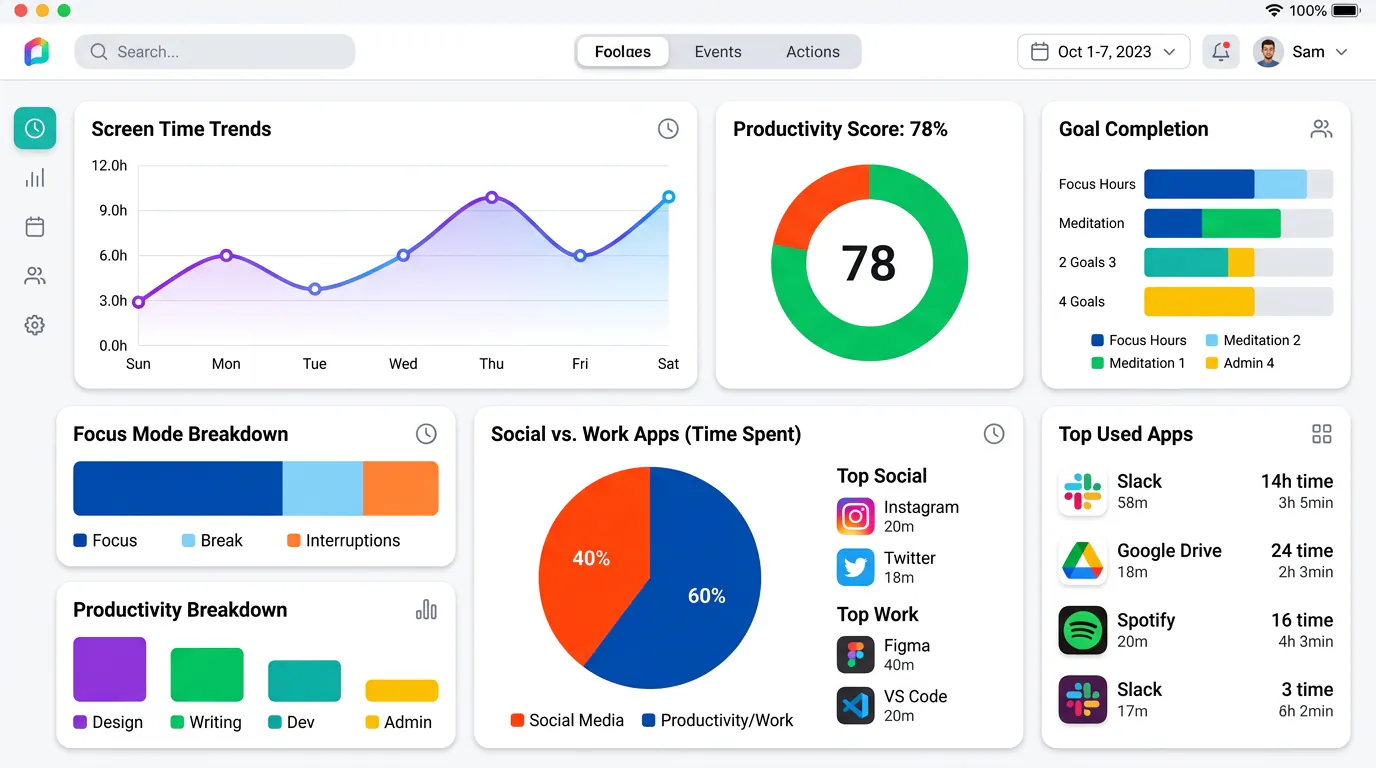
Screen-time trackers help you understand your digital habits. They passively monitor your device usage. Awareness is often the first step toward behavior change. These tools support users by showing exactly where time goes.
RescueTime
RescueTime runs quietly in the background. It tracks how much time you spend in apps and on websites. It categorizes your activity as productive or distracting. Then it generates daily and weekly reports.
Key features:
- Automatic time tracking across desktop and mobile
- Productivity score based on your activity
- Goal-setting and alerts when you exceed time limits
- FocusTime blocks distracting sites when you enable it
Best for:Knowledge workers who want passive tracking and productivity insights.
Pricing:Free for basic tracking; $12/month for premium features.
Google Digital Wellbeing
Google's Digital Wellbeing is built into Android devices. It offers screen-time tracking, app timers, bedtime mode, and Focus mode. It's completely free and requires no setup.
Key features:
- App usage dashboard with daily breakdowns
- Set timers for individual apps
- Bedtime mode dims the screen and silences notifications
- Focus mode temporarily pauses distracting apps
Best for:Android users who want a simple, no-cost tracking solution.
Pricing:Free (built into Android).
Apple offers similar functionality through Screen Time on iOS. It provides daily and weekly usage summaries, app limits, and downtime scheduling.
Does Mental Health Matter in the Digital Age?
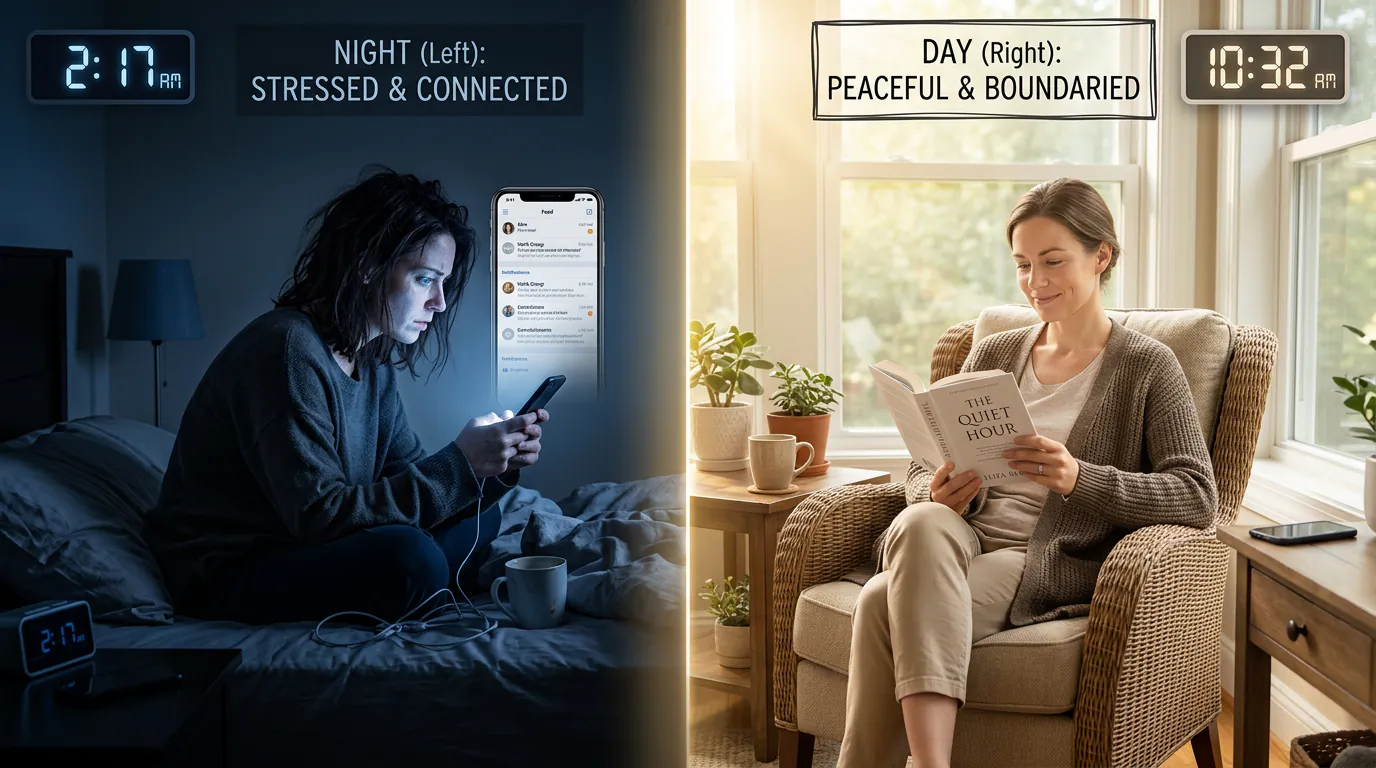
Yes. Mental health matters more than ever in the digital age. The connection between excessive screen time and mental health is well-documented. Research from the Journal of Education and Health Promotion found that adolescents who spend more than 5 hours per day on digital devices are 70% more likely to have suicidal thoughts or actions compared to those who spend less than an hour daily.
A 2025 CDC study of over 1,950 teenagers found that high screen time was associated with:
- 45% more likely to have infrequent physical activity
- 64% more likely to skip strength training
- 49% more likely to have an irregular sleep routine
- 2.5x higher rates of depression symptoms
- 2.1x higher rates of anxiety symptoms
- 29% more likely to report infrequent social and emotional support
The World Health Organization reported in 2024 that problematic social media use among adolescents rose from 7% in 2018 to 11% in 2022. Additionally, 12% of adolescents are at risk of problematic gaming. WHO defines problematic use as addiction-like behavior. It's characterized by inability to control usage, withdrawal symptoms, and negative impacts on daily life.
Digital wellbeing tools directly address these risks. They reduce screen time, enforce boundaries, and support mental health through mindfulness practice. You can also learn how to study smarter with AI without digital distractions to balance technology and focus.
How to Choose the Right Digital Wellbeing Tool
Choosing the right tool depends on your primary goal. It also depends on the severity of your digital habits. Here's a decision framework:
Choose a system-level blocker if:
- You struggle with impulse browsing or app-switching
- You've tried browser extensions and bypassed them
- You need enforcement, not just awareness
- You're a developer or power user comfortable with command-line tools
LockIn MCP, Cold Turkey, and Freedom are your best options. Compare the best system-level website blockers to see which enforcement model fits your workflow.
Choose a mindfulness app if:
- Your primary issue is anxiety, stress, or poor sleep
- You want to address the root causes of digital overload
- You're open to daily meditation or CBT exercises
- You prefer building healthier mental habits over enforcing blocks
Headspace and Calm are the leaders in this category.
Choose a screen-time tracker if:
- You're not sure how bad your screen time actually is
- You want passive monitoring and insights before committing to blocking
- You respond well to data and visualization
- You need proof to motivate behavior change
RescueTime and Google Digital Wellbeing provide the clearest usage insights.
Combine tools for maximum impact.Many users pair a blocker (LockIn MCP or Freedom) with a mindfulness app (Headspace) and a tracker (RescueTime). This covers enforcement, awareness, and mental health support. Research suggests that multi-faceted interventions produce the most sustained behavior change.
Consider these factors when selecting a tool:
- Platform compatibility: Does it work on your device (Mac, Windows, Linux, iOS, Android)?
- Blocking strength: Can you bypass it? System-level tools are harder to disable than browser extensions.
- Ease of use: One-line installers and intuitive interfaces reduce friction.
- Price: Free options exist, but premium tools often offer better enforcement and cross-device sync.
- Integration: Does it connect to tools you already use, like AI assistants or productivity apps?
FAQ
How long should I use digital behavior change tools to see sustained health benefits?
Most research suggests at least 30 days of consistent use to form new habits. A digital detox study published in Psychiatry Research found measurable improvements in stress and anxiety within 2-4 weeks. The benefits continued when users maintained reduced screen time. Long-term benefits appear after 6-8 weeks of daily use. These include better sleep, reduced anxiety, and improved focus.
Are digital therapy apps effective compared to traditional mental health services?
Digital therapy apps like Headspace and Calm are effective for mild to moderate anxiety and stress. But they are not substitutes for professional therapy. Clinical research shows that app-based mindfulness can reduce symptoms of anxiety and depression. However, individuals with severe mental health conditions should seek licensed therapists or counselors. Think of these apps as preventive tools, not replacements for clinical treatment.
What should I consider when selecting a digital wellness tool?
Focus on your primary goal: enforcement, awareness, or mental health support. Then evaluate platform compatibility, blocking strength (for blockers), ease of use, and price. For blockers, prioritize system-level tools over browser extensions. For mindfulness apps, choose one with structured programs (like Headspace) rather than standalone meditation tracks. Content quality and daily learning features matter.
Can AI-driven digital wellness tools benefit older adults?
Yes. AI-enhanced tools like LockIn MCP and adaptive mindfulness apps personalize interventions based on your behavior. This makes them more effective for users of all ages. Older adults often benefit from screen-time trackers and mindfulness apps. These tools address common concerns like sleep quality, cognitive health, and social connectedness. Can AI improve digital wellness for seniors? Absolutely, when combined with human support and clear guidance.
Why embracing digital wellness tools is essential for healthy aging?
As we age, maintaining cognitive function, sleep quality, and social connections becomes increasingly important. Excessive screen time disrupts all three. Digital wellness tools help older adults set boundaries around technology use. They reduce sedentary behavior and prioritize in-person social interaction. These are key factors in healthy aging.
What are digital wellness tools and how do they help adults aged 40-65?
Digital wellness tools help midlife adults balance work demands, family responsibilities, and personal health. They enforce boundaries around screen time and support stress management. Adults in this age group often juggle multiple devices. These include a work laptop, personal phone, and tablet. They benefit most from cross-device blockers like Freedom. Mindfulness apps like Calm also help by addressing work-related stress. These tools teach users to manage their digital usage more effectively.
In the age of AI, what must remain human in behavioral health?
While AI can automate enforcement (like LockIn MCP blocking distractions) and deliver mindfulness content at scale, human judgment, empathy, and therapeutic relationships remain irreplaceable. AI tools excel at consistency and enforcement. But they cannot replace the nuance of a therapist's insight or the accountability of a human coach. Technology supports mental health, but human connection remains essential.
Conclusion
Digital wellbeing tools work. You just need to choose the right ones for your goals. System-level blockers like LockIn MCP, Cold Turkey, and Freedom actively enforce boundaries. They're ideal for users who struggle with impulse browsing. Mindfulness apps like Headspace and Calm address the root causes of digital overload. They teach stress management and healthier cognitive habits. Screen-time trackers like RescueTime and Google Digital Wellbeing provide the awareness you need to change behavior.
The evidence is clear: excessive screen time harms mental health, disrupts sleep, and reduces productivity. But with the right tools, you can reclaim your time, reduce anxiety, and build a healthier relationship with technology.
Start by identifying your biggest challenge. Is it distraction, stress, or lack of awareness? Then pick one tool from the relevant category and commit to 30 days of consistent use. Combine a blocker, a mindfulness app, and a tracker for the most sustained results.
Ready to enforce focus with AI? Install LockIn MCP and turn your AI assistant into a productivity coach.