Blog
Best AI Productivity Extensions in 2026
The best AI productivity extensions save 2–5 hours per week — Perplexity for research, Bardeen for automation, Compose AI for writing, and LockIn MCP for AI-integrated focus enforcement.
 Mil Hoornaert · 15 min read
The best AI productivity extensions save you 2-5 hours per week by automating research, writing, and repetitive browser tasks. According to Microsoft's 2025 Work Trend Index, 75% of knowledge workers now use AI tools daily, with those who use AI consistently reporting 40% faster completion of writing and summarization tasks and 18% higher quality output.
Key Takeaways:
- Research extensions like Perplexity and Merlin provide instant, source-backed answers directly in your browser, eliminating the need to open multiple tabs
- Automation tools such as Bardeen and HARPA AI handle repetitive data entry and web scraping, with users reporting 2-4 hours saved weekly
- Writing assistants like Compose AI and Grammarly accelerate drafting with real-time autocomplete and tone adjustments across all web text fields
- Focus enforcement extensions pair AI productivity with distraction blocking, tools like LockIn MCP let your AI assistant actively enforce focus by blocking distracting sites during work sessions
- The most effective chrome extensions are simple, frictionless, and integrate seamlessly into your existing workflow, not complex enterprise platforms
What Makes an AI Productivity Extension Actually Worth Installing
Most AI extensions promise transformation but deliver complexity. The data tells a different story.
Research from the National Bureau of Economic Research found that 89% of companies see zero measurable productivity impact from their AI investments. Meanwhile, PwC's CEO Survey reports 56% of organizations get nothing from AI tools.
The problem isn't capability. It's friction.
Extensions that actually boost productivity share three traits:
- Single-purpose focus, They do one thing exceptionally well rather than twenty things adequately
- Zero learning curve, You can use them immediately without training or configuration
- Daily habit formation, They integrate so seamlessly you reach for them without thinking
Workers who use AI tools daily are 33% more productive during those hours, according to the Federal Reserve Bank of St. Louis. But Gallup data shows only 10% of workers use AI daily, even though 45% use it occasionally.
That gap between occasional and daily use is where real productivity lives. The best chrome extensions become invisible daily habits, you use them without conscious effort.
Best AI Extensions for Research and Knowledge Capture
Research extensions eliminate the tab chaos that kills focus. Instead of opening ten articles to answer one question, you get instant, cited answers in a sidebar.
Perplexity AI
Perplexity delivers source-backed answers directly in your browser toolbar. Ask a question, get a researched response with clickable citations. Reviews across the Chrome Web Store consistently rate it among the top AI research tools.
Real use case:You're writing about sustainable packaging trends. Instead of Googling, opening eight tabs, and reading eight intros, you ask Perplexity: "Summarize the top 3 sustainable packaging trends for 2026 with one stat for each." You get the answer, the stats, and the sources in under 30 seconds.
Why it works:The "Page" focus mode lets you chat specifically with the article or PDF you're viewing. No context switching. No copy-paste. The AI reads what you're reading and answers questions about it.
Best for:Anyone who researches for a living, writers, analysts, consultants, students. Works across Google Docs, research papers, and technical documentation.
Merlin
Merlin is a 26-in-1 extension that gives you instant access to ChatGPT, Claude, Gemini, and DeepSeek from any webpage. One sidebar, multiple AI models.
Real use case:You're on a technical documentation page and need both a simple explanation (Gemini) and code examples (ChatGPT). Merlin lets you ask the same question to multiple models side-by-side and compare responses.
Why it works:Universal website integration means it works on Gmail, LinkedIn, Twitter, and every other site without special configuration. Summarizes YouTube videos with timestamps, translates text in 128 languages, and extracts insights from PDFs.
Best for:Power users who want model flexibility without switching between multiple AI chat tabs. Ideal for content creation across platforms.
Recall
Recall turns everything you read, watch, or listen to into a searchable knowledge base. Save articles, YouTube videos, podcasts, and PDFs, then chat with your entire library.
Real use case:You saved fifty articles over three months about AI regulation. Now you need to write a summary. Instead of re-reading everything, you ask Recall: "What are the three most commonly cited concerns about AI regulation?" It synthesizes answers from your saved sources.
Why it works:Automatic categorization and a visual knowledge graph that connects related ideas. Active recall features with spaced repetition help you retain what matters long-term.
Best for:Researchers, writers, and students building long-term knowledge systems. Integrates with Notion and other note-taking tools.
Best AI Extensions for Browser Automation
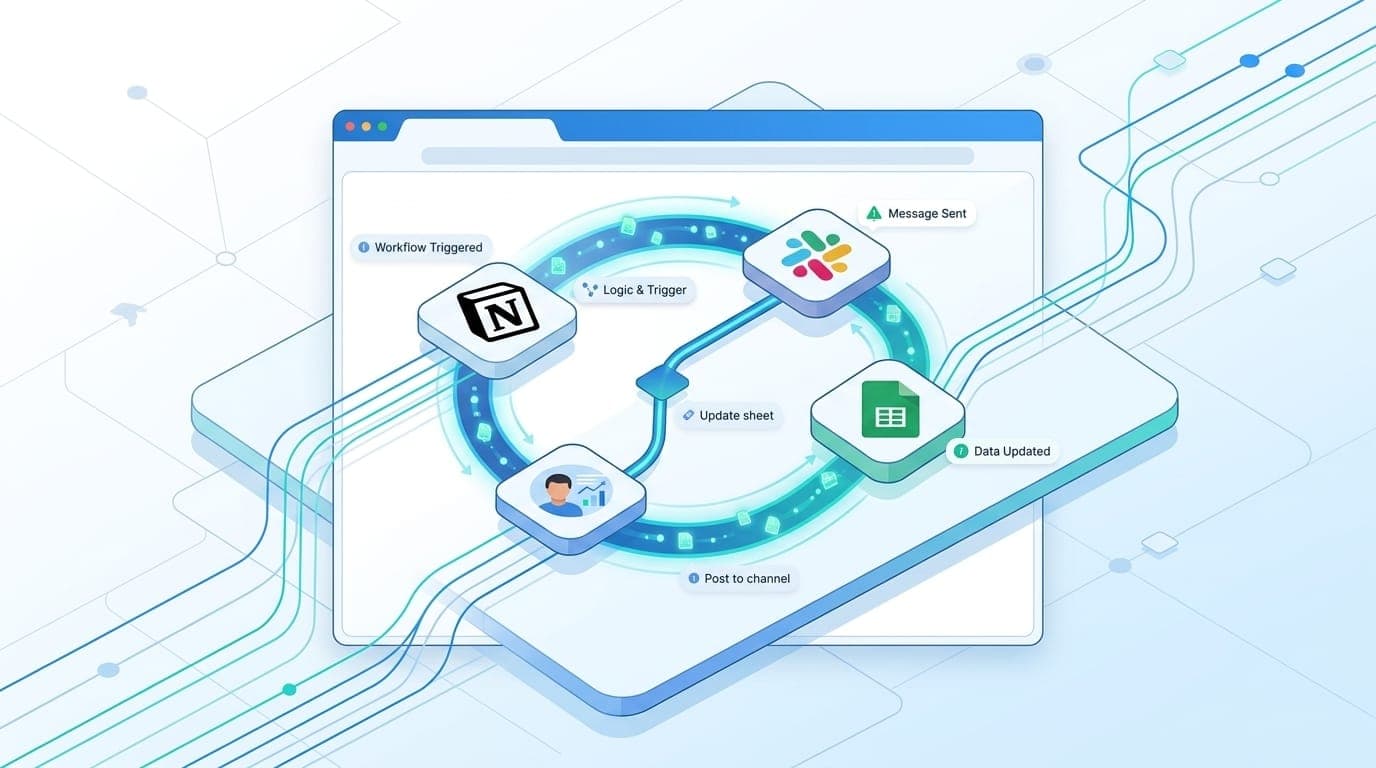
Automation chrome extensions handle repetitive tasks, data scraping, form filling, cross-app workflows. These are the tools that save hours, not minutes.
Bardeen
Bardeen automates browser workflows with AI-powered playbooks. Describe what you want in plain English; Bardeen builds the multi-step automation. It's earned top reviews for simplifying workflows that previously required expensive developer time.
Real use case:You're building a list of podcast guests from LinkedIn. The old way: open profile, copy name, switch to Google Sheets, paste, switch back, copy URL, paste. Repeat 50 times. The Bardeen way: click one button, and it scrapes the profile, finds the email, and adds a row to your Notion database automatically.
Why it works:Connects over 100 apps including Google Sheets, Notion, Slack, HubSpot, Airtable, CRMs like Salesforce, and project management tools like Asana and Trello. Runs workflows in the background with keyboard shortcuts. No code required.
Best for:Sales teams, recruiters, marketers, and anyone doing repetitive data entry across web apps.
HARPA AI
HARPA AI combines conversational AI with web automation. It can click buttons, fill forms, scrape data, and monitor pages for changes. Think of it as an AI agent that actually performs actions on your behalf.
Real use case:You track competitor pricing. Set HARPA to monitor their pricing page. When the price changes, it alerts you and captures the new data automatically.
Why it works:No-code automation with access to multiple AI models (OpenAI, Claude, Gemini, DeepSeek, Perplexity, local Llama). Privacy-first design, data stays local, no logs. Works across thousands of apps and browsers without special permissions.
Best for:Marketers tracking competitors, researchers monitoring specific sites, and operations teams automating data collection.
Zapier Agents
Zapier Agents brings your AI agents to any webpage. Chat with the current page, summarize it, or trigger actions across 7,000+ connected apps via the Zapier platform.
Real use case:You're reading a product review and want to add it to your competitive research spreadsheet. Zapier Agent extracts key points, formats them, and adds a row to Google Sheets, all from the page you're viewing.
Why it works:Page-aware chat understands context. Agent-to-agent collaboration means one AI agent can delegate to another for complex multi-step tasks. Connects with Google Workspace apps, CRMs, and project management platforms.
Best for:Teams with existing Zapier workflows who want AI-powered automation directly in the browser. Especially useful for connecting meeting notes and project management workflows.
Best AI Extensions for Writing and Communication
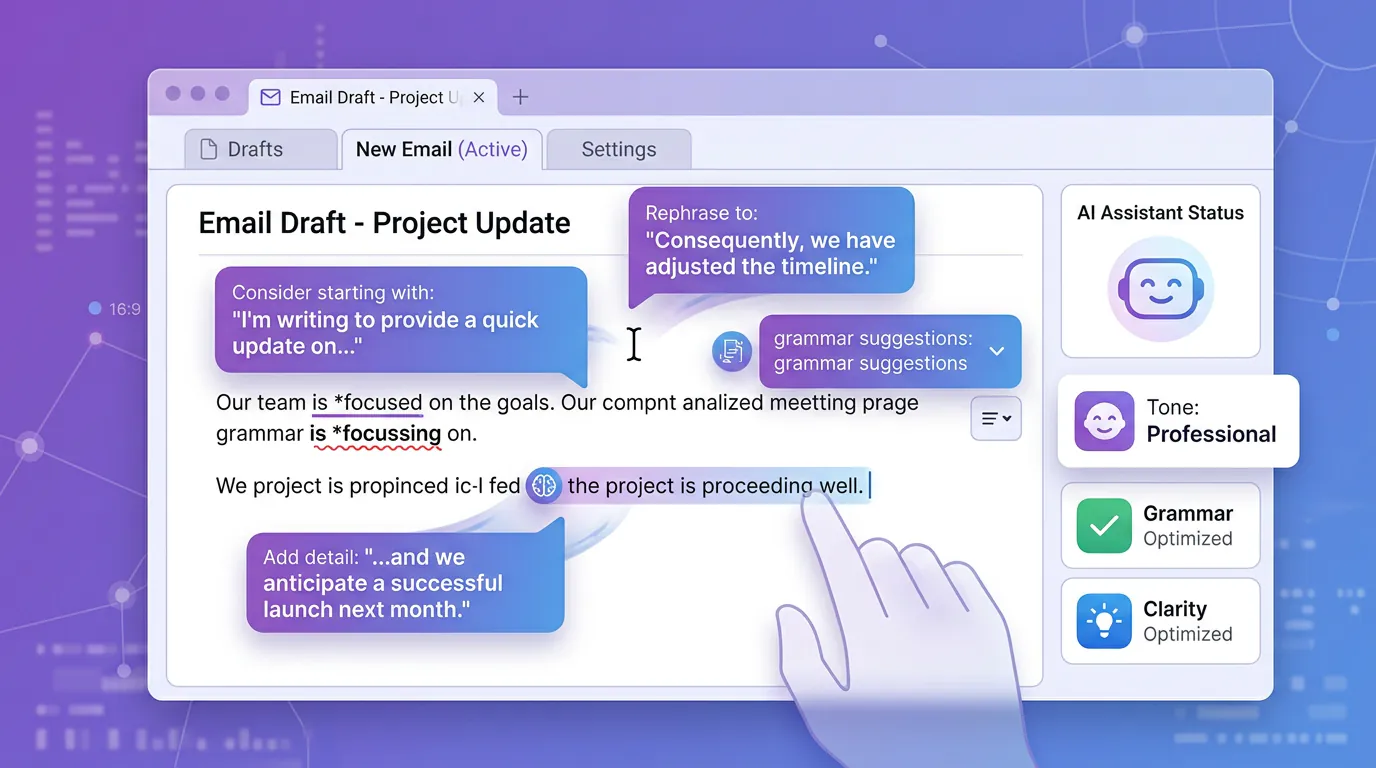
Writing chrome extensions eliminate the friction between thought and text. Autocomplete, rewrite, and tone adjustment across every text field on the web.
Compose AI
Compose AI accelerates writing with AI autocomplete and smart replies. Think Gmail's Smart Compose, but for the entire web.
Real use case:You get the same guest post inquiry fifteen times per week. You used to copy-paste from a Google Doc. Now you type //guest and hit Enter. Compose AI inserts your full response template, personalized with the sender's name.
Why it works:Predictive sentence completion in Gmail, Google Docs, Notion, LinkedIn, and most web text fields. One-click rewrite to shorten, expand, or change tone. Slash commands trigger actions without leaving your cursor. Perfect for content creation and high-volume communication.
Best for:Anyone writing high volumes of email, support tickets, or social media responses.
Grammarly
Yes, Grammarly is still relevant in 2026. The AI updates kept it ahead. User reviews consistently rate it as the most reliable writing assistant across browsers.
Real use case:You're rushing through email replies and type "As I mentioned before..." Grammarly's tone detector flags it as potentially passive-aggressive and suggests "Recapping our previous point..." instead.
Why it works:Real-time grammar, spelling, and tone suggestions across the web. Works in Gmail, Slack, Google Docs, LinkedIn, and virtually every text field. Enterprise plans with team style guides and analytics. Integrates with Google Workspace and 1,000 apps.
Best for:Professionals who write across multiple platforms and need consistent tone and quality.
Magical
Magical automates repetitive typing with text snippets and shortcuts. Create reusable templates for emails, support replies, and FAQs.
Real use case:Customer support teams handle the same ten questions daily. Create snippets with smart variables (customer name, order number, date) and insert personalized responses with simple shortcuts.
Why it works:Works everywhere you type, Gmail, Outlook, Zendesk, Salesforce, HubSpot, Notion. Autofill forms by mapping snippet fields to on-page inputs. Pull data from one tab and push it to another with one click.
Best for:Support teams, sales reps, and anyone sending similar messages dozens of times per day.
AI-Integrated Focus Enforcement Extensions

Here's where productivity chrome extensions evolve. It's not enough to work faster if you're constantly interrupted by distractions.
AI-integrated focus tools pair productivity with enforcement. Your AI assistant doesn't just help you work, it actively protects your focus by blocking distracting sites.
LockIn MCP
LockIn MCP turns AI assistants like ChatGPT, Claude, Perplexity, Gemini, and Poke into productivity coaches that enforce focus by blocking distracting websites.
Real use case:You tell ChatGPT: "I need to write for two hours. Block Reddit, Twitter, and YouTube." ChatGPT starts a focus session via LockIn MCP and blocks those sites at the system level (hosts file + MCP server). If you try to visit Reddit, you hit a block page. You can request a temporary unblock through your AI assistant, which logs the request and grants it with accountability.
Why we like it:System-level blocking that can't be bypassed by closing a browser extension. Native integration with multiple AI assistants via MCP (Model Context Protocol). One-line install with npx, no complex configuration. Works across all browsers without needing separate chrome extensions for enforcement.
The difference between LockIn MCP and traditional productivity chrome extensions: other tools help you work faster; LockIn MCP uses AI to actively stop you from getting distracted. It's enforcement, not advice. Learn more in our guide on how to turn your AI assistant into a system-level productivity enforcer.
Best for:Anyone who already uses AI assistants and wants automated enforcement without manual willpower. Developers and power users who prefer lightweight, command-line-friendly tools over bloated desktop apps.
How LockIn MCP Compares to Other Focus Tools
Traditional distraction blockers fall into two categories: browser extensions you can easily disable, or hardcore desktop apps that require manual configuration.
LockIn MCP vs Freedom: Freedom offers cross-device sync and scheduled sessions but requires manual setup. LockIn MCP lets your AI assistant handle blocking on command with natural language.
LockIn MCP vs Cold Turkey: Cold Turkey is the gold standard for unbypassable blocking on desktop but has no AI integration. LockIn MCP combines system-level enforcement with AI-driven workflow management.
The key differentiator: AI-native integration. Your productivity coach isn't a separate app you have to remember to use. It's the AI assistant you already talk to every day.
How to Choose the Right Stack for Your Workflow
Most people install too many chrome extensions and use too few.
McKinsey research found that only 6% of organizations qualify as "AI high performers" with measurable returns. The differentiator? They redesigned workflows first, then selected tools that fit those workflows.
Start with your highest-friction tasks:
If you spend hours researching:Install Perplexity or Merlin for instant, cited answers without tab chaos.
If you do repetitive data entry:Install Bardeen or HARPA AI to automate scraping and cross-app workflows. These tools connect with CRMs, Google Sheets, and project management platforms like Asana.
If you write dozens of emails daily:Install Compose AI or Magical for autocomplete and template shortcuts.
If you struggle with distraction:Install LockIn MCP to pair AI productivity with active focus enforcement.
A practical stack for most professionals:
- One research assistant (Perplexity or Merlin)
- One automation tool (Bardeen for complex workflows or HARPA for monitoring)
- One writing helper (Compose AI for speed or Grammarly for quality)
- One focus enforcer (LockIn MCP for AI-integrated distraction blocking)
That's four chrome extensions, maximum. Each does one thing exceptionally well. Each fits seamlessly into existing behavior.
The trap is installing ten extensions that overlap in function, creating decision fatigue every time you need to use one. Simplicity wins. According to user reviews across the Chrome Web Store, the extensions that get used daily are the ones with the simplest interfaces.
FAQ
What are the best AI Chrome extensions for productivity in 2026?
The best AI Chrome extensions for productivity in 2026 are Perplexity (source-backed research), Bardeen (workflow automation), Compose AI (writing acceleration), HARPA AI (web automation and monitoring), Grammarly (writing quality and tone), and LockIn MCP (AI-integrated focus enforcement). Each was selected based on real-world use cases, daily usability, and measurable time savings.
Why we like it?
The chrome extensions featured in this guide share three qualities: they solve a single problem exceptionally well, require zero learning curve, and integrate seamlessly into daily workflow. Extensions that try to do everything often deliver nothing because complexity kills adoption. The best tools disappear into your routine, you use them without conscious effort, which is how 2-5 hours per week get saved automatically. These extensions work across all major platforms including Google Workspace, Slack, Notion, and project management tools like Asana, making them universally valuable for knowledge workers.
How do AI productivity extensions save time?
AI productivity chrome extensions save time by automating repetitive tasks that previously required manual effort. Research from the Federal Reserve Bank of St. Louis shows workers using AI tools save an average of 2.2 hours per week (5.4% of work time), with 20% of users saving four hours or more. Extensions that handle research, data entry, writing, and meeting notes deliver the most consistent gains. The key is daily use rather than occasional experimentation.
How we evaluated these tools?
We evaluated chrome extensions based on four criteria: measurable time savings in real workflows, daily usability without training, integration across multiple websites and apps (including Google Meet, Slack, HubSpot, and CRMs), and user adoption metrics from reviews. Extensions were tested over multiple weeks in actual work scenarios, research tasks, data entry workflows, email drafting, and focus sessions. Tools that required complex setup or delivered inconsistent results were excluded, regardless of feature lists or vendor claims. We prioritized extensions with 1,000 apps or strong integration ecosystems.
How to choose the right AI productivity tool?
Choose based on your highest-friction tasks, not the most features. If you spend hours researching, prioritize research chrome extensions like Perplexity. If you do repetitive data entry, install automation tools like Bardeen that connect with your CRMs and project management platforms. If distraction is your primary blocker, pair productivity tools with focus enforcement like LockIn MCP. Install 3-4 extensions maximum, one per category, and use them daily for two weeks before adding more. Simplicity beats feature count every time. Check reviews to see which extensions users actually adopt long-term.
Will AI Chrome extensions slow down my browser?
Yes, if you install too many at once. Chrome is memory-intensive, and running multiple AI chrome extensions simultaneously compounds the problem. Keep 3-5 active extensions maximum and disable others when not in use. Most individual AI extensions are lightweight, slowdown comes from stacking them. Extension managers like OneTab can help you manage this. The best approach: install one extension per workflow category (research, automation, writing, focus) and measure impact before adding more. Users report minimal performance impact with 4 or fewer active AI extensions.
Can AI productivity extensions replace traditional tools?
AI productivity chrome extensions complement rather than replace traditional tools. They automate specific tasks, research, data entry, writing, meeting notes, but don't eliminate the need for project management software like Asana or Trello, communication platforms like Slack or Google Meet, or focused work environments. The most effective approach pairs AI extensions with existing tools: use Bardeen to move data between apps, Perplexity to accelerate research within your workflow, and LockIn MCP to enforce focus while using your standard productivity stack. Extensions work best when they enhance rather than replace your current system.
The Simplest Tools Win
Stanford's AI Index documents a 280-fold drop in AI inference costs over two years. AI capability is no longer the bottleneck. Usability is.
The chrome extensions that deliver real productivity gains are the ones you use every day without thinking. One tap, one action, one result. No configuration, no learning curve, no friction between thought and execution.
Research from Microsoft shows 90% of AI users say tools save them time, yet 48% report feeling more chaotic and fragmented than ever. The problem: tool-level efficiency doesn't equal workflow-level productivity. Faster email responses don't help if you're drowning in more meetings because "everyone has bandwidth now."
That's why the next evolution of AI productivity isn't just working faster. It's pairing speed with enforcement. Tools like LockIn MCP represent that shift, AI agents that don't just help you work, but actively protect your focus by blocking distractions when you need to lock in.
Install tools that disappear into your routine. Use them daily. Measure the hours saved, not the features unlocked. That's how 75% of knowledge workers are turning AI chrome extensions from interesting demos into actual productivity gains.
Whether you're using ChatGPT for content creation, Claude for analysis, or Gemini for research, the right chrome extensions amplify your AI assistants' effectiveness. The combination of research tools, automation agents, writing assistants, and focus enforcement creates a complete productivity system that operates across all your apps, from Gmail and Slack to Google Workspace and Notion, without requiring you to change how you work.
