Blog
Best Distraction Blocker for Writers: Stop Interruptions in 2026
Writers lose hours to research rabbit holes and social media. Compare Freedom, Cold Turkey, LockIn MCP, and Opal for system-level blocking during writing sessions.
 Mil Hoornaert · 11 min read
Some links are affiliate links. We may earn a commission if you buy through them, at no extra cost to you.
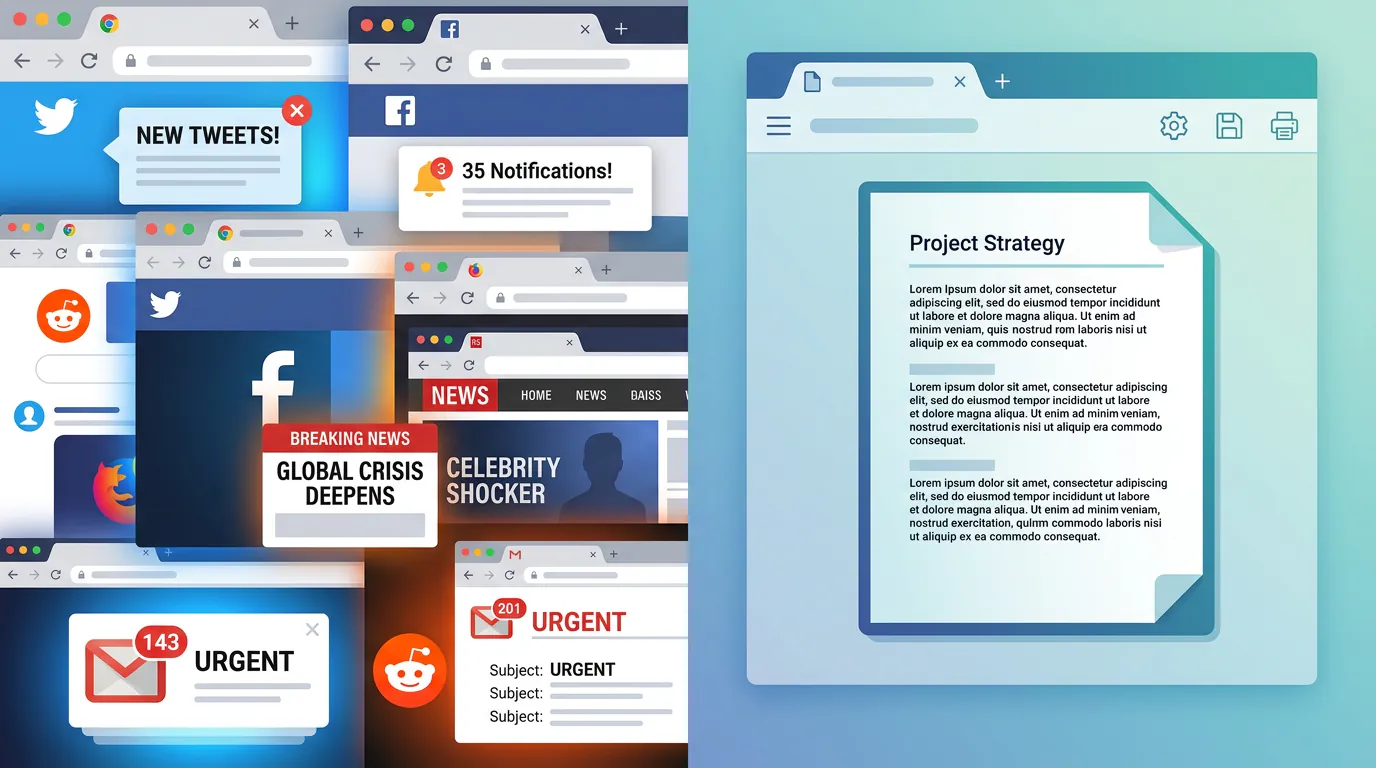
Distraction blockers for writers stop online interruptions by blocking websites and apps at the system level during writing sessions. They work because they remove the choice to check social media or browse "just for a second", you set a timer, start the session, and distracting sites won't load until the block ends.
Writers don't lack ideas. They lack uninterrupted time. The average office worker is productive for only 2 hours and 53 minutes per day, with internet browsing and social media topping the list of workplace distractions at 47% and 45% respectively. For writers, the problem is worse: you need the internet for research, but "just looking up one quick name" turns into two hours watching marmalade-making videos.
Key takeaways:
- Distraction blockers enforce focus by blocking websites at the system or browser level, not relying on willpower
- Writers lose 2-3+ hours daily to online distractions, especially during research and social media "marketing" time
- The best blockers combine scheduling, cross-device sync, and strict enforcement that can't be easily bypassed
- LockIn MCP uniquely integrates with AI assistants (ChatGPT, Claude, Poke) to let AI start and manage focus sessions via system-level blocking
- Choose based on your workflow: Freedom for cross-platform scheduling, Cold Turkey for desktop strictness, LockIn MCP for AI-native productivity
Why Writers Need Distraction Blockers (Not Just Willpower)
You sit down to write. The cursor blinks. Your brain whispers, "Maybe check email first. Just to clear the decks." Five minutes later you're reading about penguin ice sculptures and your word count is still zero.
This isn't a character flaw. It's how brains work when faced with competing stimuli and intermittent rewards (likes, notifications, new messages). Willpower is a finite resource that depletes throughout the day, and expecting it to hold up against algorithmically optimized attention traps is like expecting a picket fence to stop a freight train.
Distraction blockers work because they shift the burden from willpower to system design. Instead of resisting temptation every few minutes, you make one decision, "I'm writing for 90 minutes", and the blocker enforces it. The sites you specified won't load. The apps won't open. You can't override it without rebooting your machine or waiting out the timer.
That single act of pre-commitment removes hundreds of micro-decisions from your writing session. You're not wrestling with "should I check this?" every time your focus wavers. The answer is already no.
How Online Distractions Sabotage Your Writing Sessions
Writers face unique distraction patterns that compound throughout a session:
Research rabbit holes.You need to verify a historical fact or find a character name. Thirty minutes later you're deep in a Wikipedia spiral about 18th-century naval architecture, and you've forgotten what you were looking up.
Social media for "marketing."Many authors rely on social media to connect with readers and promote their work. You log in to schedule a post and emerge an hour later having doomscrolled through distressing news and doom-laden comment threads, your creative energy drained.
The "just one quick check" loop.Email, Slack, Discord, Reddit. Each check fragments your attention and resets the 23-minute average it takes to return to deep work after an interruption.
Notification creep.Even if you don't actively browse, notifications ping you out of flow. Each one costs focus and momentum.
According to deep work statistics, cutting meetings by 40% boosts productivity by 71%. The same principle applies to cutting digital interruptions during writing time. When I stopped losing time online to these patterns and started using a blocker, my daily word count tripled in the first week.
What Makes a Distraction Blocker Effective for Writers
Not all blockers are created equal. Writers need tools that balance strictness with flexibility. Here's what matters:
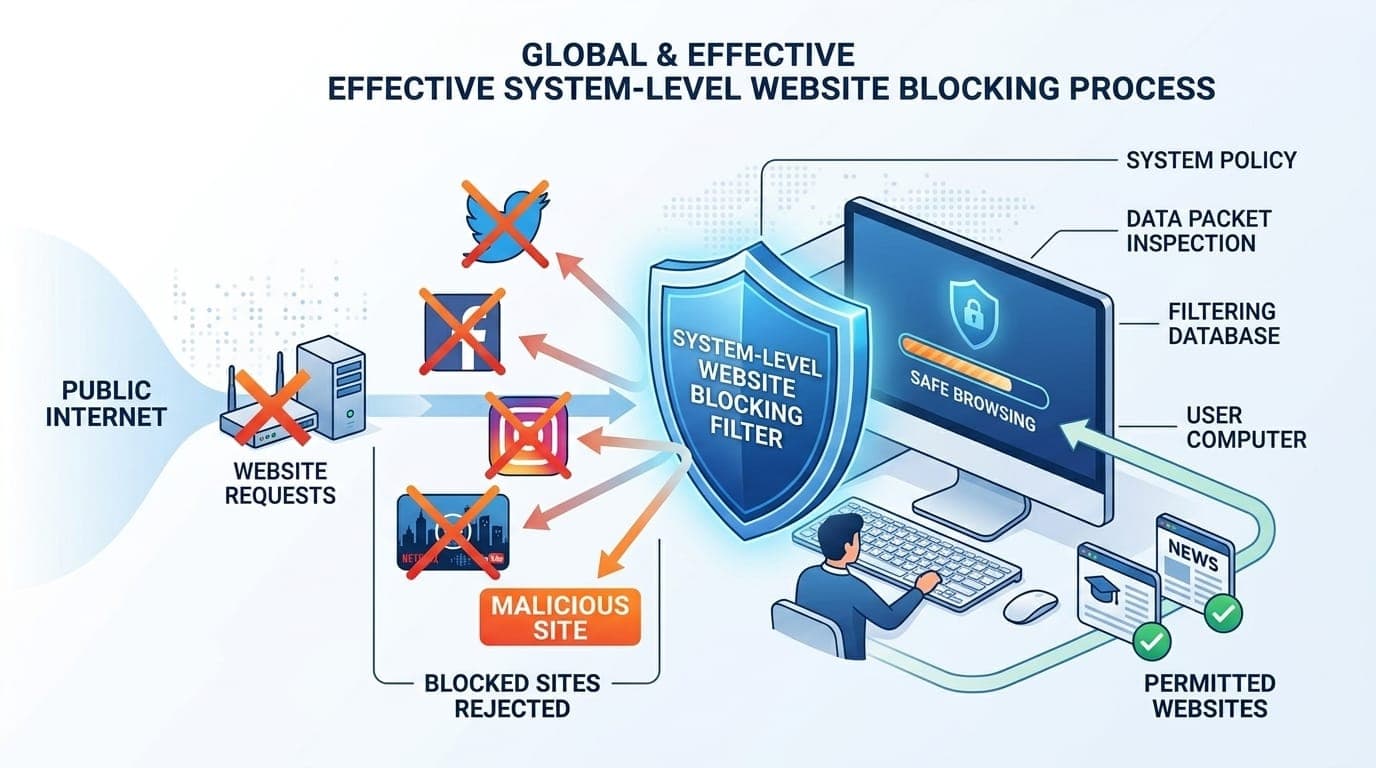
System-level blocking.Browser extensions are easy to disable. System-level blockers modify your hosts file or run background processes that prevent distracting domains from loading in any browser. This makes bypassing the block significantly harder.
Scheduling and recurring sessions.The ability to pre-schedule blocks (e.g., every morning 6-8 AM) turns writing time into a non-negotiable habit. You don't have to remember to start the block; it happens automatically.
Cross-device sync.If you write on a laptop, phone, and tablet, you need blocking across all devices so you can't just switch screens when the urge hits.
Allowlists and granular control.You might need access to Google Docs or a specific reference site during writing. The best blockers let you allow specific URLs while blocking the rest of the internet.
Tamper resistance.Effective blockers make it inconvenient (but not impossible) to disable mid-session. Cold Turkey's "Frozen Turkey" mode, for example, locks you out even if you reboot. Others require uninstalling the app entirely.
Best Distraction Blockers for Writers in 2026
Here's how the top options compare:
| Tool | Platforms | System-Level | Scheduling | Price | Best For |
|---|---|---|---|---|---|
| Freedom | Mac, Windows, iOS, Android, Chrome | Yes | Yes, recurring | $8.99/month, $39.99/year | Cross-device scheduling and social media blocking |
| Cold Turkey | Windows, Mac | Yes | Yes | $39 lifetime | Desktop writers who need strict, unbypassable blocks |
| LockIn MCP | Mac, Linux, Windows | Yes | Yes, AI-triggered | From $2.99/month, $59.99 lifetime | Writers using AI assistants for productivity |
| Opal | iOS, Mac | Yes | Yes, with focus modes | $19.99/month, $99.99/year, $399 lifetime | iPhone and Mac users |
| StayFocusd | Chrome | No (browser only) | Limited | Free | Budget-conscious writers on Chrome |
Freedom
Freedom is the most popular cross-platform blocker. You create blocklists of distracting sites and apps, set a duration (1 minute to 24 hours), and start a session across Mac, Windows, iOS, Android, and Chrome simultaneously. Recurring sessions let you automate daily writing blocks.
Writers love Freedom for its ease of use and scheduling flexibility. The downside: it's subscription-based and less strict than desktop-only options. Many writers report going from 500 words per session to 1,500+ words once they established their Freedom routine.
Cold Turkey
Cold Turkey is the gold standard for unbypassable desktop blocking. Its "Frozen Turkey" mode locks you out of selected sites and apps even if you reboot, uninstall the app, or try to edit your hosts file manually. It's a one-time purchase and works offline.
If you write primarily on one desktop machine and need enforcement that won't budge, Cold Turkey is the answer. It's overkill if you need mobile blocking or prefer gentler nudges. But for serious writers who need nuclear-strength focus, nothing else compares.
LockIn MCP
LockIn MCP is the first distraction blocker built for writers already using AI assistants like ChatGPT, Claude, Poke, or Cursor. It runs as an MCP (Model Context Protocol) server in the background and blocks distracting domains at the system level by modifying your hosts file.
The unique advantage: your AI assistant can start focus sessions, request temporary unblocks with accountability, and track your writing streaks. If you already ask ChatGPT "help me stay focused," LockIn MCP makes that request actionable instead of aspirational. It's lightweight (one-line npx install), works across macOS, Linux, and Windows, and costs less than a coffee per month or $59.99 lifetime.
Best for: tech-savvy writers and knowledge workers who want AI-native productivity enforcement. Learn more about how it works.
Opal
Opal dominates iPhone and Mac focus sessions with four blocking modes (Brick Mode, Work Hours, Crunch Time, GODMODE) and screen-time tracking. It's polished, motivational (focus milestones and group challenges), and integrates well into the Apple ecosystem.
Writers on iOS will find Opal intuitive and effective, though it's pricier than alternatives and locked to Apple devices. For a detailed comparison, see LockIn MCP vs Opal.
StayFocusd
StayFocusd is a free Chrome extension that limits the time you can spend on distracting sites each day. Once you've used your allotted minutes, the sites are blocked for the rest of the day.
It's easy to bypass (open another browser), making it better as a gentle nudge than strict enforcement. Good for writers on a budget who use Chrome exclusively.
How to Choose the Right Distraction Blocker for Your Writing Workflow
Match the tool to your situation:
- You write on multiple devices and need cross-platform sync: Freedom
- You write on one desktop and need unbreakable enforcement: Cold Turkey
- You use AI assistants (ChatGPT, Claude, Poke) and want AI-driven focus: LockIn MCP
- You're on iPhone/Mac and want polished native apps: Opal
- You need a free, lightweight option and use Chrome only: StayFocusd
Also consider your writing routine. If you write at the same time daily, prioritize tools with recurring scheduled sessions. If you write in unpredictable bursts, pick one with quick on-demand blocking.
For writers who also struggle with app distractions (Slack, Discord, email clients), system-level blockers that can block both websites and apps (Freedom, Cold Turkey, LockIn MCP) are essential.
Setting Up Your First Focus Session
Here's a simple three-step process that works with any blocker:
1. Identify your top 5 distractions.Be honest. For most writers: social media (Twitter/X, Instagram, Facebook), news sites, Reddit, YouTube, email.
2. Create a blocklist and set a realistic duration.Start with 25-45 minutes if you're new to focused writing. You can build up to 90-minute deep work blocks as the habit solidifies.
3. Use placeholders for research during the session.When you need to look something up, write [TK: character name] or [TK: verify date] and keep writing. Fill in the details after the session ends. This prevents research rabbit holes from derailing your momentum.
Before you start, have your outline or next scene sketched out. The block removes external distractions; it can't supply your next sentence. Pair the blocker with a writing ritual (specific music, a timer, a cup of tea) to signal "work time" to your brain.
But what if you need to look something up mid-session? That's where the pause or temporary unblock feature becomes crucial. Most blockers let you request a brief pause with a delay (e.g., Cold Turkey makes you wait 60 seconds). LockIn MCP adds accountability by having your AI assistant log why you're requesting the unblock. This friction usually makes you realize the lookup can wait.
If you're comparing system-level website blockers, look for the features that match how you actually work, not how you wish you worked. Read reviews from other writers to see which tools hold up during real writing sessions.
Conclusion
Distraction blockers for writers aren't admitting defeat. They're designing an environment where finishing the draft is easier than opening Twitter. You make one decision at the start of your session, and the tool enforces it while your brain focuses on the only thing that matters: getting words on the page.
Start with a free trial (most blockers offer one) and test a 25-minute session. Block your top three distractions, set a timer, and write. You'll know within one session whether system-level enforcement changes your output. Present your finished word count as proof of concept.
For writers already embedded in AI workflows, LockIn MCP bridges the gap between "AI productivity coach" advice and actual distraction enforcement. Install it with one command and let your assistant handle the blocking while you handle the writing.
FAQ
What is a distraction blocker for writers?
A distraction blocker for writers is software that prevents access to distracting websites and apps during writing sessions by blocking them at the system or browser level. You set a timer and blocklist, start a session, and the tool enforces focus until the time expires.
Do distraction blockers actually work?
Yes. Distraction blockers work by removing the choice to visit blocked sites during a session, which prevents the "just one quick check" loop that fragments attention. System-level blockers are more effective than browser extensions because they're harder to bypass. Writers report 2-3x increases in daily word count after implementing a blocker routine.
What's the best free distraction blocker for writers?
StayFocusd is the best free option for Chrome users, though it's easy to bypass. For stricter free blocking on desktop, Cold Turkey offers a free version with limited features. LockIn MCP offers a trial period and costs less than $3/month after that.
Can I block social media but still access Google Docs?
Yes. Most distraction blockers let you create custom blocklists and allowlists. You can block facebook.com and twitter.com while allowing docs.google.com and specific research sites you need during writing.
How long should I block distractions when writing?
Start with 25-45 minutes if you're building the habit. As your focus endurance improves, increase to 60-90 minute sessions. Research on deep work suggests 2-3 hours of focused writing time per day is realistic for most writers.
What's the difference between Freedom and Cold Turkey?
Freedom syncs across Mac, Windows, iOS, Android, and Chrome with scheduling, making it ideal for multi-device workflows. Cold Turkey is desktop-only but offers stricter enforcement (Frozen Turkey mode) that's nearly impossible to bypass. See a full comparison at LockIn MCP vs Cold Turkey.
Can AI assistants help with distraction blocking?
Yes. LockIn MCP lets AI assistants like ChatGPT, Claude, and Poke start focus sessions and block distracting sites via system-level blocking. You can tell your AI "block social media for 90 minutes" and it handles enforcement. Learn more at AI productivity with distraction blocking.
