Blog
Best Apps That Block Social Media for Students
 Mil Hoornaert · 15 min read
Some links are affiliate links. We may earn a commission if you buy through them, at no extra cost to you.

The best apps that block social media for students are Freedom (cross-device sync with strict mode), Cold Turkey (unbypassable desktop enforcement), Opal (iPhone screen time control), Forest (gamified focus sessions), AppBlock (Android flexibility), SelfControl (free Mac website blocker), and LockIn MCP (AI-integrated system-level blocking). Students need different enforcement levels depending on self-control, so choose based on whether you need light friction or true lockdown.
82% of Gen Z students report social media distracts them from schoolwork, according to a 2021 Tallo survey. Blocking apps and websites help by removing the temptation entirely during study sessions, cutting screen time on distracted apps like Instagram, TikTok, and YouTube.
Key takeaways:
- System-level blockers (hosts file or OS-integrated) are harder to bypass than browser extensions
- Strict modes prevent you from disabling blocks mid-session when willpower fades
- Cross-device sync matters if you study on phone, laptop, and tablet
- Free options exist (SelfControl, AppBlock basic) but paid apps offer better enforcement
- AI-integrated blockers like LockIn MCP let you use ChatGPT or Claude to manage blocks
Why Students Need Apps That Block Social Media
Social media isn't just a minor distraction, it's a measurable productivity killer. Research shows students who check social media more than five times daily are 35% more likely to have lower grades. The constant pull of Instagram, TikTok, and X fragments attention and makes deep focus nearly impossible.
60% of students admit social media is their primary distraction when they should be studying. The average student loses much time to these platforms, often without realizing how many hours disappear into scrolling.
Standard browser extensions are easy to bypass. You can disable them in seconds when your brain rationalizes "just a quick check." That's why the most effective website blocker tools work at the system level (editing your computer's hosts file) or use strict modes that lock you in for a set period.
Students need blocking apps and websites that match their self-control level. If you're disciplined, a gentle reminder app like Forest works. If you know you'll try to disable the blocker mid-study session, you need something unbypassable like Cold Turkey or LockIn MCP's AI-enforced focus mode.
Best Apps That Block Social Media for Students: Comparison Table
| App | Platform | Enforcement Level | Key Feature | Price |
|---|---|---|---|---|
| Freedom | Mac, Windows, iOS, Android, Chrome | High (Strict Mode) | Cross-device sync | $8.99/month or $49.99/year |
| Cold Turkey | Windows, Mac | Very High | Truly unbypassable blocks | Free (basic), Pro $39 one-time |
| Opal | iPhone, Mac, Android | Medium-High | Screen time control & accountability | Free (basic), Pro $99/year |
| Forest | iOS, Android, Chrome | Low-Medium | Gamified focus trees | $3.99 one-time (mobile) |
| AppBlock | Android, iOS, Chrome | Medium | Customizable blocking schedules | Free (basic), Premium $2.99/month |
| SelfControl | Mac only | High | Free, open-source | Free |
| LockIn MCP | Mac, Linux, Windows | Very High | AI assistant integration | From $2.99/month |
1. Freedom: Best Cross-Device Blocker for Students
Freedom syncs blocks across Mac, Windows, iOS, Android, and Chrome. You create a blocklist of distracted apps and websites (Instagram, TikTok, YouTube, Reddit, etc.), schedule a session, and Freedom locks you out on every device simultaneously.
Why students choose it:The Strict Mode feature prevents you from ending a block session early. Even if you try to disable the app, uninstall it, or restart your computer, the block holds until the timer runs out. This is critical for students who know they'll try to cheat.
Freedom also lets you schedule recurring blocks (e.g., every weekday 2-5 PM for study time) so you don't have to manually start sessions. It blocks both websites and apps, including mobile apps like Instagram and TikTok, giving you complete screen time control across all platforms.
Over 2 million users trust Freedom to manage their screen time and focus, including students, professionals, and writers. Many students report improved concentration and higher grades after consistently using Freedom during study sessions.
Downsides:At $8.99/month or $49.99/year, it's one of the pricier options. The mobile app requires separate installation and setup on each device.
Best for:Students who study across multiple devices and need bulletproof enforcement with app and website blocking.
2. Cold Turkey: Most Unbypassable Desktop Blocker
Cold Turkey is the gold standard for desktop blocking on Windows and Mac. It's designed to be genuinely unbypassable, even the developer can't help you disable a block once it starts. You can block apps and websites, or even your entire Internet connection.
Why students choose it:Cold Turkey's "Frozen Turkey" mode locks blocks for days or weeks. There's no emergency override, no workaround. If you block Instagram for 72 hours, it stays blocked for 72 hours, period. This extreme enforcement works for students preparing for finals or major exams.
The Pro version ($39 one-time) adds scheduling, random blocks to break habits, the ability to block specific browser tabs, and advanced screen time tracking. Cold Turkey has been featured in Forbes, Lifehacker, and The Guardian for its no-nonsense approach to distraction blocking.
Downsides:Desktop-only (no mobile blocking). The nuclear-level enforcement can backfire if you genuinely need access to a blocked site for class.
Best for:Students who need maximum enforcement during exam weeks or thesis writing and primarily study on a laptop or desktop.
3. Opal: Best iPhone-Focused Screen Time App
Opal is built for iPhone (and recently added Mac and Android support). It integrates with Apple's Screen Time system but adds smarter scheduling, app-specific blocking, and social accountability features for better screen time control.
Why students choose it:Opal's "Focus Score" gamifies blocking by showing how well you stuck to your limits. You can share your score with friends, creating peer accountability. The app website lets you track screen time statistics and set goals. Opal also blocks specific features within apps, for example, blocking Instagram Reels but allowing messages.
Opal's "Deep Focus" mode is harder to bypass than standard Apple Screen Time Control because it requires you to wait through a breathing exercise before accessing blocked apps. This friction reduces mindless checking by 80%, according to Opal's internal usage data.
Downsides: iPhone-centric (Android/Mac versions are newer and less polished). The free version only blocks one app at a time; you need Pro ($99/year) for full blocklists and advanced screen time features.
Best for: iPhone-dependent students who respond to social accountability and want granular control over apps and websites.
4. Forest: Best Gamified Blocker for Motivated Students
Forest turns focus time into a game. You plant a virtual tree when you start a study session. If you leave the app to check social media, the tree dies. Over time, you grow a forest of completed focus sessions.
Why students choose it:Forest is fun and non-threatening. It doesn't lock you out, it just makes you feel guilty if you break focus. For self-motivated students who want a gentle nudge rather than enforcement, Forest works beautifully.
You can set session lengths (25-minute Pomodoro or longer stretches) and earn coins to plant real trees through Forest's partnership with Trees for the Future. Forest has helped plant over 1.5 million real trees worldwide through user engagement.
Downsides:Easy to bypass. If you have weak willpower, you'll kill a lot of trees and check social media anyway. It's more about habit-building than true blocking of distracted apps.
Best for:Disciplined students who want a positive, gamified focus tool and don't need strict screen time enforcement.
5. AppBlock: Most Flexible Android Blocker
AppBlock is the top-rated blocking app for Android (and recently added iOS support). You create custom "profiles" for different scenarios, one for studying that blocks social media, one for sleeping that blocks everything, etc.
Why students choose it:AppBlock's customizable blocking schedules automatically activate blocks at set times. Set it to block Instagram, TikTok, and YouTube every weekday from 3-6 PM, and it runs on autopilot. You can also use "Strict Mode" to prevent uninstalling the app during a block, reducing screen time on distracted apps.
The app website and interface are developed by MobileSoft, a Czech company focused on digital wellbeing tools. The free version covers basic blocking. Premium ($2.99/month) adds scheduling, location-based blocking (block apps when you're at the library), and detailed usage statistics.
Why AppBlock stands out: it offers more granular control than most Android competitors, letting you block specific app features (like YouTube Shorts) while keeping others accessible.
Downsides:Android-first, so iOS users get fewer features. It's a phone-only website blocker, doesn't sync to desktop.
Best for:Android students who want automated, schedule-based blocking with minimal daily setup and strong screen time support.
6. SelfControl: Best Free Mac Website Blocker
SelfControl is a free, open-source Mac app that blocks access to websites for a set period. You add sites to a blocklist (reddit.com, instagram.com, twitter.com, etc.), set a timer (up to 24 hours), and start the block.
Why students choose it:It's completely free and genuinely effective. SelfControl edits your Mac's hosts file at the system level, so blocked sites stay blocked even if you uninstall the app, restart your computer, or try to access them in a different browser. The only way to bypass it is to manually edit the hosts file as root, something most students won't know how to do.
SelfControl is open-source and has been trusted by students and professionals for over a decade. It's frequently recommended on Reddit's r/productivity and student forums as the best free Mac website blocker.
Downsides:Mac-only. Doesn't block apps, only websites. The interface is bare-bones and hasn't been updated in years. No screen time tracking or statistics.
Best for:Mac-using students on a budget who need simple, effective website blocking without paying for a subscription.
7. LockIn MCP: Best AI-Integrated System-Level Blocker
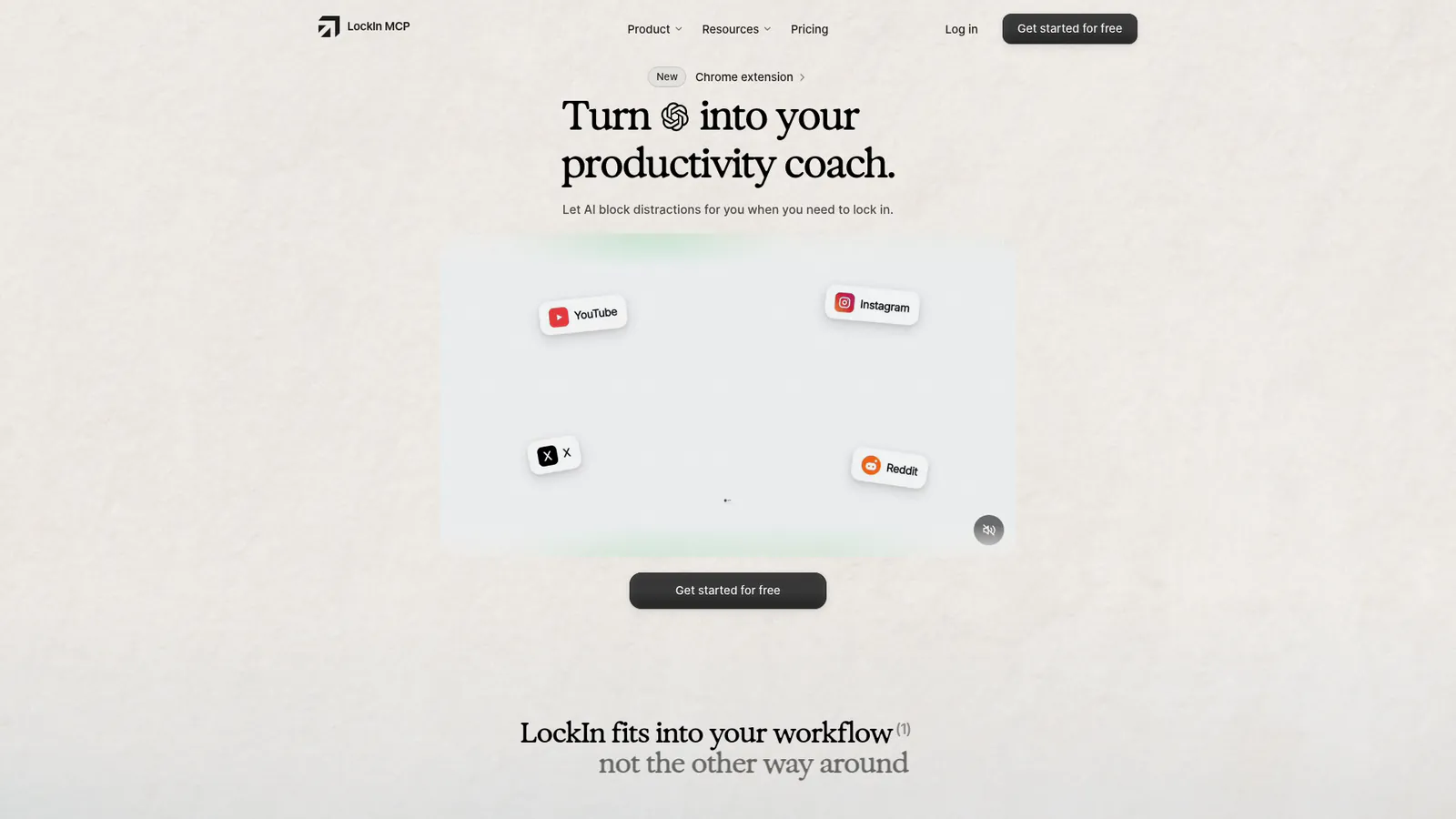
LockIn MCP is a system-level blocker that integrates with AI assistants like ChatGPT, Claude, Poke, and Perplexity. It blocks distracting sites by editing your computer's hosts file and runs a background MCP server that lets your AI assistant manage blocks, start focus sessions, and enforce accountability.
Why students choose it:If you already use ChatGPT or Claude for studying smarter with AI, LockIn MCP fits directly into your workflow. You can tell your AI, "Block Instagram and TikTok for 2 hours while I study calculus," and it handles the enforcement. The AI can also deny your requests to unblock sites early, acting as an external accountability layer, like a productivity coach that actively enforces focus.
LockIn MCP works across Mac, Linux, and Windows with a one-line install (npx -y lockin-mcp install). It's system-level blocking, so it's much harder to bypass than browser extensions. The tool reduces screen time on distracted apps by removing Wi-Fi access to specific domains.
Downsides:Requires comfort with command-line installation (though it's just one command). No mobile app yet. Aimed at tech-savvy students rather than beginners.
Best for:Students who use AI assistants for studying and want a developer-friendly focus enforcer that integrates with their existing tools and provides system-level website blocking.
How to Choose the Right Social Media Blocker
Pick based on your self-control level and device setup:
If you'll try to cheat:Choose Cold Turkey, SelfControl, or LockIn MCP. These are system-level website blockers that can't be disabled mid-session.
If you study across multiple devices:Go with Freedom. It's the only app that syncs blocks of apps and websites across phone, tablet, and computer simultaneously.
If you're an iPhone user:Opal offers the best iOS-native experience with Apple Screen Time Control integration and peer accountability.
If you want something free:SelfControl (Mac) or AppBlock's free tier (Android) are solid zero-cost options for blocking distracted apps.
If you use AI assistants for studying:LockIn MCP integrates directly with ChatGPT and Claude, turning your AI into a productivity coach that enforces focus and reduces screen time.
If you just need a gentle reminder:Forest's gamification works for self-motivated students who respond to positive reinforcement rather than strict enforcement.
Can You Bypass Social Media Blocking Apps?
Browser extensions are easy to bypass, you just disable them or use a different browser. But system-level blockers like Cold Turkey, SelfControl, and LockIn MCP edit your computer's hosts file, which routes blocked domains to localhost. Even if you uninstall the app, the blocks persist until the timer expires.
The most bypass-proof setup combines a system-level website blocker with strict mode enabled. Freedom's Strict Mode, Cold Turkey's Frozen Turkey, and LockIn MCP's AI-enforced blocks are all designed to withstand every workaround attempt.
That said, no app is 100% unbeatable. If you really want to, you can manually edit your hosts file, use a VPN, or switch to a different device. The point isn't to make bypass impossible, it's to add enough friction that checking Instagram stops being automatic. Research on habit formation shows even small delays (20-30 seconds) dramatically reduce impulsive behavior.
Free vs. Paid Blocking Apps for Students
Free options:
- SelfControl (Mac): Full-featured, unlimited blocking, system-level website blocker
- AppBlock (Android): Basic blocking with manual sessions, good screen time support
- Forest (limited): Browser extension is free; mobile app is $3.99
- Cold Turkey (basic): Free version blocks apps and websites on desktop
Paid options worth the cost:
- Freedom ($49.99/year): Best if you need cross-device sync and can't afford to bypass distracted apps
- Cold Turkey Pro ($39 one-time): One-time payment for lifetime desktop blocking with advanced scheduling
- Opal Pro ($99/year): Worth it for iPhone users who want full Screen Time Control and app blocking
- LockIn MCP (from $2.99/month): Cheapest AI-integrated system-level option for blocking apps and websites
Most students start with a free app. If they find themselves bypassing it constantly and losing much time to social media, they upgrade to a paid strict-mode option. The investment in a good website blocker typically pays for itself in improved grades and reduced screen time.
Do Blocking Apps Work Across Devices?
Freedom is the only app that syncs blocks of apps and websites across Mac, Windows, iOS, Android, and Chrome simultaneously. Start a block on your phone, and it applies to your laptop and tablet automatically.
Opal syncs across iPhone and Mac if you're in the Apple ecosystem, with centralized screen time tracking through the app website.
LockIn MCP works on Mac, Linux, and Windows but requires separate installation on each device. It doesn't have a mobile app yet (but you can use the Chrome extension on mobile Chrome to block distracted apps).
Cold Turkey, SelfControl, AppBlock, and Forest are device-specific. You need to set up blocks separately on each device to manage screen time across platforms.
If you're serious about eliminating social media during study sessions, a cross-device blocker like Freedom is worth the investment. Otherwise, you'll just switch from laptop to phone when you get distracted, wasting much time bouncing between devices.
FAQ: Apps That Block Social Media for Students
What is the best free app to block social media while studying?
SelfControl is the best free option for Mac users. It's a true system-level website blocker that can't be bypassed, even by uninstalling the app. For Android, AppBlock's free tier offers basic blocking with manual start/stop and decent screen time support. For cross-platform needs, the free versions of Freedom and Opal are limited (one site or app at a time), so you'll likely need to upgrade to block multiple distracted apps effectively.
Can social media blocking apps be bypassed?
Browser extensions can be easily disabled or bypassed by using a different browser or incognito mode. System-level blockers like Cold Turkey, SelfControl, and LockIn MCP are much harder to bypass because they edit your computer's hosts file at the operating system level. With strict mode enabled, these apps lock you out until the timer expires, even if you restart, uninstall, or try workarounds. No app is 100% unbeatable, but system-level enforcement adds enough friction to stop automatic checking and dramatically reduce screen time on distracted apps.
Does Freedom block apps or just websites?
Freedom blocks both websites and mobile apps. On desktop (Mac/Windows), it blocks websites across all browsers. On iOS and Android, Freedom can block specific apps like Instagram, TikTok, Snapchat, and games. You create a single blocklist that syncs across all your devices, blocking both web and app access simultaneously during focus sessions. This makes Freedom one of the most comprehensive tools for screen time control and reducing distraction.
Is there an app that blocks Instagram and TikTok during study time?
Yes. Freedom, Opal, AppBlock, and LockIn MCP all block Instagram and TikTok on mobile and desktop. Freedom and Opal work on iPhone with strong Screen Time Control; AppBlock is strongest on Android; LockIn MCP blocks them at the system level on desktop (you'd use the Chrome extension or Apple Screen Time for mobile). For scheduled automatic blocking, AppBlock (Android) and Freedom (all platforms) let you set recurring daily blocks so Instagram and TikTok, two of the most common distracted apps, are automatically locked out during your study hours.
What's the most effective app blocker for students with ADHD?
Students with ADHD often need strict enforcement with no bypass options to support mental health and focus. Cold Turkey (desktop) and LockIn MCP (Mac/Linux/Windows) offer the strongest enforcement because they use system-level blocking and can't be easily disabled. Freedom's Strict Mode is also effective across devices for reducing screen time. For mobile, Opal's Deep Focus mode adds friction by requiring a breathing exercise before unblocking. Avoid gentle apps like Forest, students with ADHD typically need true lockout of apps and websites, not reminders. Many therapists recommend these tools to support mental health by creating external structure.
How much does Freedom cost for students?
Freedom costs $8.99/month or $49.99/year (roughly $4.17/month annually). There's no separate student discount, but the annual plan saves 58% compared to monthly. Freedom offers a 7-session free trial so you can test strict mode, cross-device sync, and screen time tracking before committing. For students on a tight budget, free alternatives like SelfControl (Mac) or AppBlock (Android) provide basic blocking, though without Freedom's cross-device sync, polished app website, and comprehensive features for managing distracted apps.
Can I block social media on my phone and computer at the same time?
Yes. Freedom is designed specifically for this, it syncs blocks of apps and websites across your phone, tablet, and computer simultaneously. Start one session, and Instagram, TikTok, Reddit, etc. are blocked on every device you've connected to your Freedom account, giving you unified screen time control. Opal also syncs across iPhone and Mac. If you use LockIn MCP, you can block on desktop and use the Chrome extension on mobile Chrome to manage distracted apps. Apps like Cold Turkey, SelfControl, and AppBlock are device-specific and require separate setup on each device.