Blog
ChatGPT vs LockIn MCP: Which Helps Productivity More?
 Mil Hoornaert · 14 min read
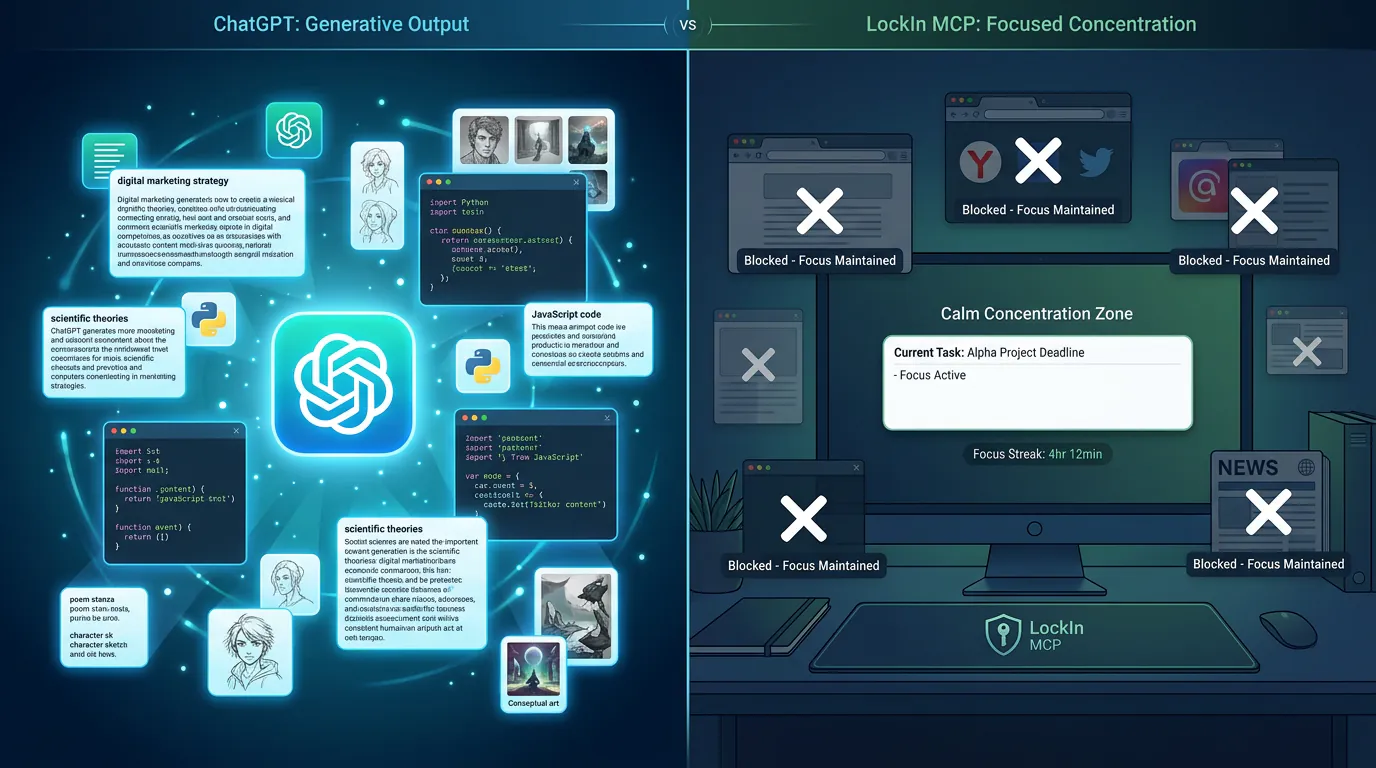
ChatGPT is a generative AI assistant that helps you create content, analyze data, and automate workflows. LockIn MCP is a distraction-blocking tool that uses AI to enforce focus at the system level. They solve different productivity problems: ChatGPT helps you work smarter by handling repetitive tasks, while LockIn MCP helps you work focused by removing digital distractions before they derail your session.
Key takeaways:
- ChatGPT excels at content generation, research, coding assistance, and workflow automation through natural language prompts
- LockIn MCP blocks distracting websites and apps at the system level via AI agent commands, with no dashboard friction
- ChatGPT is best when your bottleneck is task execution (writing, analysis, ideation); LockIn MCP is best when your bottleneck is attention management
- The two tools are complementary, ChatGPT can even trigger LockIn MCP to start focus sessions through the Model Context Protocol
- Pricing differs significantly: ChatGPT offers free and paid tiers ($20-200/month), while LockIn MCP starts at $2.99/month
What is ChatGPT?
ChatGPT is OpenAI's conversational AI assistant powered by large language models (LLMs) like GPT-4o. It uses natural language processing to understand user prompts and generate human-like responses across a wide range of tasks.
From a productivity standpoint, ChatGPT functions as an on-demand co-worker who can draft emails, summarize documents, generate code, conduct research, and provide feedback in seconds. According to a Nielsen Norman Group study, ChatGPT users can write 59% more documents per day compared to non-users, a significant productivity boost backed by empirical data from enterprise testing.
Core ChatGPT productivity features
ChatGPT offers several capabilities that directly impact productivity. Compare this to other AI focus assistants that work with ChatGPT for comprehensive productivity workflows.
Content creation and writing assistance.ChatGPT drafts blog posts, marketing copy, product descriptions, and technical documentation. You can specify tone, format, and length to get tailored outputs. Research from Stanford shows that customer service agents using AI writing assistants completed 13.8% more customer chats per hour.
Document analysis and summarization.Attach PDFs, spreadsheets, or meeting transcripts and ask ChatGPT to extract key points, create action items, or highlight specific information. This lets teams read and process data much faster than manual review. This cuts reading time for lengthy reports from hours to minutes.
Code generation and debugging.Developers use ChatGPT's Canvas feature to write code snippets, identify bugs, and get implementation suggestions across multiple programming languages. GitHub Copilot research found developers using AI coding assistants completed tasks 55% faster than those without.
Market and product research.The Deep Research feature investigates specific topics across the web and produces comprehensive research reports with validated sources in minutes instead of days. This tool can read hundreds of sources to create structured analysis.
Workflow automation.Through integrations with tools like Zapier and custom GPTs, ChatGPT automates repetitive tasks like email drafting, data entry, and scheduling. These API connections let you build "if this, then that" workflows that trigger ChatGPT actions automatically.
Visual content creation.With DALL-E and Sora integration, ChatGPT generates images, logos, marketing graphics, and video content for campaigns without traditional design software.
ChatGPT handles the "what" and "how" of knowledge work, generating outputs, processing information, and executing tasks through conversational commands.
What is LockIn MCP?
LockIn MCP is a system-level distraction blocker built specifically for the AI agent era. Unlike traditional focus apps with complex dashboards, LockIn MCP lets you trigger focus sessions by simply telling your AI assistant to "lock me in."
When activated through an AI agent like Claude, ChatGPT, or Poke, LockIn MCP modifies your computer's hosts file to block access to distracting websites and applications. This happens at the network level of your machine, making it significantly harder to bypass than browser extensions you can disable with a single click.
How LockIn MCP operates
LockIn MCP works through the Model Context Protocol (MCP), a standard developed by Anthropic that allows AI agents to interact with local system tools and data sources. Here's the typical workflow:
- AI command: You tell your AI assistant, "I need to work on this report for two hours. Block distractions."
- System-level blocking: The AI agent triggers LockIn MCP through the MCP server, which edits your hosts file to restrict access to sites you've identified as distractions
- Native integration: The blocking happens seamlessly within your existing AI workflow, with no separate app to open
The tool is designed to remove the friction that prevents people from starting deep work sessions. According to Brandeploy's analysis, marketers using LockIn MCP can complete content production and analytical work in half the time by eliminating the mental energy required to resist checking social media or news sites.
LockIn MCP focuses specifically on the "where" and "when" of focused work, creating an environment where concentration is the default, not a constant battle. For teams evaluating different approaches to blocking, compare this to system-level website blockers for Mac and Windows.
Core Differences: ChatGPT vs LockIn MCP
| Feature | ChatGPT | LockIn MCP |
|---|---|---|
| Primary function | Content creation, analysis, automation | Distraction blocking, focus enforcement |
| Problem it solves | Task execution bottlenecks | Attention management and digital distractions |
| Interaction model | Conversational AI prompts | AI-triggered system commands |
| Technical approach | Cloud-based LLM processing | Local hosts file modification |
| Integration | Standalone web/app + APIs | MCP server connecting to AI agents |
| Best for | Generating outputs, processing data | Maintaining concentration during work sessions |
| Bypass difficulty | N/A (it's a helper tool) | Hard (system-level blocks) |
| Pricing | Free tier + $20-200/month paid | From $2.99/month |
The fundamental difference is this: ChatGPT helps you do work; LockIn MCP helps you avoid not doing work.
When to Use ChatGPT for Productivity
ChatGPT is your tool when the bottleneck is the work itself, when you need to produce content, process information, or automate repetitive tasks faster.
Ideal use cases for ChatGPT
You're facing a blank page.ChatGPT generates first drafts, outlines, and content structures that give you a starting point rather than staring at empty documents. Studies from Boston Consulting Group showed consultants using AI writing assistants produced 12% more tasks with higher quality ratings.
You need to process large volumes of information.Summarizing meeting notes, extracting data from reports, or synthesizing research across multiple sources becomes instant instead of time-consuming. Let ChatGPT read through lengthy documents while you focus on decision-making.
Repetitive tasks drain your time.Writing similar emails, generating product descriptions, creating social media variations, or formatting data can be offloaded to ChatGPT through prompts or automation.
You're coding or debugging.Developers save hours by having ChatGPT generate boilerplate code, explain complex functions, or identify bugs in existing scripts. This is particularly useful when working with unfamiliar APIs or frameworks.
Research is eating your schedule.The Deep Research feature investigates niche topics, gathers sources, and produces comprehensive reports that would take days of manual research.
Creative ideation feels stuck.ChatGPT brainstorms campaign concepts, product names, headline variations, and strategic approaches when you need fresh perspectives. Which AI tool you use for this can impact output quality, but ChatGPT's broad training data helps with diverse creative tasks.
According to DigitalOcean's productivity guide, teams using ChatGPT for SEO analysis, market research, and content creation report significant time savings, tasks that previously took days can be completed in hours or minutes.
ChatGPT thrives when your challenge is execution. If you know exactly what to do but need help doing it faster, ChatGPT is the right tool.
When to Use LockIn MCP for Productivity
LockIn MCP is your tool when the bottleneck is focus, when you know what needs to be done but digital distractions keep pulling you away from deep work.
Ideal use cases for LockIn MCP
You suffer from "tab-switching" during analytical work.When you're analyzing data, writing code, or doing strategic planning and habitually check social media between tasks, LockIn MCP removes that option. Research from Microsoft shows it takes an average of 23 minutes to fully regain focus after a distraction.
Starting deep work feels like a decision you have to make repeatedly.Every time you open your browser, you face the choice: stay focused or check Reddit. LockIn MCP makes that choice once at the session start.
You waste mental energy resisting distractions.Willpower is a finite resource. Using it to not click Twitter is energy you could spend on actual work. LockIn MCP automates the resistance, preserving your cognitive budget for real tasks.
Traditional browser extensions don't work because you disable them.If you've tried focus apps only to uninstall or pause them when you want "just a quick check," system-level blocking creates meaningful friction that requires deliberate steps to bypass.
You're doing high-stakes creative or strategic work.Content marathons, design sprints, quarterly planning sessions, work that requires flow states benefits enormously from environments where distraction isn't even an option. Learn more about AI-powered productivity coaching versus focus enforcement to understand which approach fits your workflow.
You already use AI agents for productivity.Since LockIn MCP integrates through the Model Context Protocol, it becomes a natural extension of your AI workflow if you're already using Claude Desktop, ChatGPT, Cursor, or other MCP-compatible tools. The MCP server architecture lets multiple AI agents control the same blocking system.
As Brandeploy notes, marketers and copywriters using LockIn MCP report that research no longer turns into "doomscrolling," and campaign production happens in concentrated bursts rather than fragmented sessions.
LockIn MCP excels when your challenge is attention, not ability. If you know what to do and how to do it, but digital friction keeps you from sustained focus, LockIn MCP is the right tool.
Using ChatGPT and LockIn MCP Together
The most powerful productivity setup combines both tools because they address different stages of knowledge work. Teams using both report higher output quality and faster completion times.
ChatGPT handles the execution layer:It generates drafts, processes data, automates workflows, and provides research assistance. It makes the doing faster.
LockIn MCP handles the attention layer:It enforces the environment where that work happens without interruption. It makes the focusing automatic.
A practical combined workflow
Here's how tech workers and marketers use both together:
- Planning phase (ChatGPT): Ask ChatGPT to outline your blog post, generate a research brief, or create a project plan. This takes 5-10 minutes and gives you a clear roadmap.
- Execution phase (LockIn MCP): Tell your AI agent (which might be ChatGPT itself, or Claude, or Poke), "Lock me in for 90 minutes while I write this." LockIn MCP blocks distractions at the system level.
- Deep work session: You write, code, or design with ChatGPT available for assistance (generating sections, debugging code, providing examples) but with social media, news sites, and other distractions inaccessible. Your data stays local since LockIn MCP operates on your machine, no information leaves your Mac or PC during focus sessions.
- Review phase (ChatGPT): After the session, use ChatGPT to proofread, optimize for SEO, or generate variations of what you created.
This workflow acknowledges that productivity isn't just about working faster (ChatGPT) or focusing longer (LockIn MCP), it's about both. You need AI assistance to handle tedious or complex tasks and you need an environment where that work isn't constantly interrupted.
Notably, because LockIn MCP integrates through MCP servers, ChatGPT can actually trigger it through the API connection. You can have a single AI interface that both helps you work and enforces your focus sessions. For teams already using ChatGPT for daily tasks, adding LockIn MCP extends that AI agent into an attention management role. Read about how it works for technical implementation details.
Pricing Comparison
ChatGPT pricing:
- Free tier: Basic access to GPT-3.5 with limited features
- Plus ($20/month): GPT-4o access, DALL-E, Sora, canvas, and priority during peak times
- Pro ($200/month): Unlimited access to advanced models, Deep Research, and enhanced capabilities
- Team and Enterprise: Custom pricing for organizations
LockIn MCP pricing:
- Monthly trial: Test the system-level blocking approach
- Pro subscription: From $2.99/month for full features across macOS, Linux, and Windows
- Annual plan: $29.99/year (includes free trial period)
- Lifetime license: $59.99 one-time payment
The cost structures reflect their different value propositions. ChatGPT pricing scales with model access and computational power, you're paying for AI processing, advanced features, and usage limits through OpenAI's APIs. LockIn MCP pricing is flat and low because it's a local tool that doesn't require expensive cloud infrastructure or LLM computation.
For budget-conscious users, you could combine ChatGPT's free tier with LockIn MCP's monthly subscription and have a powerful productivity stack for under $3/month. For power users, ChatGPT Plus ($20/month) plus LockIn MCP Pro ($2.99/month) delivers both AI assistance and focus enforcement for roughly the cost of three coffees. Check pricing details for current rates and enterprise options.
Which Tool Should You Choose?
The answer depends on your specific productivity bottleneck.
Choose ChatGPT if:
- You spend too much time on tasks that could be automated or accelerated
- Writing, research, coding, or content creation are your primary work activities
- You need help processing large volumes of information quickly
- Your challenge is execution speed, not attention span
- You want a general-purpose AI assistant across multiple use cases
Choose LockIn MCP if:
- You know what to do but struggle to maintain focus while doing it
- Digital distractions are your biggest productivity drain
- You've tried browser extensions but bypassed them too easily
- You already use AI agents like Claude or ChatGPT and want to extend them
- Your challenge is attention management, not task capability
Choose both if:
- You want a complete productivity system addressing both execution and attention
- You're a knowledge worker doing deep work that requires both AI assistance and sustained focus
- You already use ChatGPT and want to add focus enforcement through the same AI interface
- Your work involves long creative or analytical sessions where distractions are expensive
For most tech-savvy knowledge workers, the answer is both. ChatGPT handles the cognitive heavy lifting of content creation and automation. LockIn MCP handles the environmental discipline that makes that work happen in concentrated, productive sessions. Together, they form a productivity stack where AI helps you work smarter and stay focused.
If you're already using ChatGPT for daily tasks, adding LockIn MCP is a natural extension. Install it via one-line npx command, connect it to your AI agent, and you'll have system-level distraction blocking available through the same conversational interface you already use for work.
FAQ
Can ChatGPT and LockIn MCP work together?
Yes. ChatGPT can trigger LockIn MCP through the Model Context Protocol (MCP), allowing you to start focus sessions with a conversational command like "lock me in for two hours." This creates a unified AI interface that both assists your work and enforces your attention environment through the same MCP server connection.
Is LockIn MCP harder to bypass than ChatGPT's browser extensions?
LockIn MCP isn't comparable to browser extensions because it operates at the system level by modifying your hosts file. This creates deeper, more technical blocks that require deliberate steps to revert, unlike browser extensions you can disable with one click. ChatGPT doesn't block anything, it's an AI assistant, not a distraction blocker.
Does ChatGPT have focus features like LockIn MCP?
No. ChatGPT is a generative AI tool designed to create content, answer questions, and automate workflows. It doesn't include distraction-blocking or focus enforcement capabilities. To combine AI assistance with focus management, you'd use ChatGPT for tasks and LockIn MCP for environmental control.
Which is better for developers: ChatGPT or LockIn MCP?
They serve different purposes. ChatGPT is better for code generation, debugging, and technical documentation through APIs and integrations with tools like VS Code. LockIn MCP is better for maintaining focus during coding sessions by blocking Stack Overflow rabbit holes, Twitter, and other developer distractions. Most developers benefit from using both, ChatGPT as a coding assistant and LockIn MCP to keep deep work sessions uninterrupted.
Can I use LockIn MCP with AI agents other than ChatGPT?
Yes. LockIn MCP works with any MCP-compatible AI agent, including Claude Desktop, Poke, Perplexity, Gemini, Cursor, and others. It's built for the AI agent era, not locked to a single platform. You can trigger focus sessions from whichever AI tool you prefer through the MCP server API.
Is ChatGPT's free tier enough, or do I need paid plans for productivity?
The free tier (GPT-3.5) handles basic tasks like drafting emails, brainstorming, and simple research. For serious productivity work, document analysis, Deep Research, advanced coding assistance, Sora video generation, you'll want ChatGPT Plus ($20/month) or Pro ($200/month). LockIn MCP's full feature set costs from $2.99/month regardless of tier.
Does my data leave my Mac with LockIn MCP?
No. LockIn MCP operates entirely locally on your machine by modifying the hosts file at the system level. Your data never leaves your Mac, PC, or Linux system. The tool doesn't send browsing information, blocked site lists, or work session data to external servers. All blocking happens through local file modifications controlled by the MCP server running on your computer.
Does LockIn MCP work on mobile devices?
LockIn MCP currently supports macOS, Linux, and Windows at the system level. Mobile support depends on platform capabilities for hosts file modification. For cross-device focus enforcement, you might combine LockIn MCP on desktop with complementary mobile focus apps. Check the official docs for the latest platform support and connector guides.
Conclusion
ChatGPT and LockIn MCP aren't competitors, they're complementary productivity tools addressing different bottlenecks in knowledge work.
ChatGPT accelerates task execution. It helps you write faster, research deeper, code more efficiently, and automate repetitive workflows through OpenAI's APIs and LLM infrastructure. It's the tool for working smarter.
LockIn MCP enforces attention management. It removes digital distractions at the system level, preserving your willpower for actual work instead of resisting Twitter or Reddit through local MCP server control. It's the tool for working focused.
The best productivity stack includes both. Use ChatGPT to handle the cognitive heavy lifting of content creation, data processing, and automation. Use LockIn MCP to create an environment where that work happens without interruption. If you're already using ChatGPT for daily tasks, adding LockIn MCP extends your AI agent into a focus enforcement role, giving you both assistance and discipline through the same conversational interface.
Your productivity challenge determines which to prioritize. If you're slow at tasks, start with ChatGPT. If you're distracted during tasks, start with LockIn MCP. For most knowledge workers, the answer is both, because working smarter and working focused are two sides of the same productivity equation.