Blog
Cheap Distraction Blockers Under $5/Month in 2026
You don't need Freedom's $40/year plan. Compare free and under-$5 distraction blockers — SelfControl, LeechBlock, Forest, LockIn MCP — and pick what actually sticks.
 Mil Hoornaert · 14 min read
Some links are affiliate links. We may earn a commission if you buy through them, at no extra cost to you.
You don't need to spend $40/year on Freedom or Cold Turkey to block distractions effectively. Several powerful distraction blockers cost under $5 per month or are completely free, offering system-level blocking, scheduling, and in some cases AI integration that rivals premium tools.
Key takeaways:
- Free options like SelfControl and LeechBlock offer unbypassable blocking with zero cost
- LockIn MCP at $2.99/month is the only AI-integrated blocker in this price range
- One-time purchases like Forest ($3.99) eliminate recurring costs entirely
- Budget blockers match premium tools on core blocking but skip cross-device sync
- The right choice depends on your platform and whether you want AI control over manual setup
Why You Don't Need to Spend $40/Year on Focus Tools
Premium distraction blockers like Freedom ($39.99/year) and Cold Turkey Pro ($45 one-time) dominate the market, but their main advantage is cross-platform sync. If you work primarily on one device or don't need your blocklist synced across Mac, Windows, iOS, Android, and Chrome, you can get the same core blocking power for under $5 per month or free.
According to a 2024 University of California study, it takes an average of 23 minutes to regain focus after a single interruption. Recent workplace research shows that 89% of employees waste at least 30 minutes per day to distractions, with 16% losing two hours or more daily. The tool that prevents that interruption doesn't need to cost $40. It just needs to work.
Budget blockers deliver on the fundamentals: blocking websites and apps during focus sessions, enforcing timers you can't bypass, and removing temptation when you need to lock in. What you give up at this price point is usually cross-device sync, cloud backup, and premium support. For most people, that's a fair trade.
Best Free Distraction Blockers (Under $5 = $0)

SelfControl (Mac, Free)
SelfControl is a free, open-source Mac app that blocks websites with genuinely unbypassable enforcement. You add sites to a blocklist, set a timer, and click Start. Once the block begins, there is no way to undo it. Restarting your Mac won't help. Deleting the app won't help. The block persists until the timer expires.
This makes SelfControl one of the strictest blockers at any price. It's ideal if you know exactly what distracts you and just need an ironclad way to cut it off. The app works on all Apple computers running macOS 10.10 or later.
Platforms:Mac only
What it blocks:Websites (no app blocking)
Strictness:Very high (unbypassable once started)
Pros:
- Completely free with no paid tier
- Unbypassable blocking that survives restarts
- Lightweight and open-source
Cons:
- No app blocking
- No scheduling or recurring blocks
- Very basic interface with minimal features
Best for:Mac users who need nuclear-level website blocking and don't mind manual setup each session.
LeechBlock (Browser Extension, Free)
LeechBlock is a free browser extension for Firefox, Chrome, and Edge that gives you granular control over website access. You can create up to 30 separate block sets, each with its own schedule, time limits, and blocked sites.
For example, you could allow 15 minutes of social media per hour, block news sites from 9 AM to noon on weekdays, and completely lock out Reddit during work hours. LeechBlock's flexibility is unmatched in the free tier. The extension includes password protection and a lockdown mode that prevents you from disabling blocks during active sessions.
Platforms:Firefox, Chrome, Edge (browser extension only)
What it blocks:Websites (no app blocking)
Strictness:Medium to high (password protection and lockdown mode available)
Pros:
- Completely free with no premium tier
- Incredibly flexible scheduling and time limits
- Works across all major browsers
Cons:
- Browser-only, so it can be bypassed by switching browsers
- Configuration can be overwhelming for new users
- No desktop app blocking
Best for:Users who primarily get distracted by websites and want fine-grained control over when and how long they can access them.
Best Distraction Blockers Under $5/Month
LockIn MCP ($2.99/month)
LockIn MCP is the only AI-integrated blocker in this price range that integrates with AI assistants like ChatGPT, Claude, Perplexity, and Poke. Instead of manually configuring blocklists, you tell your AI assistant to block distracting sites, and it enforces the block at the system level using your computer's hosts file.
The setup is intentionally frictionless: one-line npx -y lockin-mcp install, and you're running an MCP server that connects to your AI tools. You can start focus sessions, request temporary unblocks with accountability, and let AI manage blocking and timers while you work.
LockIn MCP works on macOS, Windows, and Linux, making it one of the few budget options with true cross-platform desktop support. The system-level blocking survives browser switches from Chrome to Safari or Edge.
Platforms: macOS, Windows, Linux (plus Chrome extension)
What it blocks:Websites at the system level (hosts file blocking)
Strictness:High (system-level blocking is harder to bypass than browser extensions)
Pricing: $2.99/month or $29.99/year (includes free trial)
Pros:
- Only AI-integrated blocker under $5
- System-level blocking works across all browsers
- Cross-platform desktop support (Mac, Windows, Linux)
- One-command install for developers
Cons:
- No mobile version
- Requires familiarity with AI assistants and MCP
- Newer product with smaller community
Best for:Tech-savvy users who already use AI assistants and want a lightweight, AI-native way to enforce focus across devices.
Serene ($4/month)
Serene combines website blocking, app blocking, and a day planner into a single Mac productivity app. You start each day by setting your goals and estimating how long each task will take. Serene then guides you through the day with focus sessions, blocking distractions while a countdown timer keeps you accountable.
The day planning integration is what makes Serene unique. It's not just about blocking; it's about structuring your entire workday around intentional focus. The app includes scheduled breaks and allowances to prevent burnout during long work sessions.
Platforms:Mac only
What it blocks:Websites and desktop apps
Strictness:Medium (can be disabled during sessions)
Pricing: $4/month billed annually (free trial available)
Pros:
- Integrated day planner adds structure beyond just blocking
- Blocks both websites and apps
- Clean, focused interface
- Includes break scheduling
Cons:
- Mac-only with no cross-platform support
- Subscription pricing for a single-platform tool
- Less flexible if you don't want the planning features
Best for:Mac users who want a complete productivity workflow that combines planning, blocking, and session timers in one app.
Chronoid ($4/month)
Chronoid takes a diagnostic approach to distraction blocking. Instead of guessing which sites waste your time, it tracks your app and website usage automatically, then gives you the data to make informed decisions about what to block.
The app runs passively in the background, logging every app and website you visit. When you're ready to take action, its built-in website blocker lets you create targeted focus sessions based on real usage data. It also includes a Pomodoro timer and an AI-powered chat feature that lets you query your productivity data locally.
According to Chronoid's research, the average knowledge worker loses nearly 2.5 hours per day to digital distractions, adding up to more than 600 hours a year.
Platforms:Mac only
What it blocks:Websites (no app blocking)
Strictness:Medium (can be disabled during sessions)
Pricing:Free plan available; paid plans start at $4/month
Pros:
- Combines time tracking, AI insights, and blocking in one app
- 100% local and private (no cloud sync)
- AI chat reveals patterns you'd miss manually
- Includes Pomodoro timer
Cons:
- Mac-only with no cross-platform support
- No desktop app blocking
- More than a basic blocker, which may be overkill for some
Best for:Mac users who want to understand their habits before blocking, with AI-powered insights to guide decisions.
Best One-Time Purchase Under $5

Forest ($3.99 one-time)
Forest turns focus into a game. When you start a session, you plant a virtual tree. If you stay focused, the tree grows. If you pick up your phone and leave the app, the tree dies. Over time, you build a virtual forest that represents your accumulated focus time.
The gamification is surprisingly effective. Forest also partners with Trees for the Future, a real tree-planting organization, so your virtual focus sessions can translate into actual trees planted around the world. The app works on both iOS and Android, with a Chrome extension for website blocking on computers.
Platforms: iOS ($3.99 one-time), Android (free with in-app purchases), Chrome extension
What it blocks:Apps on mobile; websites via Chrome extension
Strictness:Low to medium (you can close the app, but the guilt of killing a tree is a strong motivator)
Pricing: $3.99 one-time purchase on iOS; free on Android
Pros:
- One-time purchase eliminates recurring costs
- Gamification creates a fun way to build focus habits
- Real tree planting adds environmental impact
- Works on iOS and Android
Cons:
- Website blocking only available through Chrome extension
- No desktop app blocking
- Strictness is lower than system-level blockers
Best for:Mobile users who respond well to gamification and want a one-time purchase instead of a subscription.
Quick Comparison Table
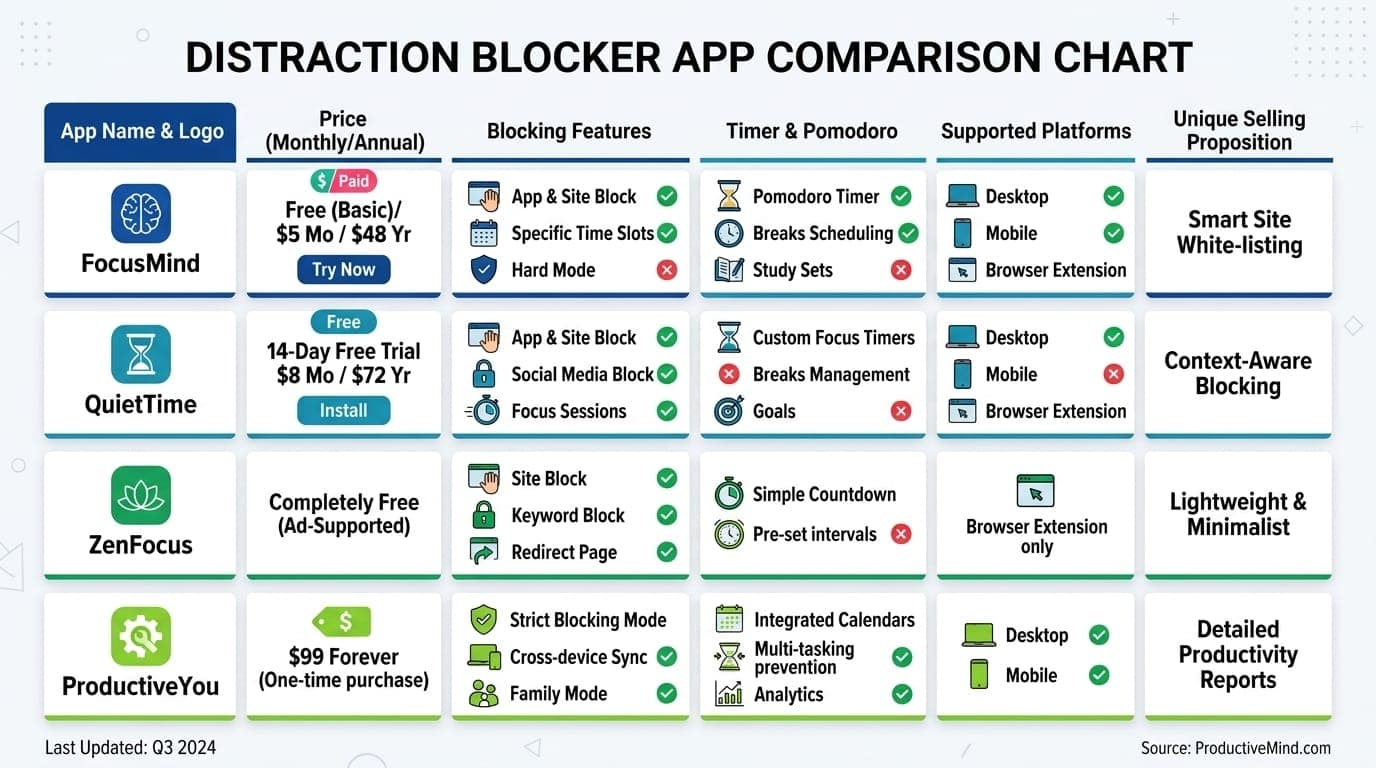
| Tool | Platforms | Price | Blocks Websites | Blocks Apps | AI Integration | Strictness |
|---|---|---|---|---|---|---|
| SelfControl | Mac | Free | Yes | No | No | Very High |
| LeechBlock | Browser | Free | Yes | No | No | Medium-High |
| LockIn MCP | Mac, Windows, Linux | $2.99/mo | Yes | No | Yes | High |
| Serene | Mac | $4/mo | Yes | Yes | No | Medium |
| Chronoid | Mac | $4/mo | Yes | No | Yes (local) | Medium |
| Forest | iOS, Android, Chrome | $3.99 one-time | Yes (extension) | Yes (mobile) | No | Low-Medium |
How to Choose the Right Cheap Distraction Blocker
If you're on Mac and want the strictest free option: SelfControl is unbeatable. Its unbypassable blocking survives restarts and app deletion.
If you work across multiple browsers and want flexibility: LeechBlock gives you 30 block sets with granular scheduling, all for free.
If you already use ChatGPT, Claude, or Poke and want AI control: LockIn MCP at $2.99/month is the only AI-integrated option in this price range, with system-level blocking across Mac, Windows, and Linux.
If you want a complete productivity workflow on Mac: Serene at $4/month combines day planning, blocking, and session timers in one app.
If you want to understand your habits before blocking: Chronoid at $4/month tracks your usage automatically and uses AI to reveal patterns.
If you're on mobile and want a one-time purchase: Forest at $3.99 turns focus into a game and eliminates recurring costs.
What You're Missing (and Not Missing) at This Price Point
Budget blockers under $5 deliver on the core promise: blocking distractions when you need to focus. What you typically give up compared to premium tools like Freedom or Cold Turkey Blocker:
What you're missing:
- Cross-device sync across Mac, Windows, iOS, and Android
- Cloud backup of your blocklists and settings
- Premium customer support with fast response times
- Advanced features like ambient focus sounds or team accountability
- Locked Mode features that prevent disabling during sessions (available in some premium tools)
What you're not missing:
- Core blocking functionality (budget tools block just as effectively)
- Scheduling and recurring sessions (available in most budget options)
- Strictness controls (SelfControl and LockIn MCP are as strict as any premium tool)
- Usage analytics (Chronoid provides this at $4/month)
For most people, the features you're missing aren't worth an extra $35-40 per year. If you work on one primary device and don't need cloud sync, budget blockers deliver the same results.
How We Evaluate and Test Distraction Blockers
We test distraction blockers based on five key criteria:
- Blocking effectiveness: Can the tool actually prevent access to distracting sites and apps? We test bypass methods including browser switching, app deletion, and system restarts.
- Ease of use: How quickly can you set up and start your first focus session? We time the installation and configuration process.
- Platform support: Which devices and operating systems does it work on? We test on Mac, Windows, Linux, iOS, and Android where applicable.
- Strictness controls: Can you disable the block once it's active? We evaluate lockdown modes, password protection, and system-level enforcement.
- Value for money: Does the feature set justify the price? We compare free vs. paid options and calculate cost per feature.
All tools in this guide were tested on real computers and mobile devices during actual work sessions. We don't rely on marketing claims or feature lists alone.
Tips for Getting Maximum Value from Budget Blockers
- Start with your top 3 distractions. Don't try to block everything at once. Identify the three sites or apps that steal the most time and block those first. Research shows that 27% of workers say social media is their biggest distraction, ranking higher than emails, meetings, and online shopping.
- Schedule blocks around your peak hours. If you do your best work in the morning, set scheduled blocks from 9 AM to noon. Leave the afternoon more open for communication and less focused work.
- Combine blocking with timeboxing. Pair your blocker with a Pomodoro timer to create structured work sprints. Work for 25 minutes, take a 5-minute break, repeat. Many budget blockers like Chronoid and Serene include built-in Pomodoro timers.
- Use the strictest mode you're comfortable with. The whole point of a distraction blocker is to remove the need for willpower. If you've tried blockers before and found yourself disabling them, go with SelfControl or LockIn MCP's system-level blocking.
- Review your habits weekly. If your blocker provides usage analytics (like Chronoid), check them every Friday. Look for patterns and adjust your blocklists accordingly. You might discover new distractions you hadn't noticed.
- Layer multiple tools if needed. There's no rule that says you can only use one blocker. You could use SelfControl for unbypassable website blocking on Mac and Forest for mobile focus sessions. The combined cost is still under $5/month.
- Block social media during deep work. Studies show that almost 20% of workers check social media more than 10 times during the workday. Blocking Instagram, Twitter, and other social platforms during your most productive hours can reclaim significant time.
Conclusion
You don't need to spend $40/year to block distractions effectively. Free options like SelfControl and LeechBlock offer unbypassable blocking with zero cost. Budget subscriptions like LockIn MCP ($2.99/month) bring AI integration to focus enforcement. And one-time purchases like Forest ($3.99) eliminate recurring costs entirely.
The right choice depends on your platform, how strict you need the blocking to be, and whether you want AI control or manual setup. But at this price point, there's no excuse not to try one.
Pick a tool, block your top 3 distractions, and see how much more you get done. The investment is under $5. The return is hours of focused work every week.
FAQ
What is the cheapest distraction blocker that actually works?
SelfControl for Mac and LeechBlock for browsers are both completely free and genuinely effective. SelfControl offers unbypassable blocking that survives restarts, making it one of the strictest blockers at any price. LeechBlock provides granular scheduling and time limits across all major browsers. Both are open-source and cost nothing.
Is LockIn MCP worth $2.99/month compared to free options?
LockIn MCP is worth it if you already use AI assistants like ChatGPT, Claude, or Poke and want AI-controlled blocking instead of manual setup. It's the only AI-integrated blocker under $5, with system-level blocking across Mac, Windows, and Linux. Free options like SelfControl and LeechBlock require manual configuration each time, while LockIn MCP lets you tell your AI assistant to block sites and manage focus sessions for you.
Can I use a cheap distraction blocker on my phone?
Yes. Forest costs $3.99 one-time on iOS and is free on Android. It's the most affordable mobile-focused blocker. For more advanced mobile blocking, Opal offers a limited free plan, though its premium tier ($9.99/month) exceeds the $5 budget. Most budget blockers focus on desktop, so if mobile is your primary distraction source, Forest is your best bet under $5.
Do free distraction blockers have hidden costs or limitations?
SelfControl and LeechBlock are completely free with no hidden costs, premium tiers, or feature limitations. They're open-source projects maintained by the community. The main limitation is that free tools typically don't offer cross-device sync, cloud backup, or customer support. But the core blocking functionality is unrestricted and works as well as premium tools.
How does system-level blocking compare to browser extensions?
System-level blockers like LockIn MCP and SelfControl modify your computer's hosts file or network settings, blocking sites across all browsers and apps. Browser extensions like LeechBlock only work in the specific browser where they're installed. System-level blocking is harder to bypass because you can't just switch to a different browser. However, browser extensions are easier to install and configure.
Can I block apps with cheap distraction blockers?
Most budget blockers under $5 focus on website blocking. Serene ($4/month) is the only option in this price range that blocks both websites and desktop apps on Mac. Forest blocks apps on mobile (iOS and Android). If app blocking is essential, you may need to combine a free website blocker like SelfControl with built-in OS tools like Apple Screen Time or Windows Focus Assist.
What's the best distraction blocker for students on a budget?
SelfControl is ideal for Mac-using students because it's completely free and offers unbypassable blocking during study sessions. For Windows or cross-browser needs, LeechBlock is also free and highly configurable. Students can also request a 20% discount on Cold Turkey Pro (bringing it to $36 one-time), though that exceeds the $5/month budget. For AI-assisted focus, LockIn MCP at $2.99/month is affordable and works across Mac, Windows, and Linux.
Will a distraction blocker slow down my computer?
No. Most modern distraction blockers have a negligible impact on system performance. Lightweight tools like SelfControl and LeechBlock use almost no resources. More full-featured apps like Chronoid and LockIn MCP use slightly more, but nothing that would noticeably slow down a modern machine. System-level blockers that modify the hosts file (like SelfControl and LockIn MCP) actually have less overhead than browser extensions because they don't need to monitor every web request. If performance is a concern, avoid tools that route traffic through a VPN, as those can occasionally affect network speeds.
